10 BradyPrinter i5100
4 • Touchscreen Display - Basic Information
Operation of the printer can be controlled on the touchscreen display. Examples:
• Issuing, interrupting, continuing and canceling print jobs
• Setting printing parameters, (e.g. heat level of the print head, print speed, interface configuration, language and time of day) (Refer to
Configuration Manual)
• Control stand-alone operations with the memory module (Refer to Configuration Manual)
• Update the firmware (Refer to Configuration Manual)
Many functions and settings can also be controlled by software applications or by direct programming with a computer using the printer’s
own commands. (Refer to Programming Manual for details.)
Most commonly, the touchscreen display is used to adjust the basic settings of the printer.
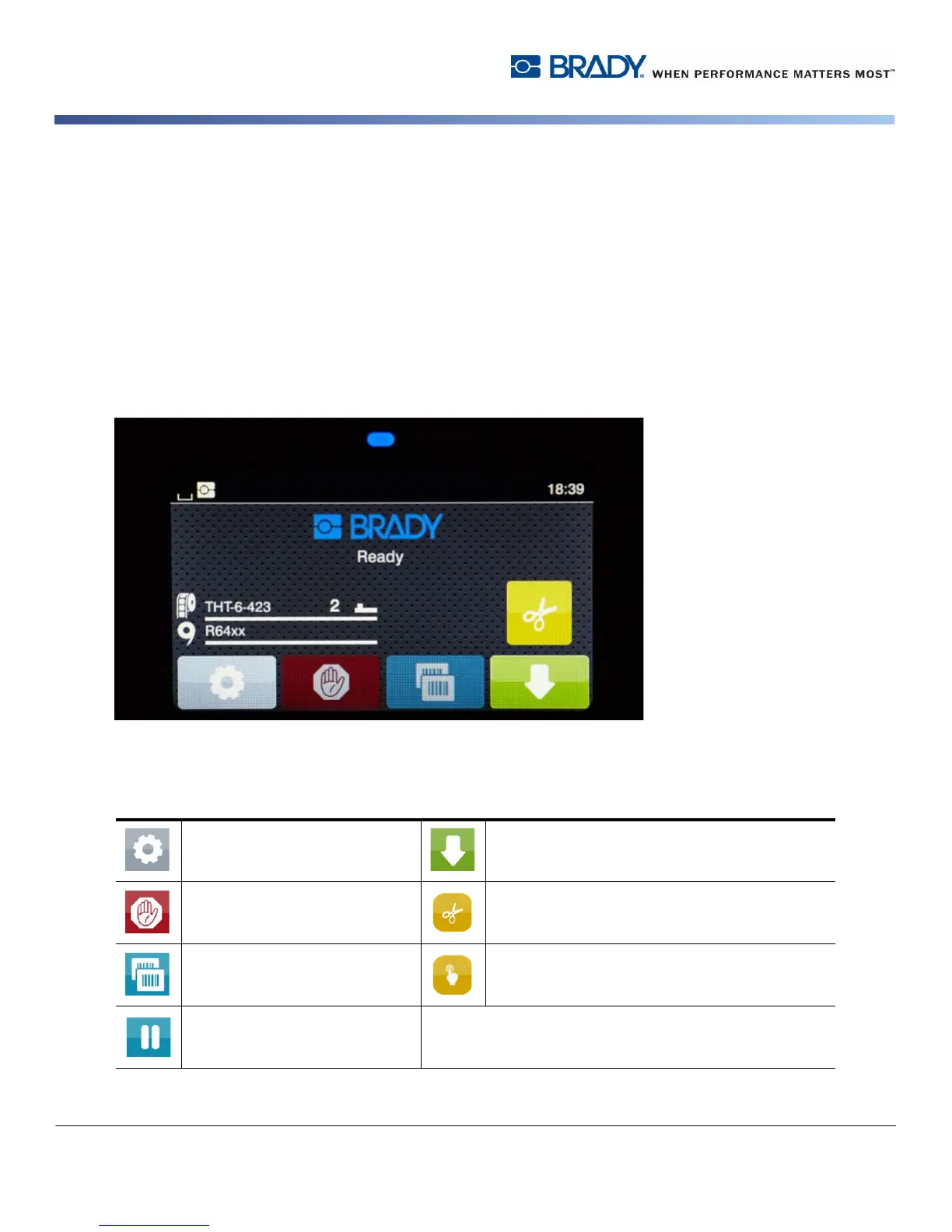
Home Screen Information
The touchscreen display is operated by the touch of a finger. To open a menu or select a menu item lightly touch the corresponding
symbol. To scroll in lists, slide finger up or down on the display.
Active Menu Icons on the Home Screen
Open the menu Feed the label
Cancel all print jobs Cut media without feed
Reprint the last printed label Release printing of a single label within a print
job including peeling-off, cutting.
Pauses the print job and
resumes upon repress
Note: Inactive symbols are dimmer than active symbols.



 To Next Page