BradyPrinter i5100 15
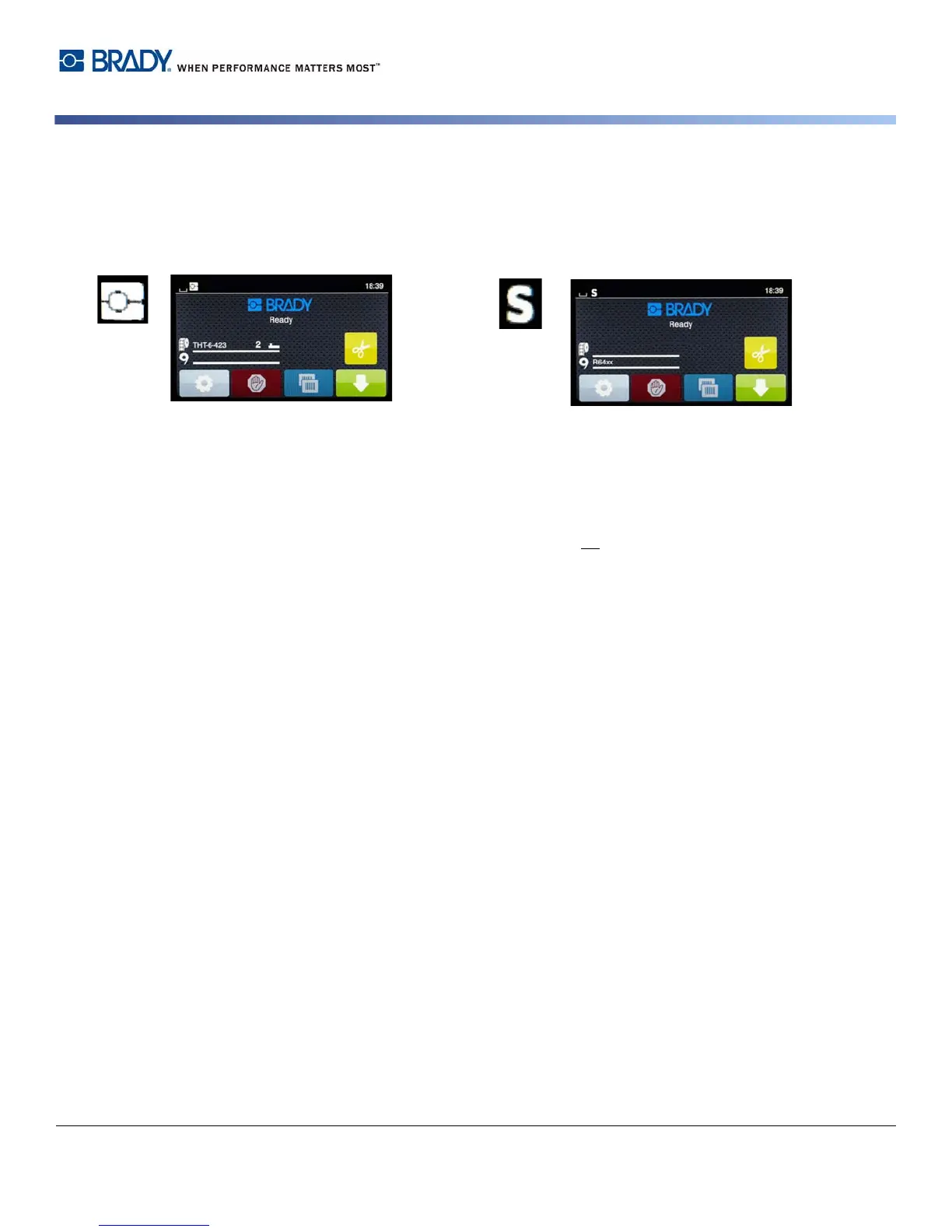
Partial Brady Mode / Partial Standard Mode
If a combination of IP-enabled and non-IP-enabled supplies are used then part of Brady Mode printing may be disabled. Refer to the
following table for the set-up characteristics for these supply combination situations.
Partial Brady Mode Home Screen
(IP-Enabled Label Roll with Non-IP-Enabled Ribbon)
Partial Standard Mode Home Screen
(Non-IP-Enabled Label Roll with IP-Enabled Ribbon)
In partial Brady Mode printing:
• Display does not show ribbon part number or estimated amount
remaining.
In partial Standard Mode printing:
• Display shows ribbon part number installed and estimated
amount remaining.
All other Brady Mode features are active:
• Display shows label part number and estimated amount
remaining.
• Printer auto-sets the printhead heat and print speed.
• Printer auto-verifies if installed ribbon is approved for the
installed label.
• A warning displays if incorrect ribbon is installed.
• Printer tells user which sensor to select and where to set it.
• Brady software automatically finds the label template and sets
up label size and spacing.
All other Standard Mode setups apply:
• Display does not show label part number or estimated amount
remaining.
• User visually checks amount of labels remaining.
• User manually sets the print speed and burn settings with trial
and error.
• User establishes compatibility of installed ribbon with label.
• User chooses the correct sensor to use.
• User manually adjusts sensor by visual alignment to notch
or gap.
• User sets up label size and layout software.



 To Next Page