12 BradyPrinter i5100
Basic Menu Navigation
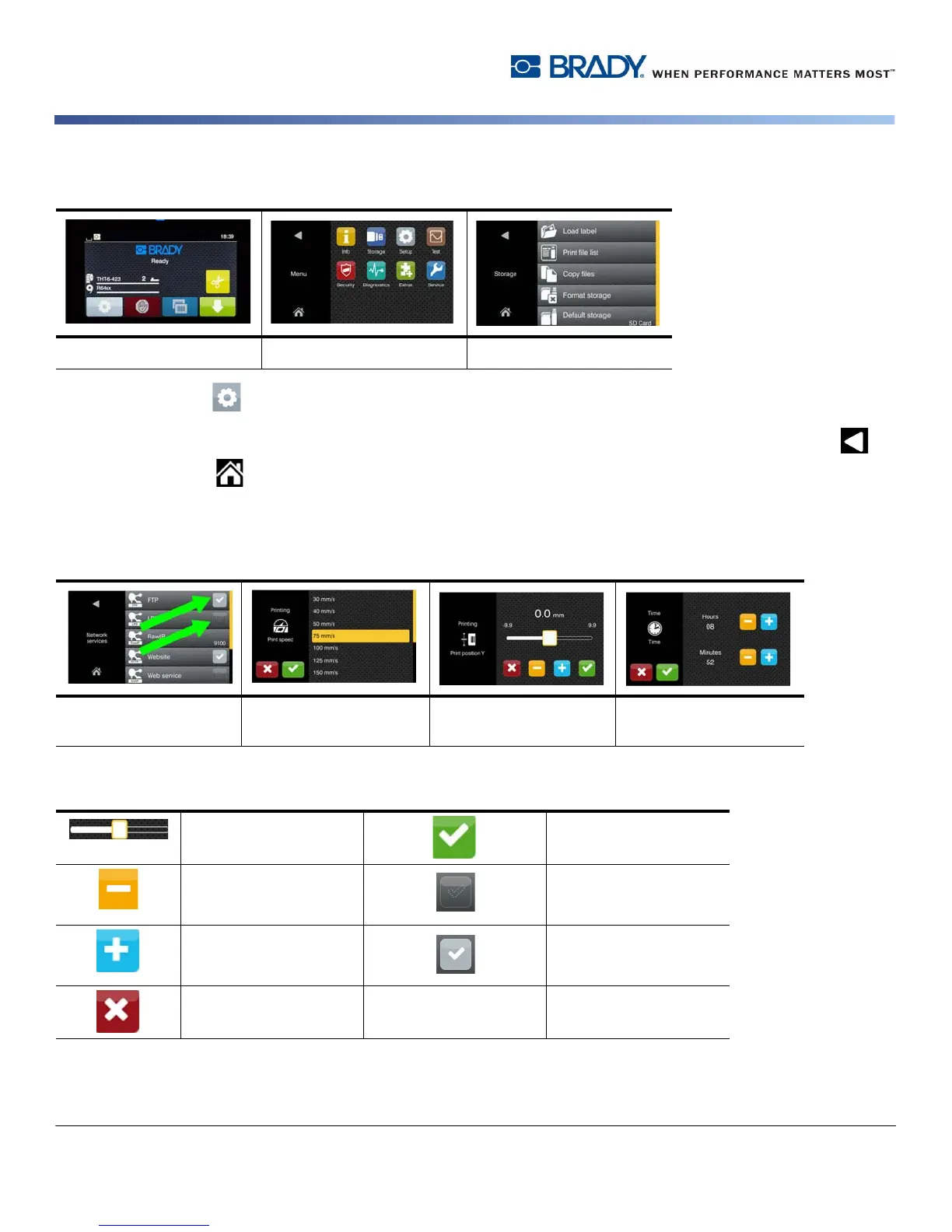
To open the menu select button on the start screen.
Select an icon in the selection level. Several icons have further sub-menus. To return from current level to previous level select .
To leave the menu select .
Continue selecting icons until the desired functional setting is reached.
Start a function or select a function to further set. The setup possibilities depend on the function type:
Buttons for function setting
Start level Selection level Setting/function level
Logical functions Selection functions Numerical setting
functions
Date & Time
Scroll bar for rough
value setting
Return with saving the
setting
Decreasing the value
step-by-step
increments
Parameter is disabled,
touching enables the
parameter
Increasing the value
step-by-step
increments
Parameter is enabled,
touching disables the
parameter
Return without saving
the setting



 To Next Page