ES Range Product Manual
Version 2.9
© Copyright Brainboxes Limited 2013
Page 25 of 66
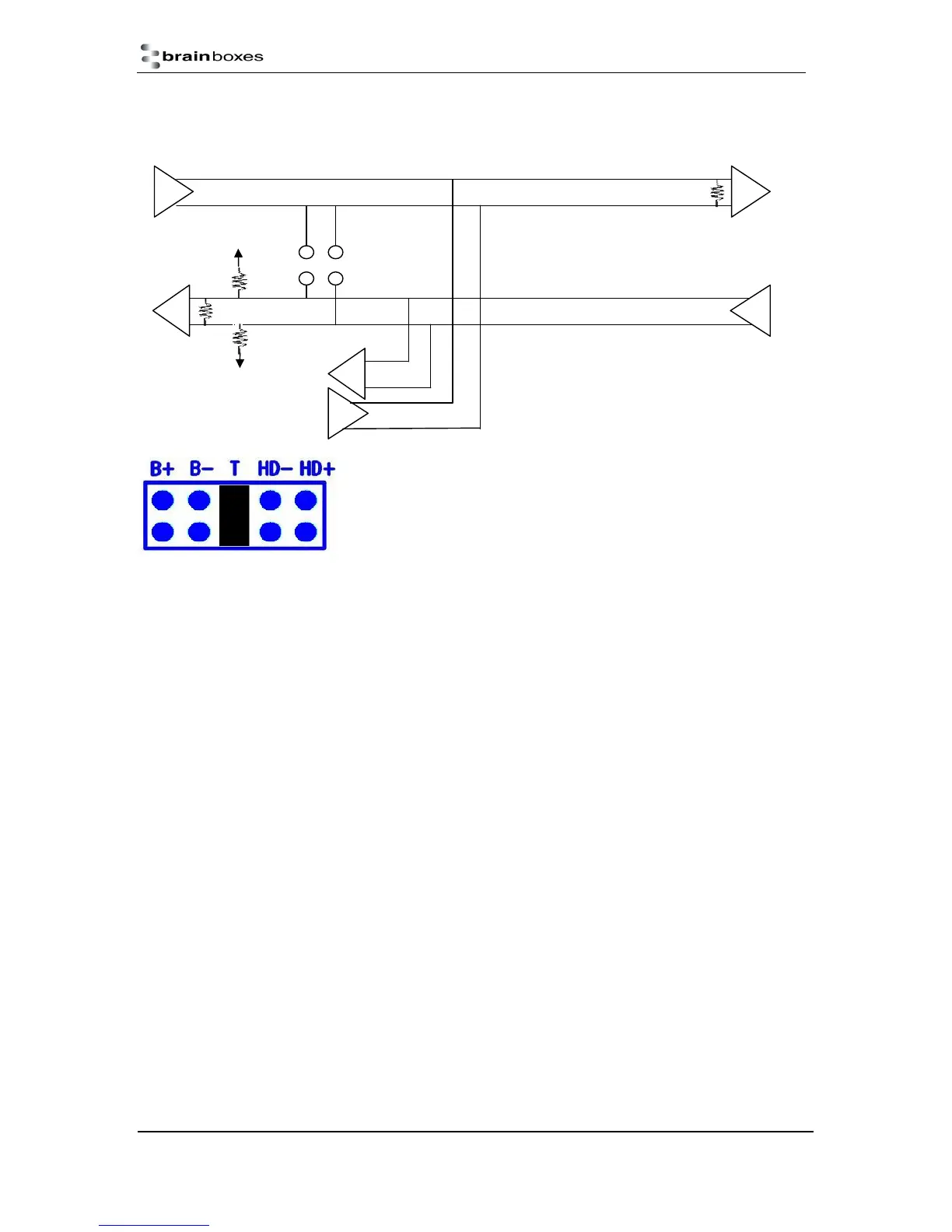
This mode is generally used between one transmitter and many receivers. It uses 2 twisted pair
cables, one carries the TXD data outwards and one brings the RXD data inward.
For full-duplex operation, the HD+ and HD- jumpers must not be
fitted. For optimal signal quality, fit the T jumper but not the B+ and B-
jumpers.
RS-485 Full Duplex (ES-357)
To set the ES-357 to full duplex mode, this needs to be done by changing the settings for the COM
port. To open RS-422/485 settings:
1. Double click the port entry in Boost.LAN Manager
2. Go to the Port Settings tab
3. Click Advanced
4. Go to the RS-422/485 Settings tab.
5. The drop down list allows users to choose the desired RS-422/485 operations mode.
6. Select “RS-422 full duplex mode” for Full Duplex communications.
H+
B+
3V3
B-
GND



 To Next Page