ES Range Product Manual
Version 2.9
© Copyright Brainboxes Limited 2013
Page 63 of 66
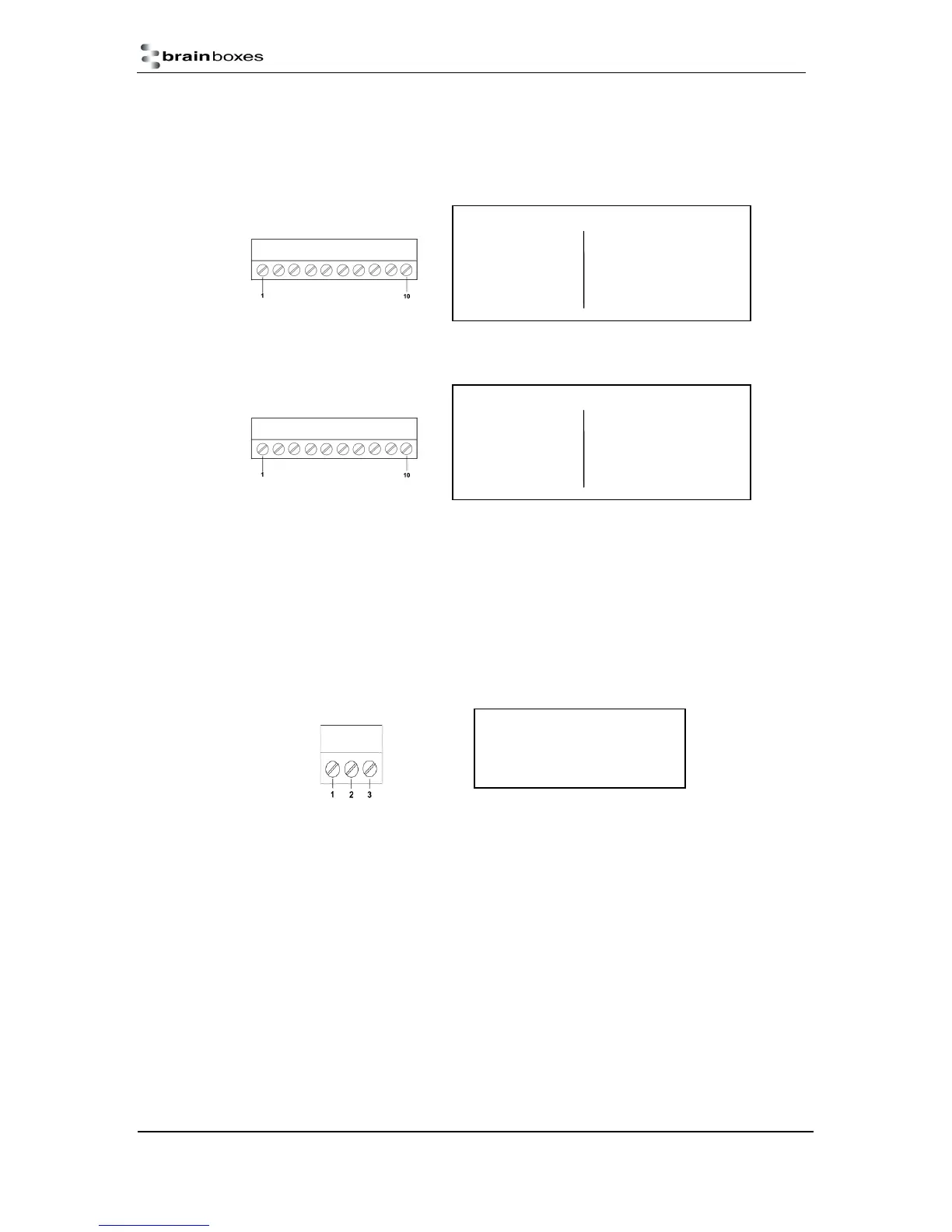
RS-232 RS-422/485
Pin 1 TxD Pin 6 TxD+
Pin 2 RxD Pin 7 TxD-
Pin 3 RTS Pin 8 RxD+/D+
Pin 4 CTS Pin 9 RxD-/D-
Pin 5 GND Pin 10 GND
Port screw terminal pin outs
Pin 1 V+ Power Supply +
Pin 2 V- Power Supply -
Pin 3 Earth/Chassis Ground
Port screw terminal pin outs
RS-232
Pin 1 TxD Pin 6 DTR
Pin 2 RxD Pin 7 DSR
Pin 3 RTS Pin 8 DCD
Pin 4 CTS Pin 9 RI
Pin 5 GND Pin 10 GND
Port screw terminal pin outs
Terminal Block Connector Pin out (dependent on ES Model)
For ES devices with terminal block connectors have the signals detailed below.
i. RS-232 & RS-422/485 Port (e.g. ES-357)
ii. RS-232 1 Port (e.g. ES-020)
For RS-422 FULL Duplex Communications, please note the pin outs above.
To achieve RS-485 Half Duplex Communications on a terminal block, using two wires for
communication, you need to use the “Data” pins marked with D+/D-. E.g. for the ES-357 this would be
Pin 8 and Pin 9.
Once your wiring is setup, you will also need to set the device to FULL or HALF Duplex mode in the
software. For further details, see Section 9
iii. Power Terminal Block
Storage and Operating Environment Guidelines
Storage
Temperature: -10
o
C to +70
o
C
Humidity: 8% to 95% non-condensing
Operational
Temperature: 0
o
C to +50
o
C
Humidity: 20% to 75% non-condensing



 To Next Page