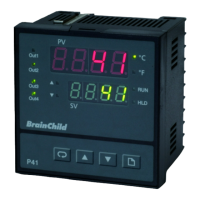
Manual Calibration Procedures for P41 / P91Manual Calibration Procedures for P41 / P91
Step 1. Press the page key then release for 2 times until the
appears on the display, Press the page key for least 5 seconds
then release the display will show . Press the page key for
at least 5 seconds then release, the display will show .
Step 2. Press the scroll key for at least 5 seconds then release, the display
will show and the unit enters calibration mode. Send a 0.0
mV signal to the thermocouple input terminals. Press scroll key for
at least 5 seconds. The display will blink a moment and a new
value is obtained. Otherwise if the display didn't blink or if the
obtained value is equal to -1999 or 1999, then the calibration fails.
Step 3. Press the scroll key then release, the display will show .
Send a 60 mV signal to the thermocouple input terminals in correct
polarity. Press scroll key for at least 5 seconds. The display will
blink a moment and a new value is obtained. Otherwise if the
display didn't blink or if the obtained value is equal to -1999 or
1999, then the calibration fails.
Step 4. Press the scroll key then release, the display will show .
Send a 100 ohms signal with 3-wire to the RTD input terminals.
Press scroll key for at least 5 seconds. The display will blink a
moment. Otherwise if the display didn't blink, then the calibration
fails.
Step 6. Connect a K type thermocouple to the thermocouple input terminals.
Press the scroll key then release, the display will show . Apply
up/down key until value 0.00 is obtained. The unit under calibration is
powered in a still-air room with temperature 25 3 C. Stay at least 20
minutes for warming up. Send a 0.0 C signal to the thermocouple input
terminals. Apply up/down key until 0.00 is obtained. Press scroll key for
at least 5 seconds. The display will blink a moment and a new value is
obtained. Otherwise if the display didn't blink or if the obtained value is
equal to -5.00 or 40.00, then the calibration fails.
KL
L
Step 5. Press the scroll key then release, the display will show .
Change the ohm's value to 300ohms. Press scroll key for at least
5 seconds . The display will blink a moment and two values are
obtained for and .Otherwise if the display didn't
blink or if any value obtained for and is equal to
-1999 or 1999, then the calibration fails.
UM0P411D
96
Step 7. Return to the static mode by pressing up and down key at a time then
release.



 To Next Page