18
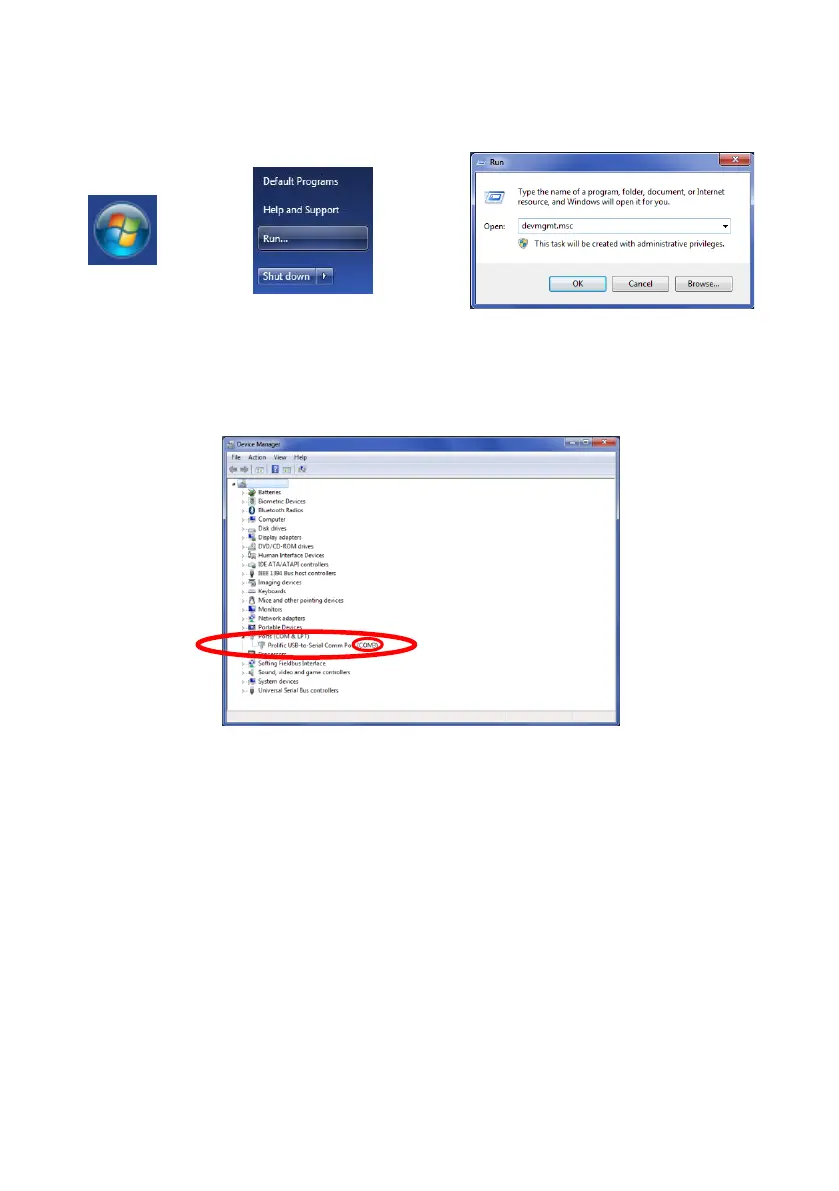
Click Windows Start button (typically on the bottom left on the screen) and select “Run…”. In
the “Run” dialogue box, type ‘devmgmt.msc’ and click “OK”; this will open the Device
Manager.
In the Device Manager window click “Ports (COM & LPT)” and check “Prolific USB-to-Serial
Com Port (COM##)”. The “##” represents the number of the port through which the display is
currently connected to the PC. Note this number as it is needed later in section “4.3.4
Connecting to the Brigade Backsense
®
System“. In the image below the number is shown as
“8” but this can vary.



 To Next Page