Model 621 User’s Manual USING THE LASER WAVELENGTH METER
Bristol Instruments, Inc. 21
View Menu
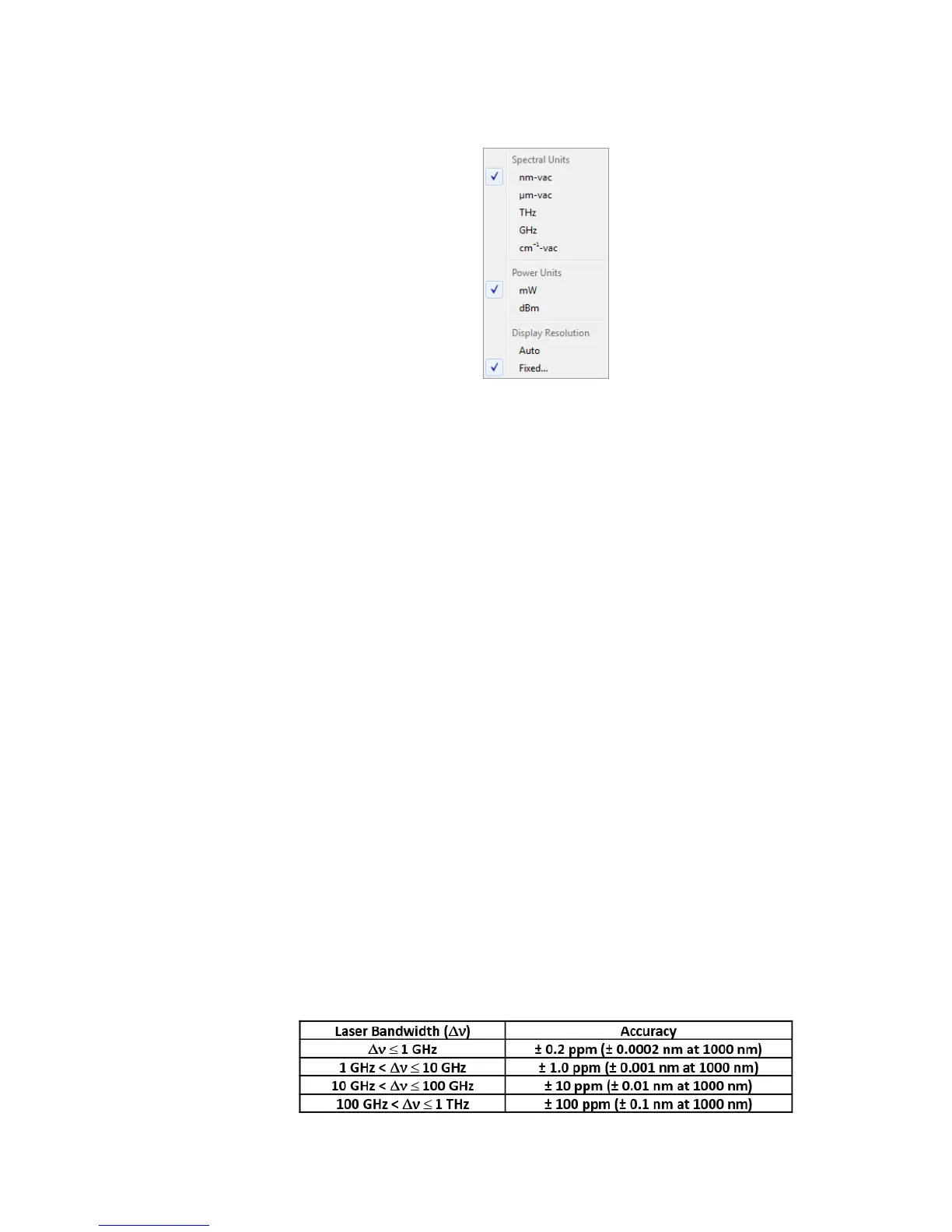
Spectral Units – Allows the user to select the measurement units for the Wavelength
Screen and Trend Screen.
nm-vac – Sets measurement units to nanometers (vacuum values).
µm-vac – Sets measurement units to micrometers (vacuum values).
GHz – Sets measurement units to gigahertz.
THz – Sets measurement units to terahertz.
cm
-1
-vac – Sets measurement units to wavenumbers (vacuum values).
NOTE: In other scientific publications, the units of nanometers, micrometers, and
wavenumbers may refer to the values in an air, standard air, or vacuum
environment. The 621 Laser Wavelength Meter provides measurements as
values in a vacuum environment, and units that are dependent on environment
are given a “-vac” suffix to emphasize this fact.
Power Units – Allows the user to select the power units for the Power Meter.
mW – Sets power units to milliwatts.
dBm – Sets power units to decibel-milliwatts.
Display Resolution – In order to realize the specified accuracy from the 621A Laser
Wavelength Meter (± 0.2 ppm), the bandwidth of the laser under test must be less
than 1 GHz (FWHM). The bandwidth of the laser under test must be less than 10 GHz
(FWHM) in order to achieve the specified accuracy from the model 621B (± 0.75 ppm).
If the laser under test has a bandwidth that is larger than these values, the
measurement accuracy will be reduced approximately according to the following table.



 To Next Page