© 2022 Brivo Systems LLC. All rights reserved. PUB-Brivo ACS6100 Installation Manual
35
Brivo ACS6100 Installation Manual
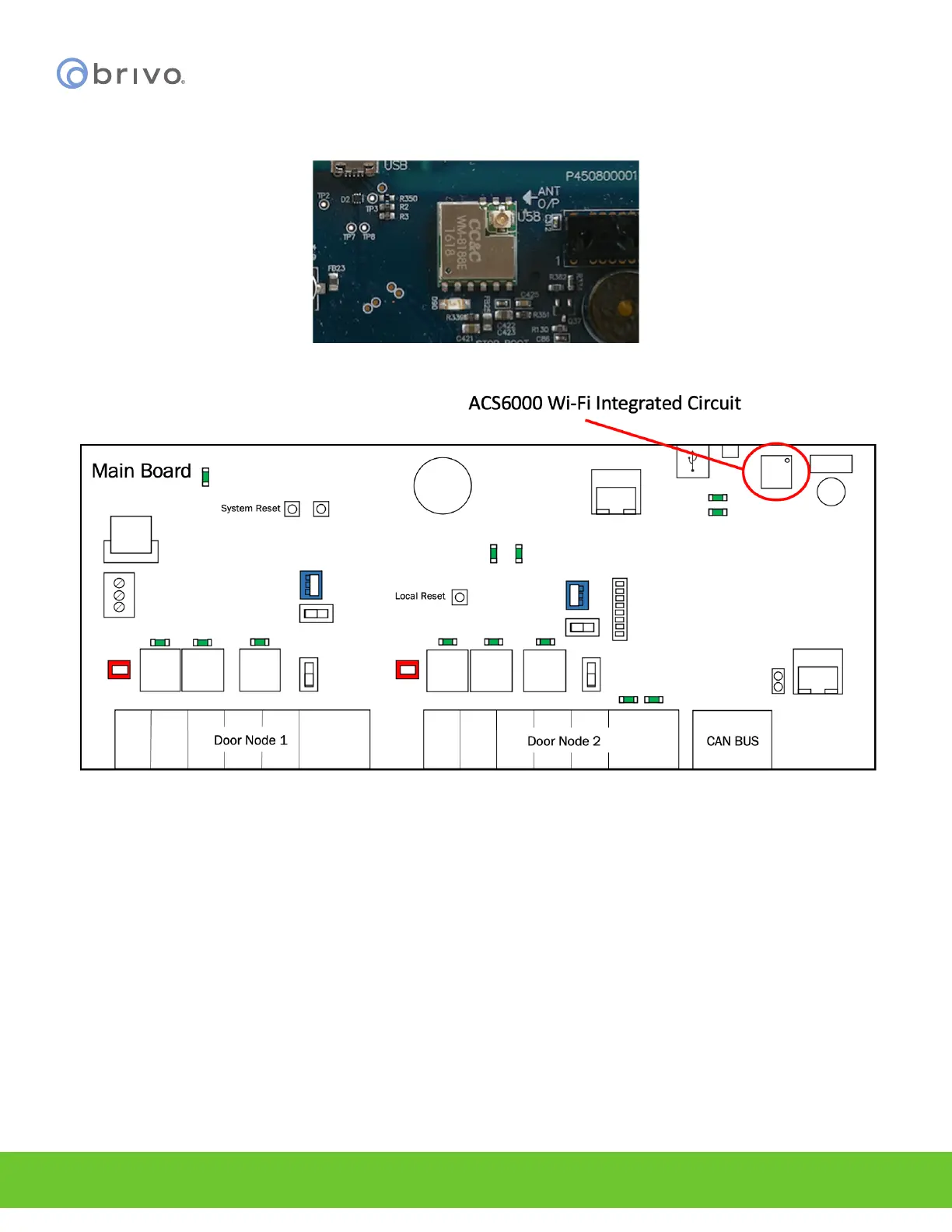
5. Attach the silver end of the Wi-Fi integrated circuit antenna connector located in the upper right hand
corner of the Wi-Fi antenna chip on the B-ACS6000-MBE MAIN CONTROL BOARD.
Figure 29 – Wi-Fi Integrated Circuit Antenna Connector
Figure 30 - ACS6000 Wi-Fi Integrated Circuit Location
6. When snapped into place, you may feel and hear an audible click.
Ground the control chassis
1. Wire the incoming Earth ground cable to the control chassis Earth ground screw located at the bottom of
the chassis.
2. Use 18 AWG or larger solid wire to connect the chassis to a suitable earth ground.
3. The ground contact point is in the lower panel area, near the hinge for the door and in front of the power
supply.



 To Next Page