© 2022 Brivo Systems LLC. All rights reserved. PUB-Brivo ACS6100 Installation Manual
36
Brivo ACS6100 Installation Manual
Powering and Testing Procedures
WARNING: Power Precautions
BEFORE POWERING UP THE CONTROL PANEL, CHECK THE FOLLOWING CONNECTIONS. MAKE SURE THAT:
• The power adapterr is NOT plugged into the 120VAC outlet.
• All wiring to the back-up battery is DISCONNECTED.
Power up the control panel.
1. Plug the power adapter into a 120VAC outlet.
NOTE: Firmware Upgrade at First Time Connect
When rst registered and connected to the Brivo Cloud Server, your B-ACS6000-MBE will automatically download
and install the latest rmware. This process may take several minutes, so do not disconnect or cut power to your
B-ACS6000-MBE during this process. If you encounter any diculties, please contact Brivo Technical Support at 866-
274-8648, Ext 2 or email customercare@brivo.com.
2. Check ALL power indicators:
a) Once the chassis door is closed, check the power supply board through the clear viewing
hole to conrm that the green LED is on, indicating that AC power is being supplied to board
and that the board is producing 12VDC power.
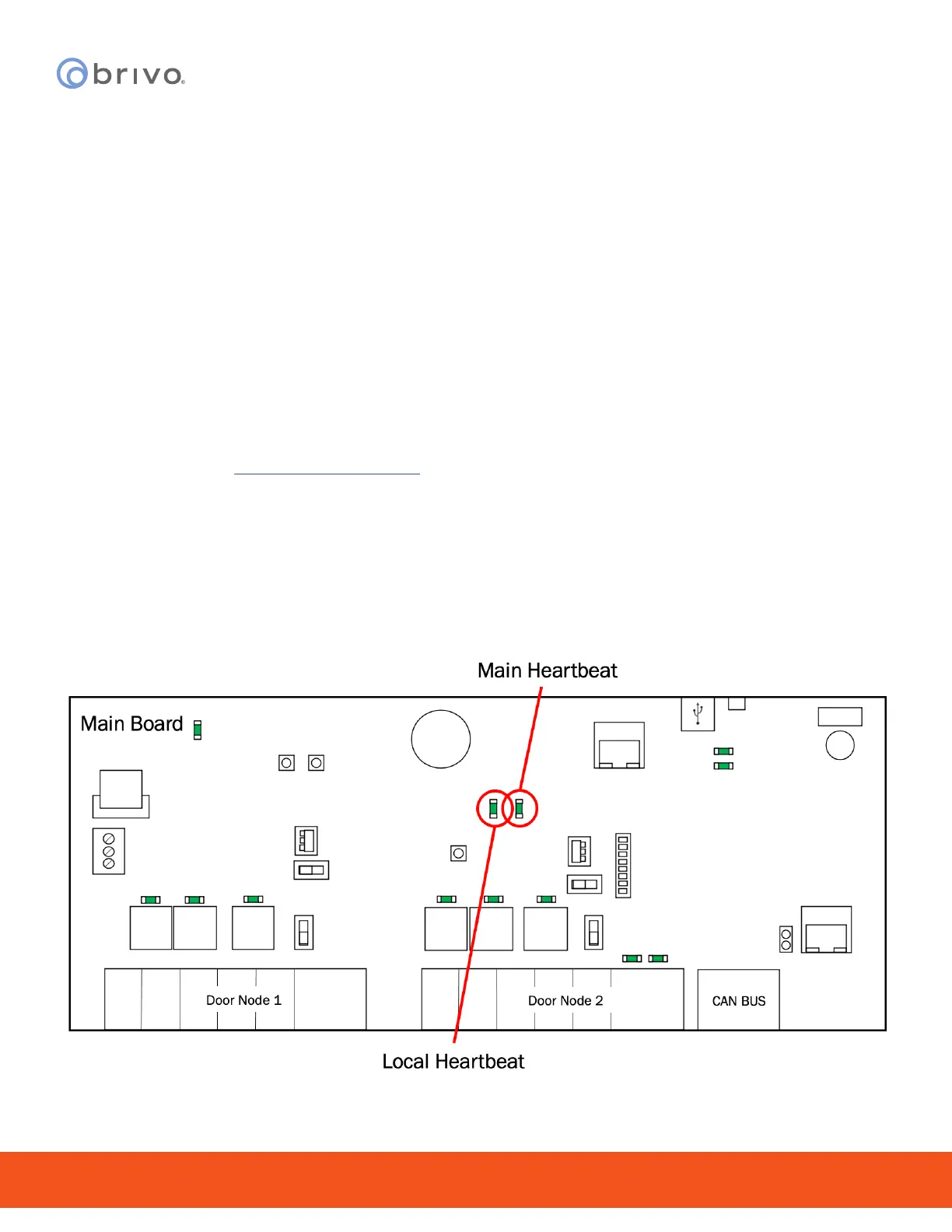
b) Check the MAIN CONTROL BOARD to conrm that the LOCAL HRTBT (local heartbeat) and
MAIN HRTBT (main heartbeat) have come on and are blinking.
• The local heartbeat should begin blinking immediately.
• The main heartbeat can take 30-60 seconds to establish a steady beat.
Figure 31 - MAIN CONTROL BOARD Heartbeats



 To Next Page