© 2022 Brivo Systems LLC. All rights reserved. PUB-Brivo ACS6100 Installation Manual
37
Brivo ACS6100 Installation Manual
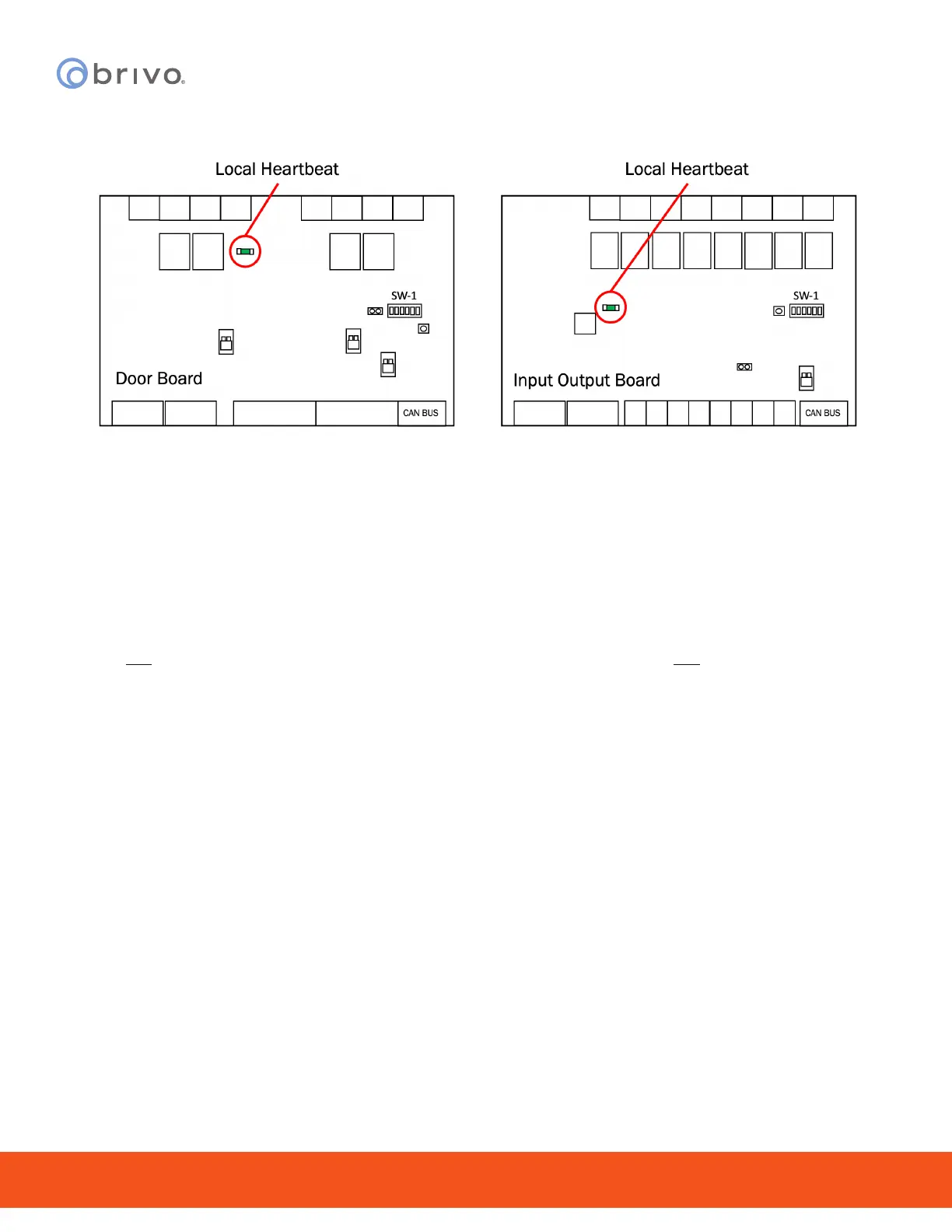
c) Check each DOOR BOARD to conrm that the LOCAL HRTBT has come on and is blinking,
indicating that 12 VDC power is present.
Figure 32 - Expansion Boards Local Heartbeat
d) Check each INPUT OUTPUT BOARD to conrm the LOCAL HRTBT has come on and is
blinking.
e) If any of these power indicators is not correct (i.e., the LED light does not come on or does
not begin blinking, check the connections from the power supply to each of the circuit
boards. If all connections are good but there is a still a problem with the power indicator,
contact Technical Support.
NOTE: A steady light is an indication of a problem, just as much as no light is.
3. If ALL power indicators are correct, attach the back-up battery and check that ALL indicators remain the
same.



 To Next Page