C-2
Model 0254
Section C Serial Communications Protocol Installation and Operation Manual
X-SE-0254-eng
Part Number: 541B129AAG
September, 2010
C-2-2 Hyperterminal Set-Up
Within the windows operating system a software application is available,
called Hyperterminal, which can be used to setup a serial connection to the
0254 Read Out. This software application is available in the following
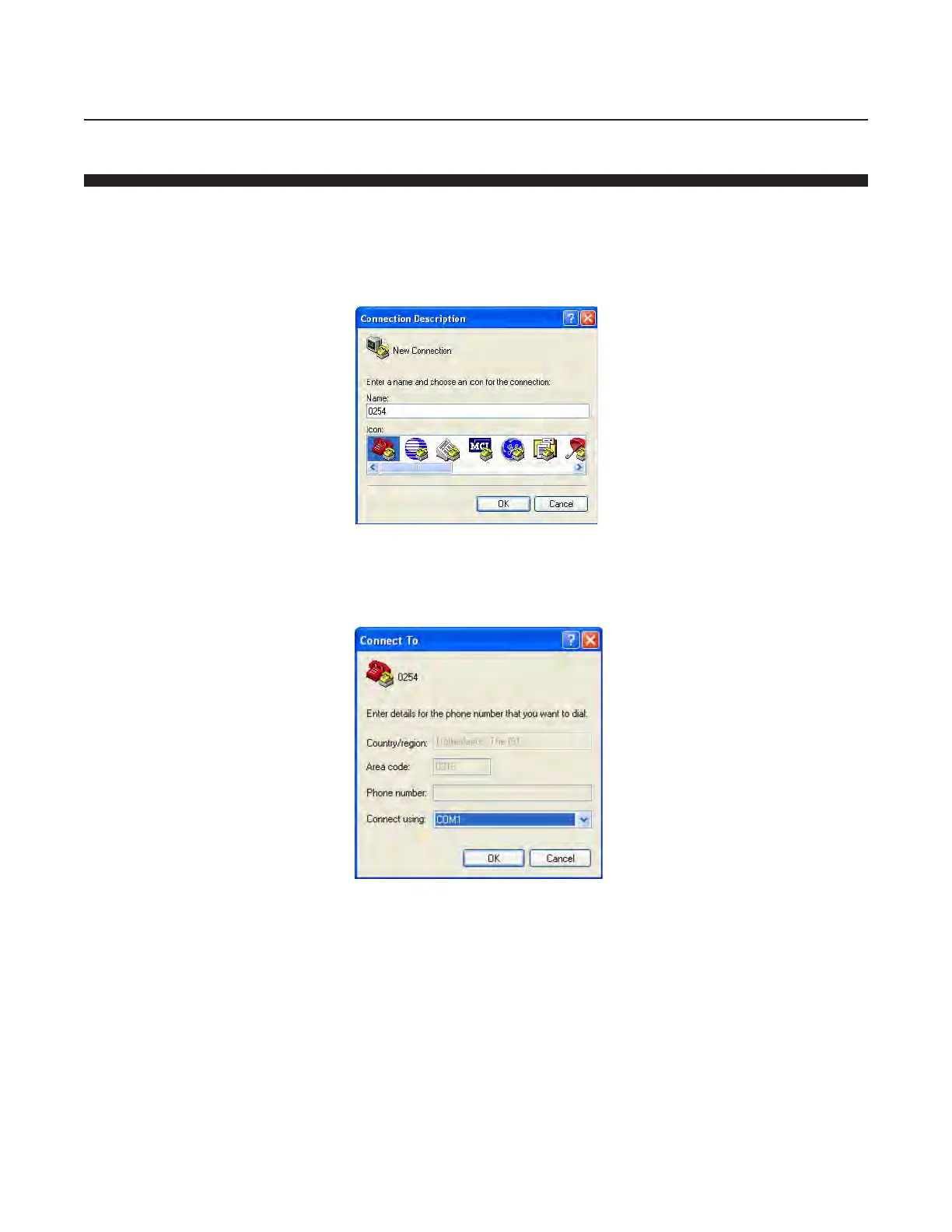
shortcut menu “Start->All Programs->Accessories->Communications-
>Hyperterminal”. This shortcut will put up the screen shown below.”
Enter a name for the connection and click the 'OK' button. In the next
screen enter the right COM port number, see below.



 To Next Page