23 | ENBrose Display Allround E41230 // Displays
Displays
20 System information
kmh
18,5
Check
Speed
Sensor
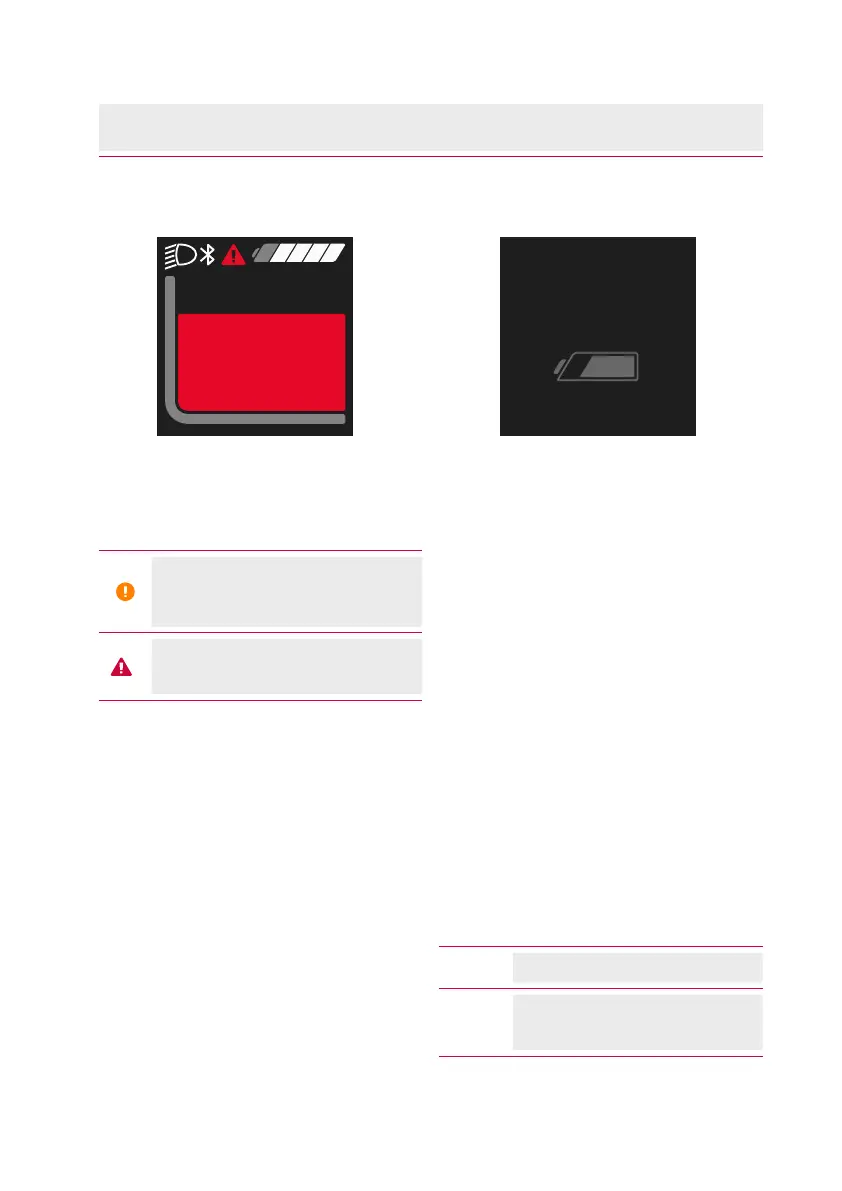
Fig. 5: Error message example
The status bar will show you the
following:
Battery reserve is reached
or battery is empty and the
system is switched off.
An error has occurred
(see chap. 26 on page 28)
.
21 Battery charge level display
75 %
Fig. 6: Charging the battery
The charge level of the battery can be
shown in the display of the operating
unit with 5 segments and/or in percent
(see chap. 24 on page 26)
. One
segment corresponds to approx. 20% of
the battery capacity.
Depending on the equipment of your
e-bike, the charge level of the battery
can also be read on the same.
If the battery charge level is <10%, the
charge level indicator starts flashing.
When the charge level is <5%, the last
segment of the display turns red. In this
state, the motor support is switched
off to ensure the use of the lighting for
another 2 hours in case of emergency.
If the battery is charged on the wheel,
a corresponding message is displayed.
White Battery capacity >10%
Red
Battery capacity ≤ 10%
(Last segment red)



 To Next Page