EasyManua.ls Logo

Brother BAS-415 - Page 55

Brother BAS-415
134 pages
Print Icon
To Next Page IconTo Next Page
To Previous Page IconTo Previous Page
Loading...
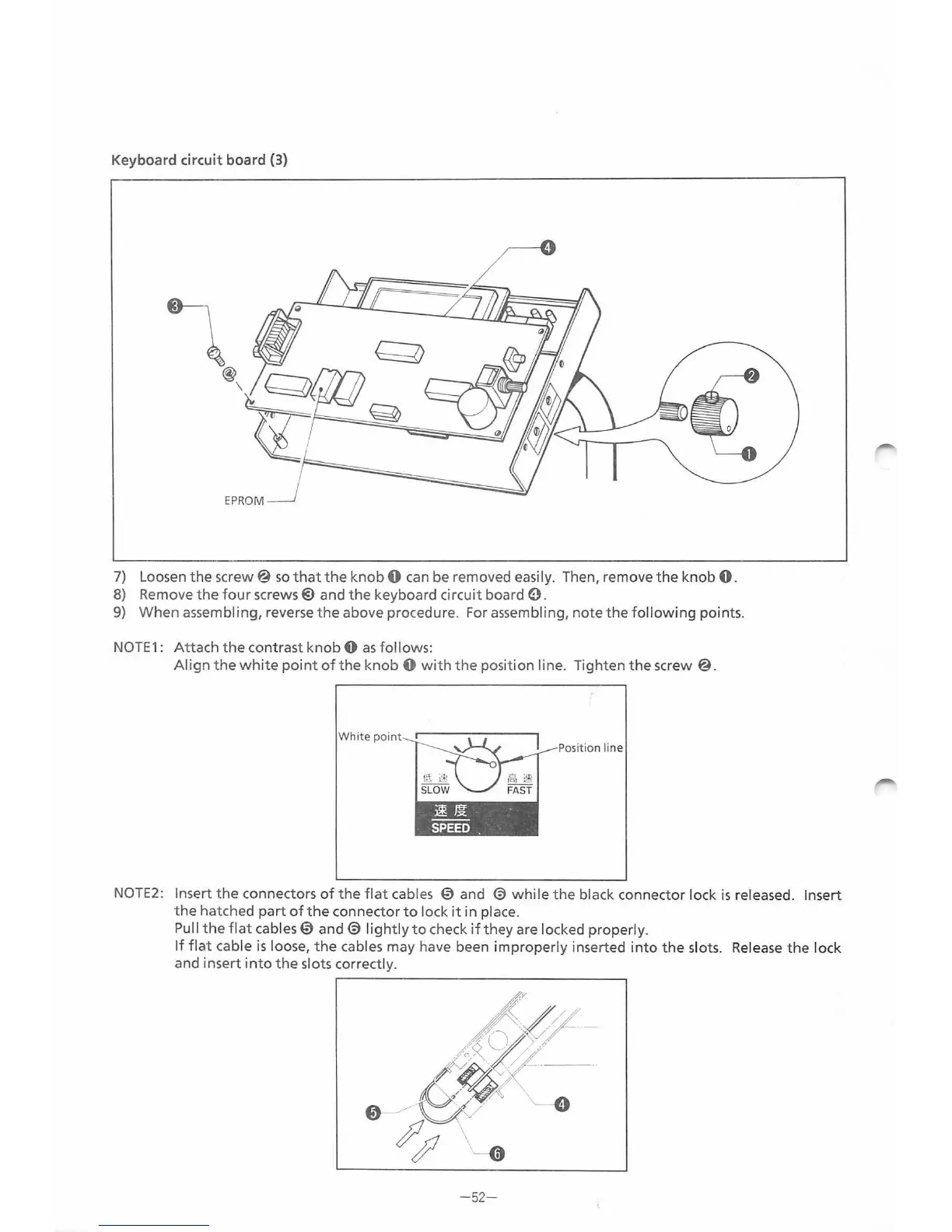
Keyboard circuit board (3)
7) Loosen
the
screw@
so
that
the
knob 0
can
be removed easily. Then, remove
the
knob
0.
8)
Remove
the
four
screws@ and
the
keyboard circuit board
0.
9)
When
assembling, reverse
the
above procedure. For assembling, note
the
followin
g points.
NOTE
1:
Attach
the
contrast
knob
0
as
follows:
Align
the
white
point
of
the
knob
0
with
the
position line. Tighten
the
screw@.
White
point
~Jjt
SPEED
.
Position line
NOTE2:
Insert
the
connectors
of
the
flat
cab
les
0 and @
while
the
black connector lock
is
released. Insert
the
hatched
part
ofthe
connector
to
lock
it
in pl
ace.
Pull
the
flat
cables 0
and@
lightly
to
che
ck
if
they
are
lo
cked properly.
If
flat
cable
is
loose,
the
cables may have been improperly inserted
into
the
slots.
Release
the
lock
and
in
sert
into
the
slots correctly.
ffv
~
~ " -
0
__.__..-
"
-----v
~~
\ 0
-52
-
From the library of: Superior Sewing Machine & Supply LLC

Table of Contents

Related product manuals