Chapter 5
24
g After the machine scans the page, press
Yes to scan the next page.
h Put the next page on the scanner glass.
Press Start.
Repeat steps g and h for each page of
the document.
i After all the pages have been scanned,
press No in step g to finish.
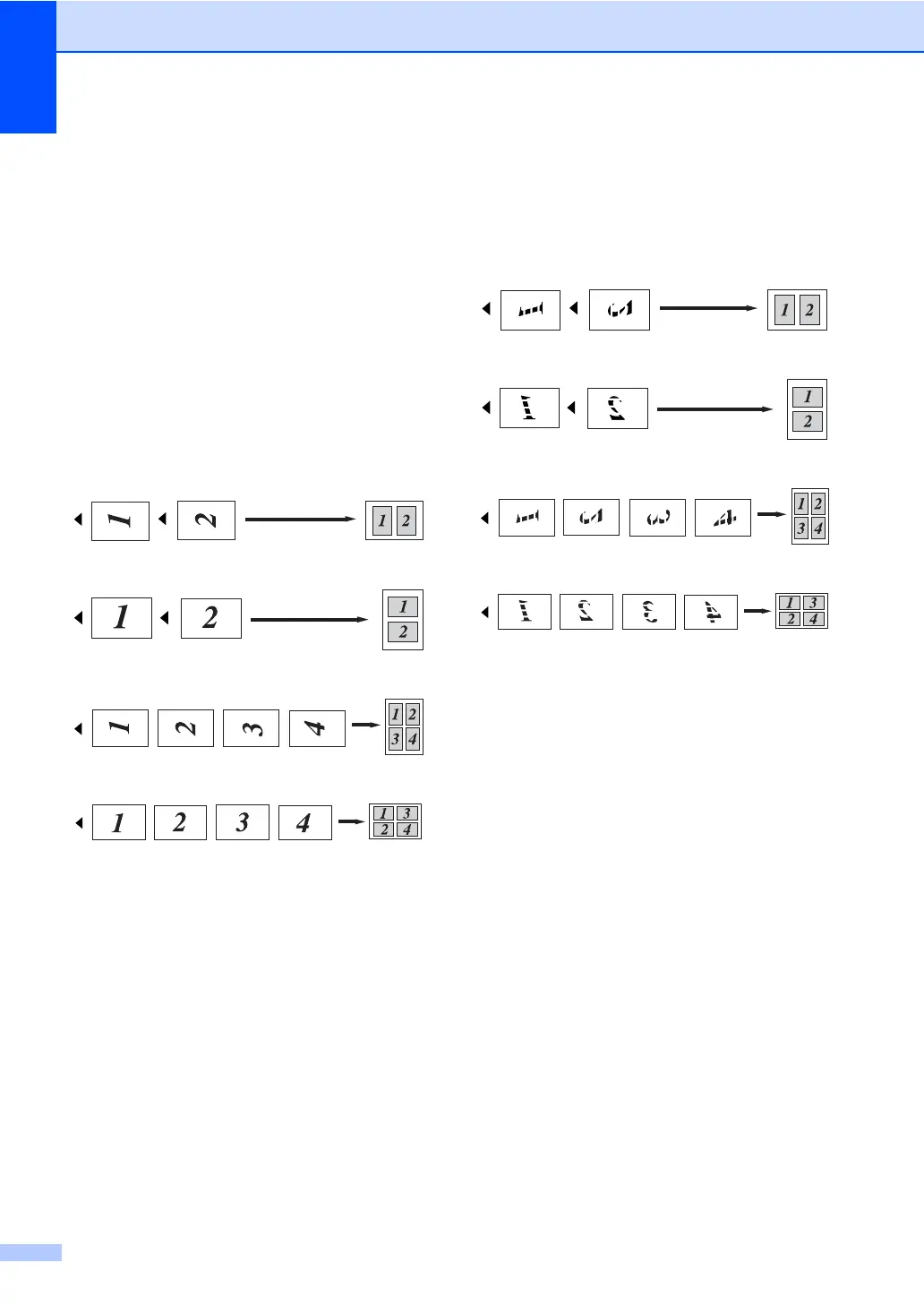
If you are copying from the ADF: 5
Insert your document face up in the direction
shown below:
2in1(P)
2in1(L)
4in1(P)
4in1(L)
If you are copying from the scanner
glass: 5
Place your document face down in the
direction shown below:
2in1(P)
2in1(L)
4in1(P)
4in1(L)


 To Next Page
 Loading...