6-19 Confidential
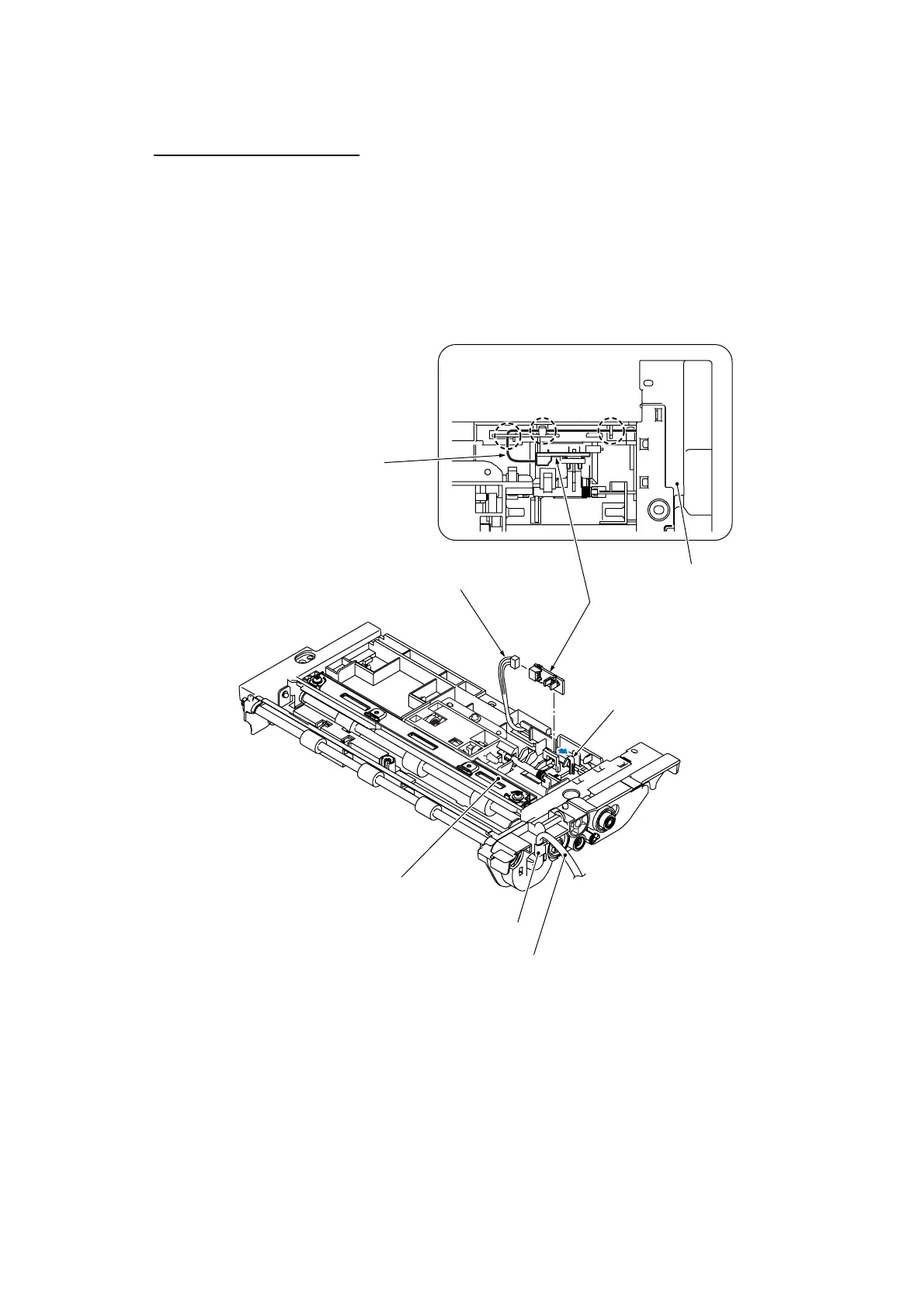
Document front sensor PCB
(15) Place the ADF unit upside down.
(16) Pull the lock arm outwards and take out the document front sensor PCB. Then disconnect the
document front sensor harness from the PCB.
(6_19)
Document front sensor PCB
Document front sensor harness
(Rear)
ADF unit
(placed upside down)
Lock arm
Document front sensor harness
ADF unit
Bundle of harnesses
(ADF motor harness, grounding wire,
and document front and rear sensor harnesses)
Cable guide
Routing the document front sensor harness
through the cable guides



 To Next Page