6-20 Confidential
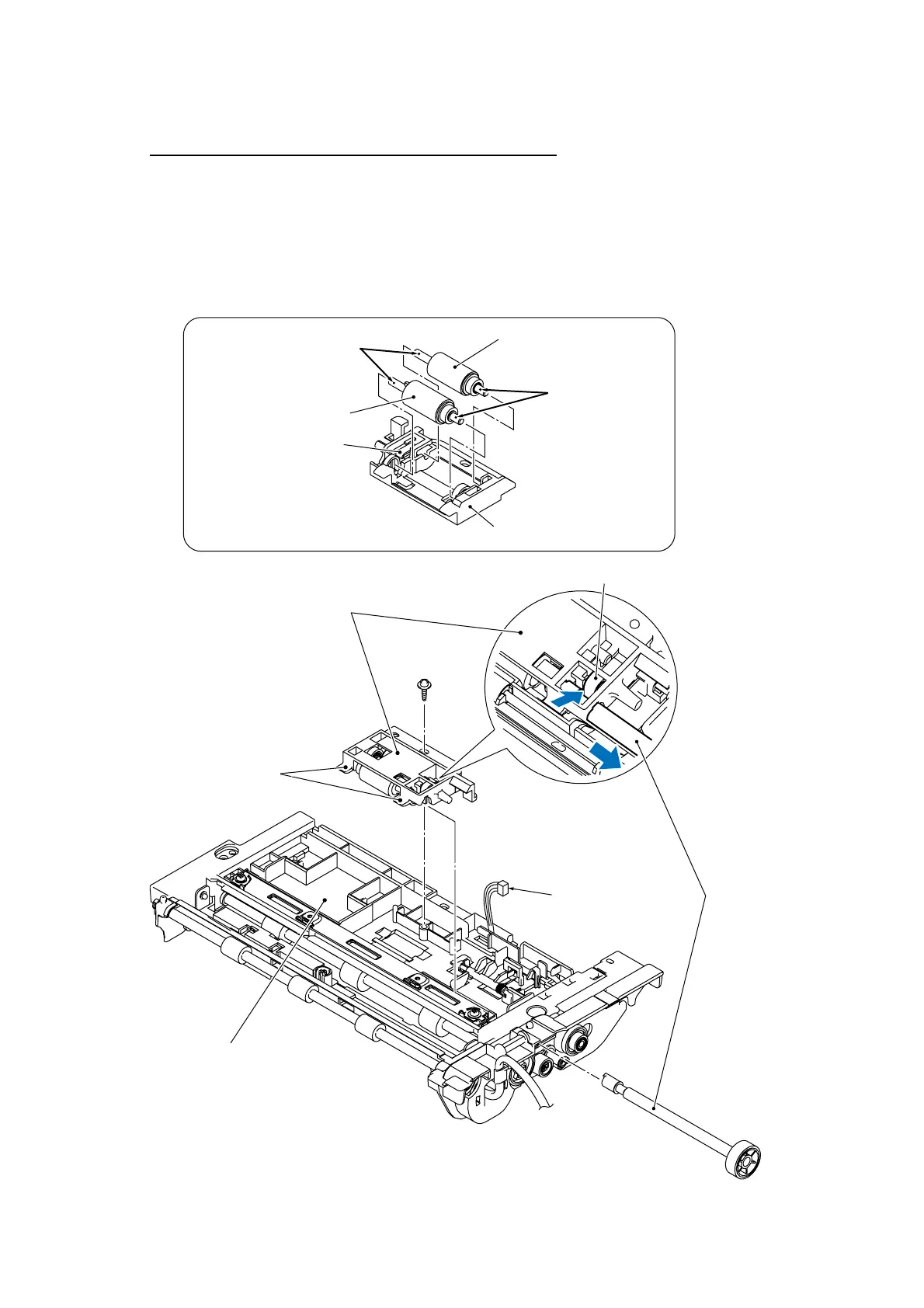
Document pull-in roller and document separation roller
(17) Press the lock arm on the document roller holder and pull out the separation roller gear.
(18) Remove the screw that secures the document roller holder.
(19) Release the two tabs on the left end of the document roller holder from the ADF unit and take
it out.
(20) Remove the document pull-in roller and document separation roller from the document roller
holder.
(6_20)
Document pull-in roller
ADF unit
(placed upside down)
(Rear)
Document front
sensor harness
Separation roller gear
Lock arm
Document roller holder
Apply grease here.
Apply grease here.
Document separation roller
Document roller holder
Taptite, cup B
M3x10
Tabs
(Front)
Lock arm



 To Next Page