EasyManua.ls Logo

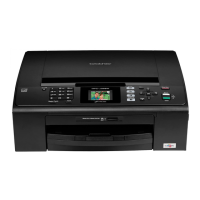
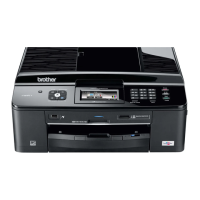
Brother MFC-J270w - User Manual

Brother MFC-J270w
122 pages
Print Icon
To Next Page IconTo Next Page
Loading...
BASIC USER’S GUIDE
MFC-J270W
MFC-J415W
Version 0
USA-ENG

Table of Contents

Other manuals for Brother MFC-J270w

Questions and Answers

  • C
    Christopher MoyerAug 12, 2025
    Why does my Brother Mfc say 'Cannot Print Replace Ink'?
    • B
      boydcoryAug 12, 2025
      If your Brother Mfc cannot print and displays a 'Replace Ink' message, it means that one or more of the ink cartridges have reached the end of their life. Replace the ink cartridges to resolve this issue.
  • C
    Courtney GonzalezAug 16, 2025
    Why is my Brother Mfc only printing B&W and saying 'Replace Ink'?
    • Q
      qorozcoAug 16, 2025
      If your Brother Mfc is only printing in black and white and indicates 'Replace Ink', it means one or more of the color ink cartridges have reached the end of their life. Replace the ink cartridges.
  • J
    Joshua HamiltonAug 19, 2025
    What to do if my Brother Mfc cannot detect ink cartridge?
    • C
      Caroline RobinsonAug 20, 2025
      If your Brother Mfc 'Cannot Detect' the ink cartridge, it might be due to several reasons. If you installed a new ink cartridge too quickly, take it out and reinstall it slowly until it clicks. Also, the machine may not detect non-genuine Brother Innobella™ ink cartridges, so use a new Genuine Brother Innobella™ Ink Cartridge. If the error persists, contact Brother Customer Service. Finally, ensure the ink cartridge is installed properly by removing it and re-installing it slowly until it clicks.
  • D
    David CampbellAug 25, 2025
    What to do if my Brother MFC-J270w All in One Printer says 'Cannot Print Replace Ink'?
    • L
      Lawrence TrujilloAug 25, 2025
      If your Brother All in One Printer says 'Cannot Print Replace Ink', it means one or more of the ink cartridges have reached the end of their life. The solution is to replace the ink cartridges.
  • T
    Tracy HaynesAug 27, 2025
    Why my Brother MFC-J270w cannot detect the ink cartridge?
    • J
      Judith DawsonAug 27, 2025
      There are several reasons why your Brother All in One Printer might not detect an ink cartridge: * You installed the new ink cartridge too quickly. To resolve this, take out the new ink cartridge and re-install it slowly until it clicks. * You are not using a Genuine Brother Innobella™ ink cartridge. Try using a new Genuine Brother Innobella™ Ink Cartridge. If the error persists, contact Brother Customer Service. * The ink cartridge is not installed properly. Remove the ink cartridge and re-install it slowly until it clicks.
  • L
    Lisa Gilbert DVMAug 31, 2025
    How to fix Brother All in One Printer when it prints B&W only and asks to replace ink?
    • N
      nicholasroseAug 31, 2025
      If your Brother All in One Printer is only printing in black and white and prompts you to replace the ink, it indicates that one or more of the color ink cartridges have reached the end of their life. You should replace the indicated ink cartridges to restore full color printing capability.
  • B
    Brandon LeeSep 4, 2025
    What to do if Brother Mfc shows Comm.Error?
    • J
      Justin EvansSep 4, 2025
      If your Brother Mfc shows a 'Comm.Error', it indicates a communication problem due to poor telephone line quality. Try sending the fax again or connecting the machine to another telephone line. If the issue persists, contact your telephone company to inspect your telephone line.
  • W
    William WalkerSep 7, 2025
    What to do if my Brother MFC-J270w All in One Printer shows 'Comm.Error'?
    • B
      Brianna GonzalesSep 8, 2025
      A 'Comm.Error' on your Brother All in One Printer typically indicates that poor telephone line quality caused a communication error during faxing. Try sending the fax again, or connect the machine to another telephone line. If the problem continues, contact your telephone company to check your telephone line.

Brother MFC-J270w Specifications

General IconGeneral
Print TechnologyInkjet
FunctionalityPrint, Copy, Scan, Fax
Max Print Resolution6000 x 1200 dpi
Print Speed (Black)12 ppm
Print Speed (Color)10 ppm
Paper Capacity100 sheets
Duplex PrintingManual
Scanner TypeFlatbed
Maximum Scan Resolution1200 x 2400 dpi
Automatic Document Feeder (ADF)Yes
ADF Capacity20 sheets
Fax Speed33.6 kbps
Memory32 MB
ConnectivityUSB, Ethernet, Wi-Fi
Ink CartridgeLC103 Series (Black, Cyan, Magenta, Yellow)

Related product manuals