Troubleshooting
43
B
Error animation B
Error animations display step-by-step
instructions when paper gets jammed. You
can read the steps at your own pace by
pressing c to see the next step and d to go
backward.
Document jam
(DCP-J715W only) B
Documents can jam in the ADF unit if they are
not inserted or fed correctly, or if they are too
long. Follow the steps below to clear a
document jam.
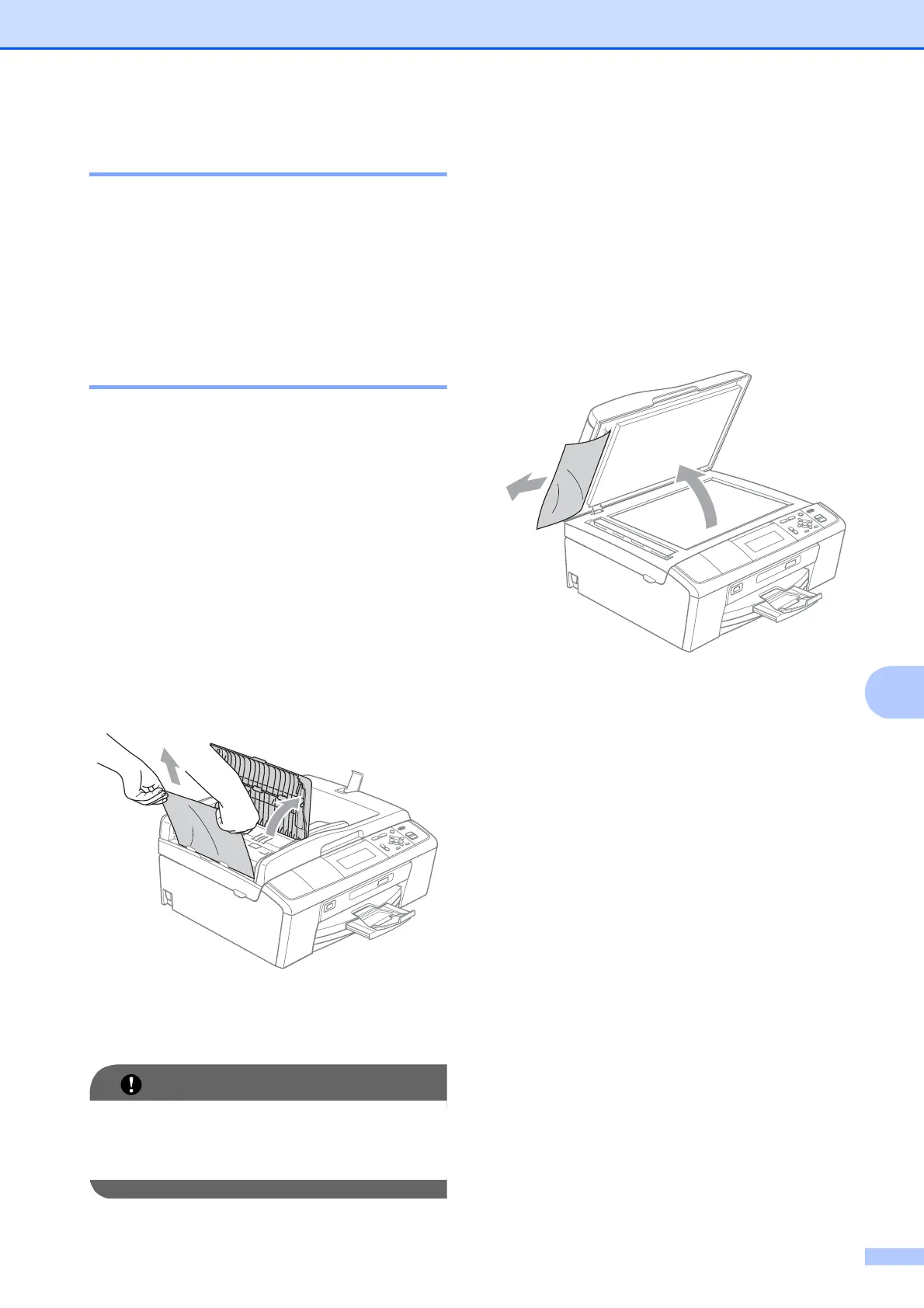
Document is jammed in the top of the
ADF unit
B
a Take out any paper from the ADF that is
not jammed.
b Open the ADF cover.
c Pull the jammed document up and to the
left.
d Close the ADF cover.
e Press Stop/Exit.
To avoid future document jams close the
ADF cover correctly by pushing it gently in
the middle.
Document is jammed inside the ADF
unit
B
a Take out any paper from the ADF that is
not jammed.
b Lift the document cover.
c Pull the jammed document out to the
left.
d Close the document cover.
e Press Stop/Exit.



 To Next Page
 Loading...













