ControlCenter4
55
3
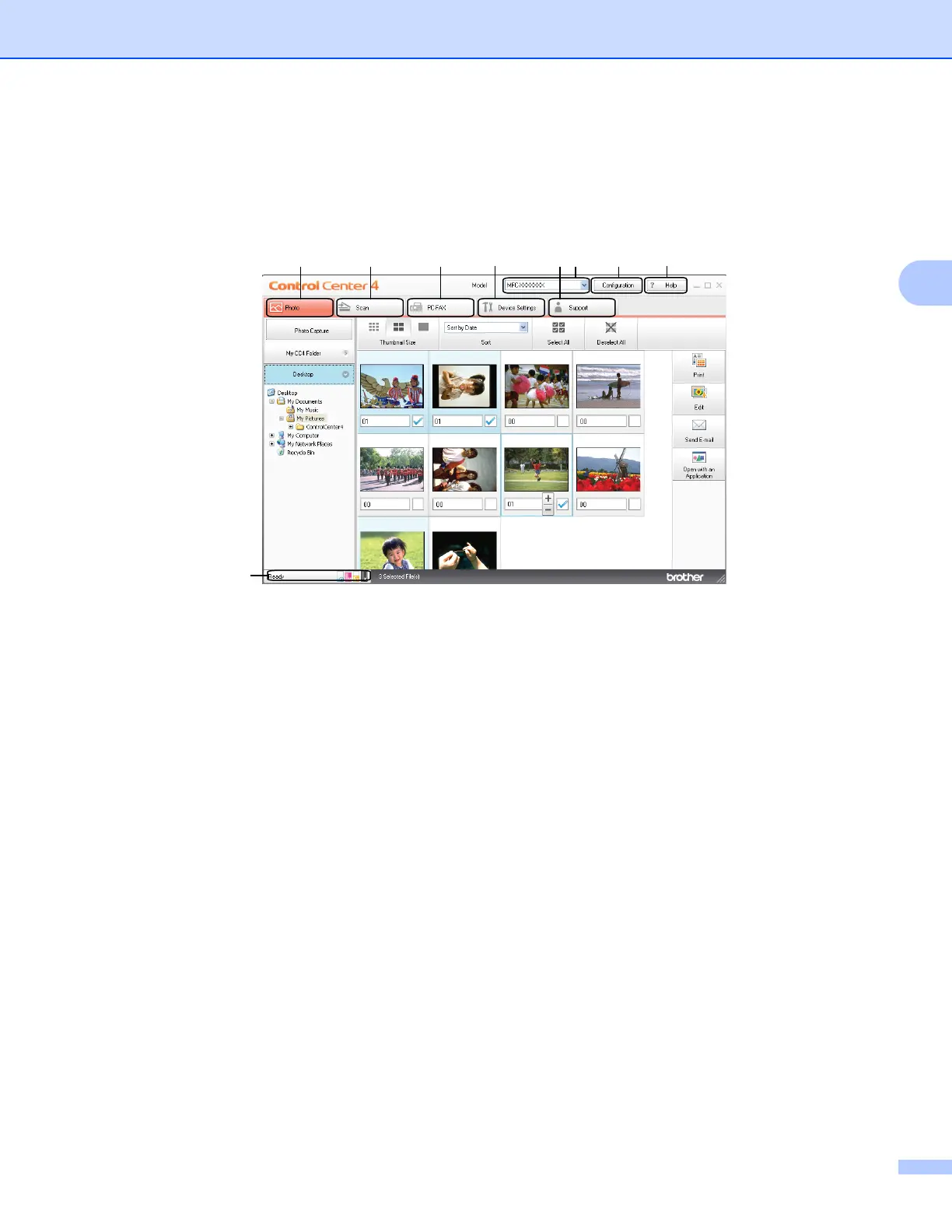
Using ControlCenter4 in Home Mode 3
This section briefly introduces the ControlCenter4 function in Home Mode. For more details of the each
function, click Help.
1 Print or edit images, attach images to E-mail, open images with an application and copy images from a
memory card or USB Flash memory drive.
2 Scan directly to a file, E-mail, word processor or graphics application of your choice.
3 Access the PC-FAX applications available for your device.
4 Access the settings available to configure your device.
5 Link to Brother Solutions Center, Brother CreativeCenter or the Help file.
6 You can select which machine ControlCenter4 will connect with from the Model drop-down list.
7 You can change the user interface and ControlCenter4 preferences.
8 Access the Help file.
9 Access Status Monitor by clicking Device Status.



 To Next Page
 Loading...











