111
Arranging Embroidery Designs (Layout & Editing)
Arranging Embroidery Designs (Layout & Editing)
■ Deleting a chart
1. From the User Thread Chart selector, select
the chart.
2. Click Delete Chart.
→ The following message appears.
3. Click Yes to delete the selected chart.
■ Editing a chart
1. From the User Thread Chart selector, select
the chart.
■ Adding an item from a thread
chart
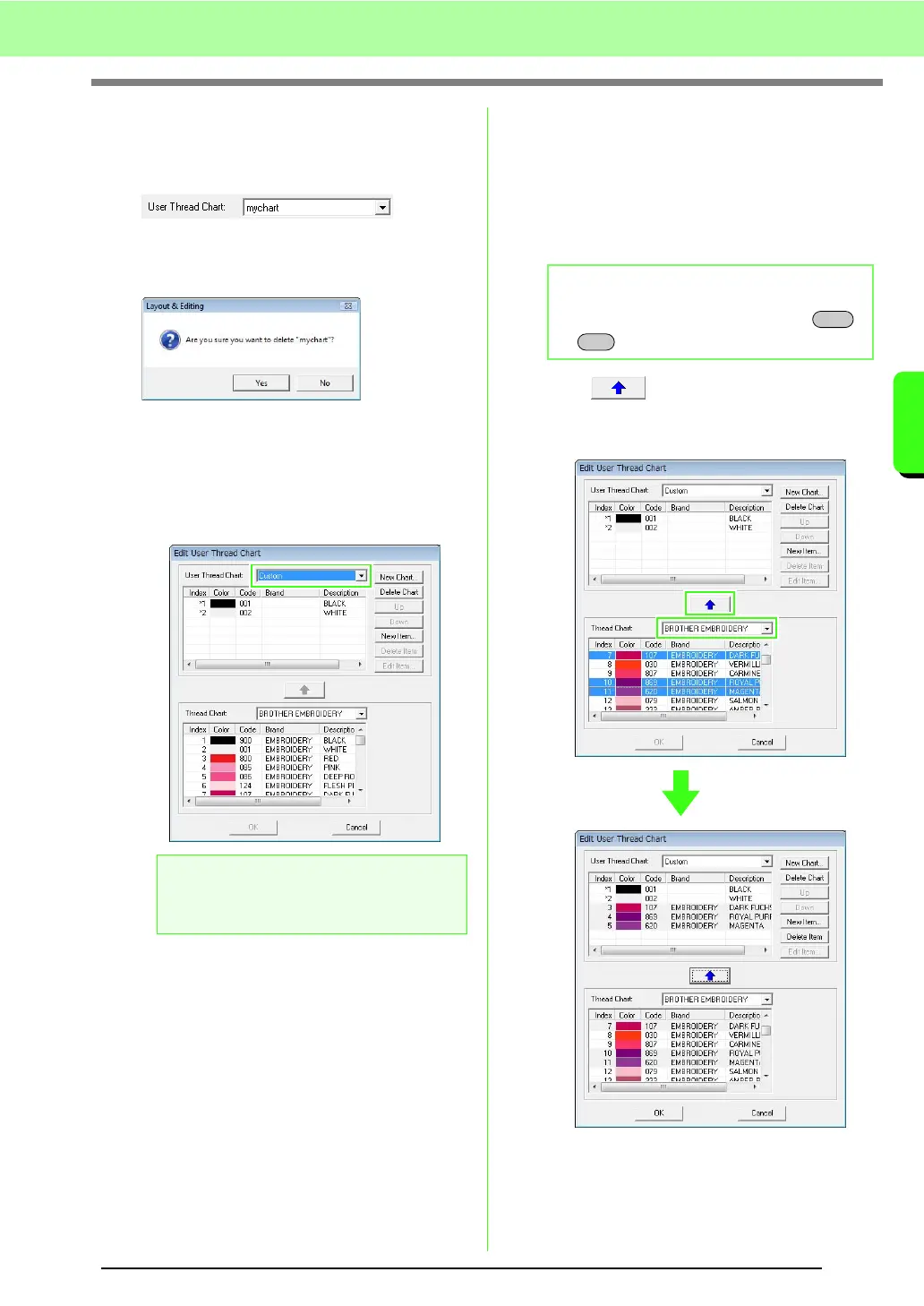
1. From the Thread Chart selector, select the
brand of thread.
2. From the list at the bottom of the dialog box,
click the thread colors.
3. Click .
→ The selected items are added to the list in
the user thread chart.
a Note:
If no chart is selected, the editing operation
cannot be performed.
b Memo:
To add multiple items, hold down the
or keys while selecting thread colors.
Shift
Ctrl



 To Next Page
 Loading...


