199
Basic Programmable Stitch Creator Operations
Basic Programmable Stitch Creator Operations
Programmable Stitch Creator allows you to create and edit fill/stamp stitch patterns and motif stitch patterns,
which can be used in both Layout & Editing and Design Center. Fill/stamp stitch patterns are used with
programmable fill stitches and stamps. More decorative stitch patterns can be designed by using these
patterns.
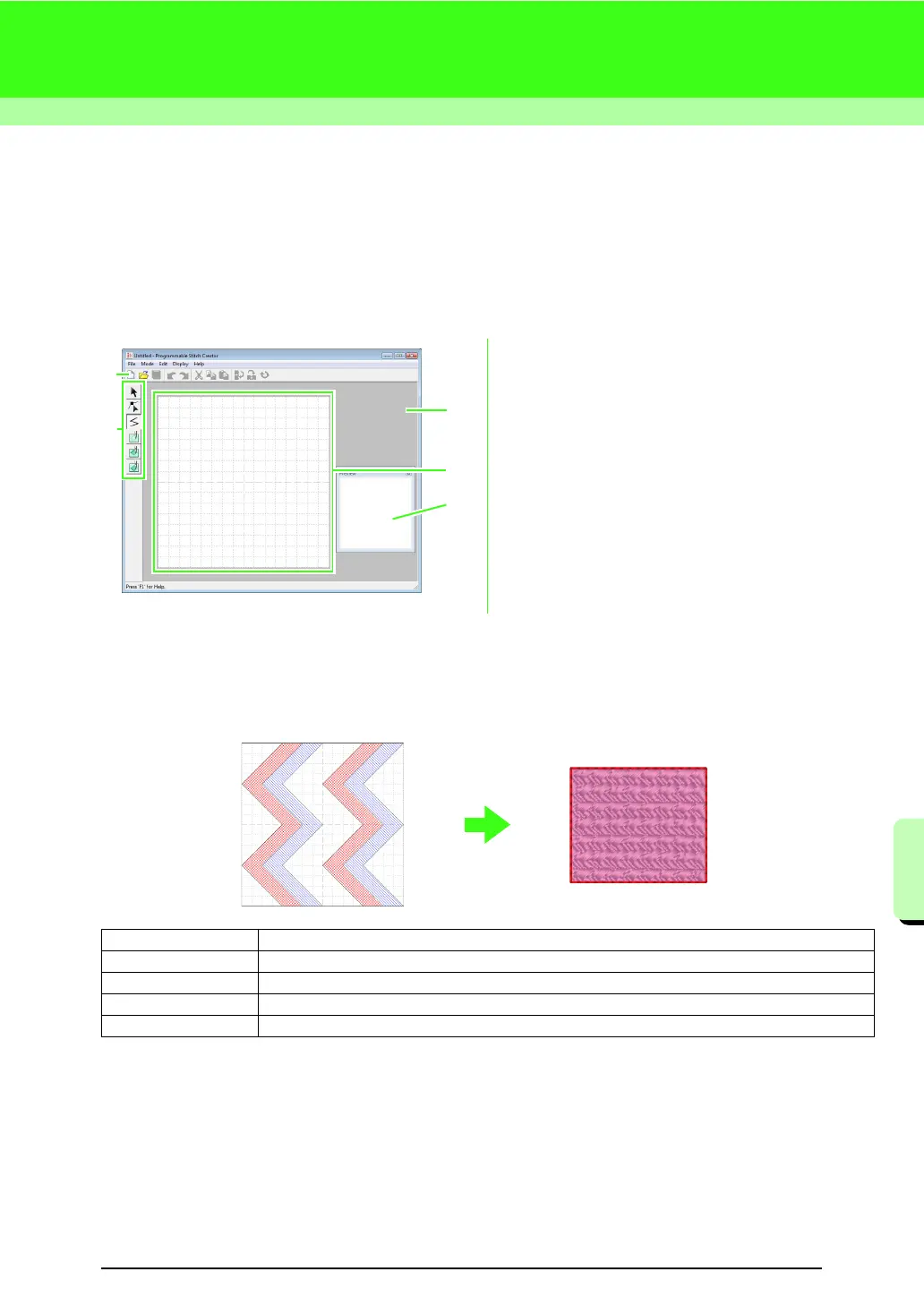
Programmable Stitch Creator Window
1 Toolbar
Provides shortcuts for the menu commands.
2 Tool Box
Used to select and create fill/stamp and motif
stitch patterns.
(The bottom four buttons do not appear in Motif
mode.)
3 Preview window
Shows how the pattern will be sewn.
4 Design Page
The actual part of the work area that can be saved.
5 Work area
Creating Fill/Stamp Stitch Pattern
Existing programmable stitch patterns can be edited to create new patterns.
4
2
1
5
3
Step 1 Opening a fill/stamp stitch pattern
Step 2 Drawing lines to edit the fill/stamp stitch pattern
Step 3 Applying embossing/engraving effects to the fill/stamp stitch pattern
Step 4 Saving the edited fill/stamp stitch pattern
Step 5 Using the edited fill/stamp stitch patterns in Layout & Editing



 To Next Page
 Loading...


