54
Arranging Embroidery Designs (Layout & Editing)
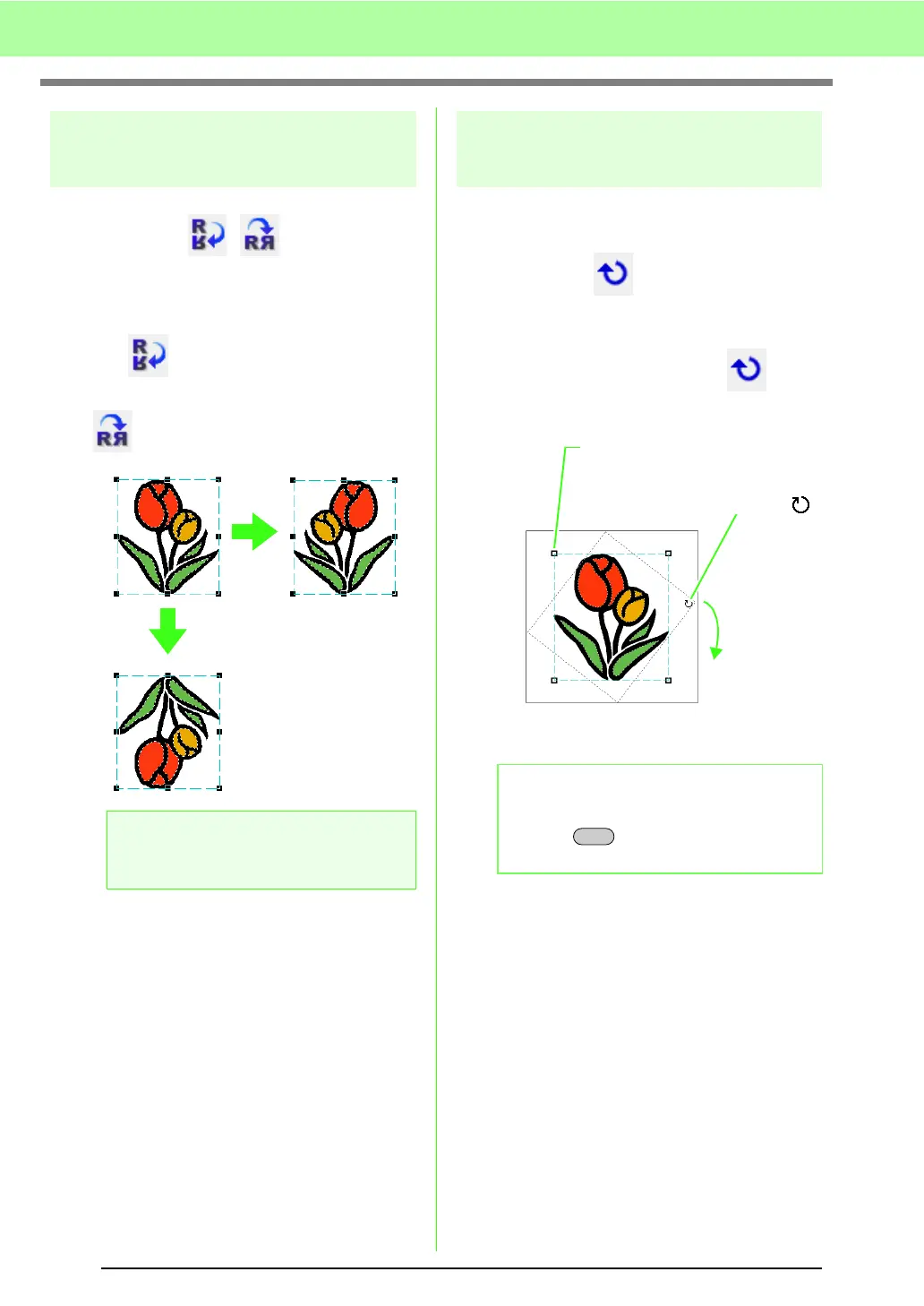
Flipping patterns
horizontally or vertically
Toolbar button: ,
1. Select the pattern(s).
2. Click Edit, then Mirror, then Horizontal, or
click .
Click Edit, then Mirror, then Vertical, or click
.
Rotating patterns
■ Rotating manually
Toolbar button:
1. Select the pattern(s).
2. Click Edit, then Rotate, or click .
3. Drag the rotation handle.
a Note:
Some patterns imported from embroidery
cards cannot be flipped.
b Memo:
To rotate the pattern in 15° increments, hold
down the key while dragging the
handle.
2. The shape of pointer changes to
3. Rotate
1. The handles are replaced by
smaller squares.
Shift



 To Next Page
 Loading...


