CARRYING A PASSENGER, CARGO OR TOWING A TRAILER
Trailer Mode Activation When the
Vehicle is Moving more than 5 km/h
(3 MPH)
Repeatedly press the MODE button
on the RECC (Roadster electronic com-
mand center) to selectthe Preferences
Screen. Refer to
RECC (ROADSTER
ELECTRONIC COMMAND CENTER)
in
SECONDARY CONTROLS
subsec-
tion.
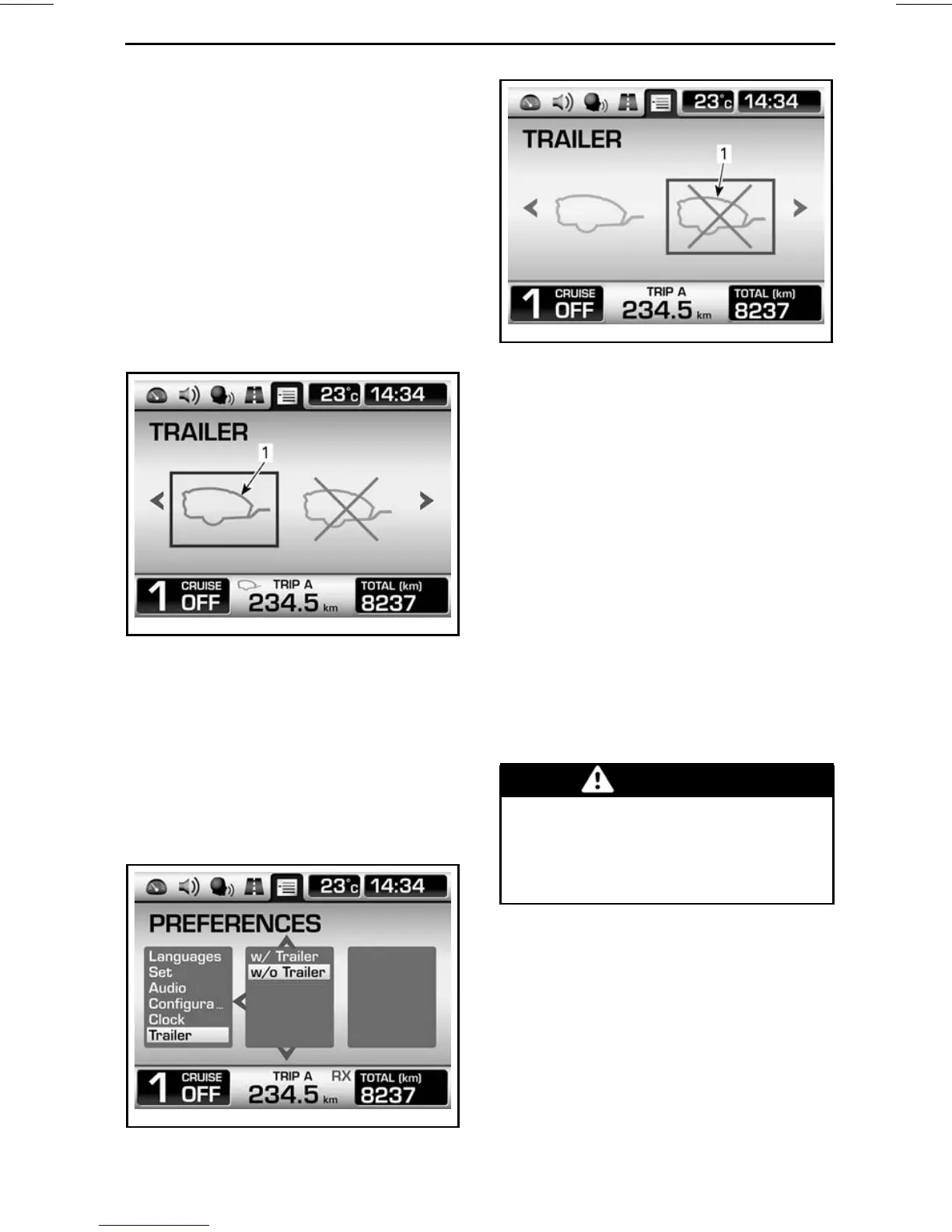
Choose the icon shown by moving the
selection rectangle over the icon.
rmo2010-008-011_aen
1. Icon to select the trailer mode
Cancelling the Trailer Mode
When a trailer is not towed, cancel
thetrailermodetogettheoptimum
gear shifting. Proceed as for the
RECC
(ROADSTER ELECTRONIC COM-
MAND CENTER)
in
SECONDARY
CONTROLS
subsection but use the
following options.
rmo2010-008-012_en
WHEN VEHICLE IS STOPPED
rmo2010-008-013_aen
WHEN VEHICLE IS MOVING
1. Icon to cancel the trailer mode
Hill Particularities
When possible, avoid stopping uphill.
When starting uphill from a stop, more
clutch slippage is needed to prevent
engine stalling.
When riding uphill, more frequent
downshift will be required so that en-
gine has enough power to minimize
speed variations.
When riding downhill, downshift one
or more gears to use engine braking to
slow down vehicle instead of contin-
uously applying the brake. It will take
longer to slow down or to stop.
Load Limits
WARNING
Never add cargo on the trailer
cover as it will increase the risk
of tipping over. All cargo must
be stored and secured inside the
trailer.
Load limits must be observed with the
appropriate towing equipment.
______
SAFE OPERA
TING INSTRUCTIONS
_____
101



 To Next Page