MULTIFUNCTION GAUGE
For a complete description of the
screens, refer to
CATEGORY ICON
SCREEN DESCRIPTION
.
Navigating in the Digital
Display
We recommend you practice selecting
some functions on the infotainment
center before getting on the road. You
will get used to them and they will be
easier to use on the road.
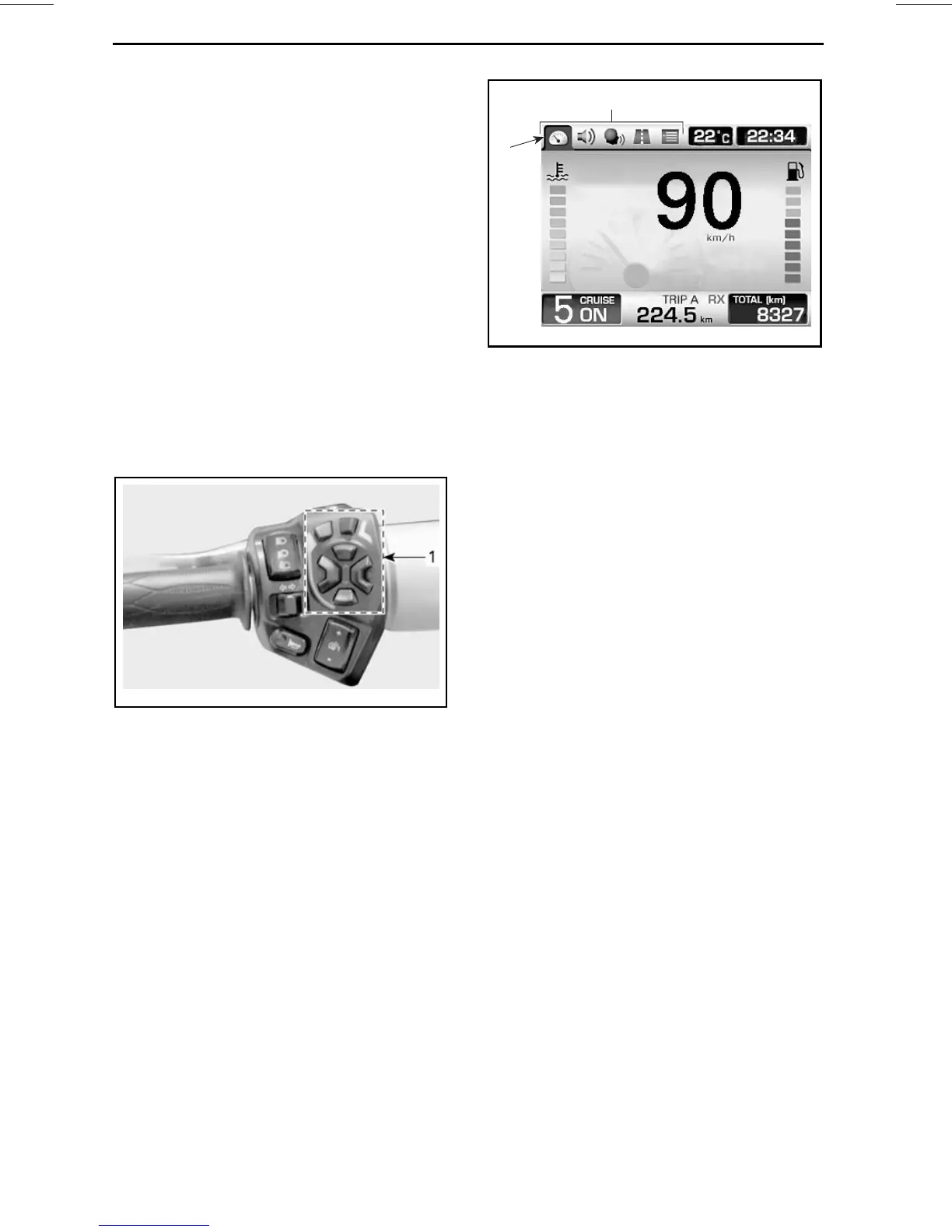
Use the RECC (Roadster Electronic
Command Center) to control the dis-
play functions. Refer to
RECC (ROAD-
STER ELECTRONIC COMMAND CEN-
TER)
in
SECONDARYCONTROLS
sub-
section.
rmo2010-001-020_a
1. RECC
Pressing the MODE button will move
a selection through the category icons,
located at the top left area of the
screen, in this order: Default riding
screen, Audio, CB, Trip meter and Pref-
erences. Each press of the button will
move the selection to the next avail-
able icon. When an icon is selected, its
related screen will appear.
NOTE: The CB icon is skipped when
the vehicle is not equipped with thi
s
feature. The Preferences Screen is
skipped when vehicle is above 5 km/h
(3 MPH), except for the SE5 mod
el for
the towing mode.
1
2
rmo2010-001-015_ben
1. Category icons
2. Default riding icon selected
When the selection is on the last icon,
it will then move to the first icon when
the MODE button will be pressed.
In some screens, vertical or horizontal
arrows are visible. This indicates that
you have to use the LEFT/RIGHT but-
ton to change the setting enclosed by
the horizontal arrows and to use the
UP/DOWN button to change the set-
ting enclosed by the vertical arrows.
When a double arrow is visible, it indi-
cates the following depending on the
displayed screen:
– Holding the DOWN button when
the volume bar is displayed will
mute the audio system. From the
mute condition, pressing the UP
button will reset the audio volume
to its last setting.
– Holdingthe relatedarrow buttonwill
scroll the values to the end or to the
beginning.
– Using the related arrow button will
scroll the list to reveal the re
maining
items.
34
______________




 To Next Page