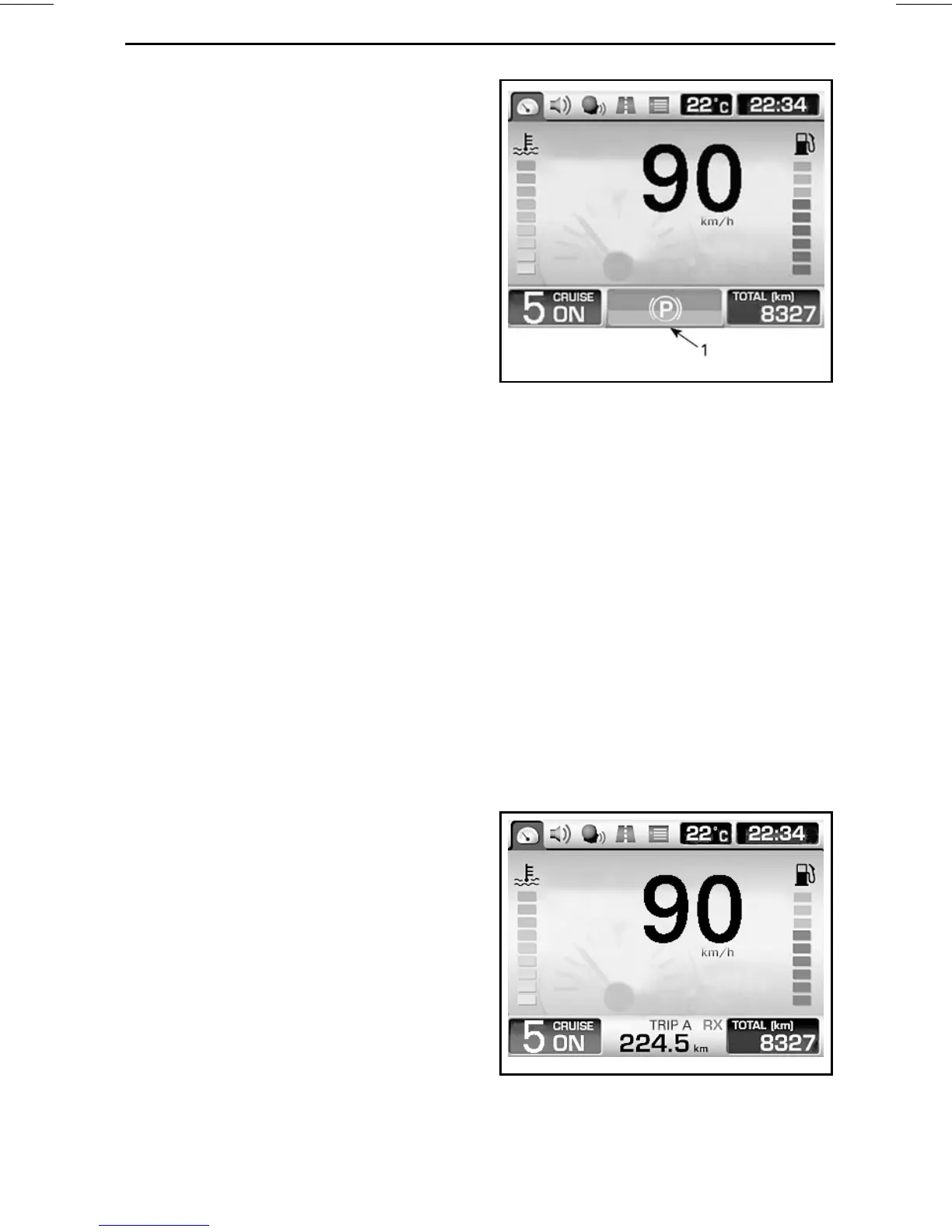
MULTIFUNCTION GAUGE
RECC (Roadster Electronic Command
Center). Refer to
RECC (ROADSTER
ELECTRONIC COMMAND CENTER)
in
SECONDARY CONTROLS
subsec-
tion.
2) Ambient Temperature
The ambient air temperature is dis-
played in °C or °F. To change units,
refer to
PREFERENCES SCREEN
.
3) Clock
The current time is displayed in 24h or
am/pm format. To change the format,
refer to
PREFERENCES SCREEN
.
4) Gearbox Positions
Displays the selected gearbox posi-
tion.
5) Cruise Control Status
Displays ON when the cruise control is
turned on but not set to any speed.
DisplaysSET when the cruisecontrolis
in operation and a speed has been set.
Displays OFF when the cruise control
is not in use.
6) Trip Meter
Distance travelled in kilometers or
miles since the last reset. Two trip
meters are available and they are iden-
tified as "A" and "B". To change units,
refer to
PREFERENCES SCREEN
.
As a second function, the trip meter
may display an icon to inform the driver
of a malfunction. Refer to
MESSAGES
IN MULTIFUNCTION GAUGE
in the
ROAD SIDE REPAIRS
section.
rmr2011-079-006_a
1. Icon
7) CB Communication Status
(Optional)
Displays wether the CB (Citizens'
Band) is receiving (RX) or transmitting
(TX).
8) Odometer
Total distance travelled in kilometers or
miles since the delivery from the fac-
tory. To change units, refer to
PREF-
ERENCES SCREEN
.
9) Main Screen
The main screen is the area where the
most information is displayed. The
display will change when navigating
through the available gauge functions.
rmo2010-001-015_en
TYPICAL – DEFAULT RIDING SCREE
N
SHOWN
_______________
33






 To Next Page