AUDIO CONTROLS
Press and hold the LEFT/RIGHT button
for more than one second to SEEK the
next available radio station. The radio
will remain tuned to that station.
Press the SET button and hold for more
than one second to enter the setup
screen.
In the setup screen, press the
LEFT/RIGHT button to tune the radio
frequency.
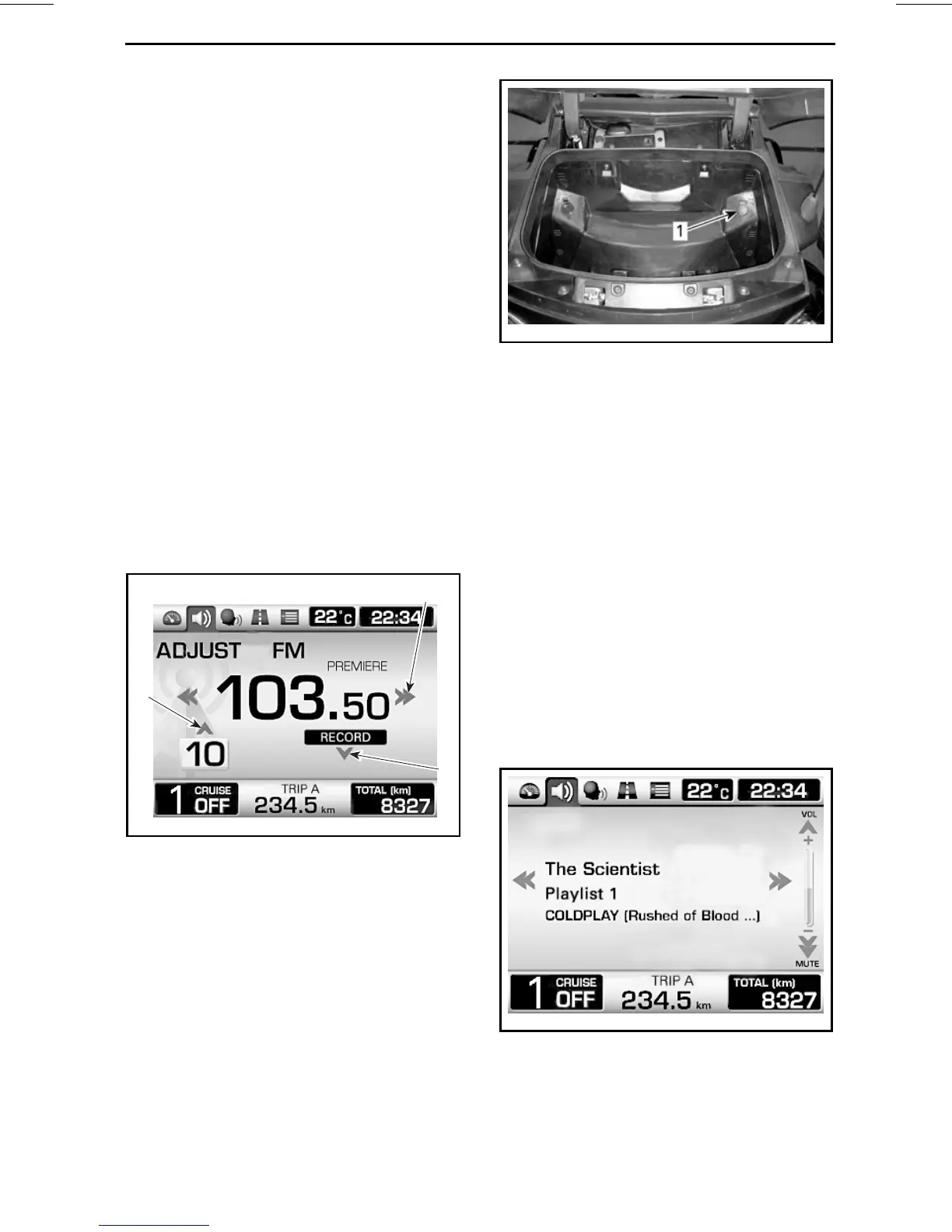
Recording a Radio Preset Station
To record up to 15 preset stations:
Press the DOWN button to record the
actual frequency to the preset number
displayed.
NOTE: While riding, the radio station
will be automatically recorded to the
next available preset number. If all
preset numbers are used, the preset
number 15 will be overwritten.
2
1
3
rmo2010-001-027_aen
1. LEFT/RIGHT button to select the frequency
2. UP button to select the preset number
3. DOWN button to record the radio station
AUX (Auxiliary)
An audio input jack is provided in the
top storage compartment.
rmo2010-001-090_b
1. Audioinjack
An audio device can be connected in
this jack to be played through the audio
system.
NOTE: An adapter (optional on some
models) is required to connect the au-
dio device to the vehicle audio jack.
MP3 Player
When an MP3 player is connected to
the vehicle audio connector, it will play
as set at the time of the connection.
Only the volume control will be avail-
able.
iPod Device
When an iPod device is connected,
"iPod" is displayed instead of AUX.
rmr2011-079-011_en
TYPICAL - iPod DEVICE SCREEN
Press the LEFT/RIGHT button to
change the song in the current folder.
_______________
41





 To Next Page