ENGLISH
Training 11
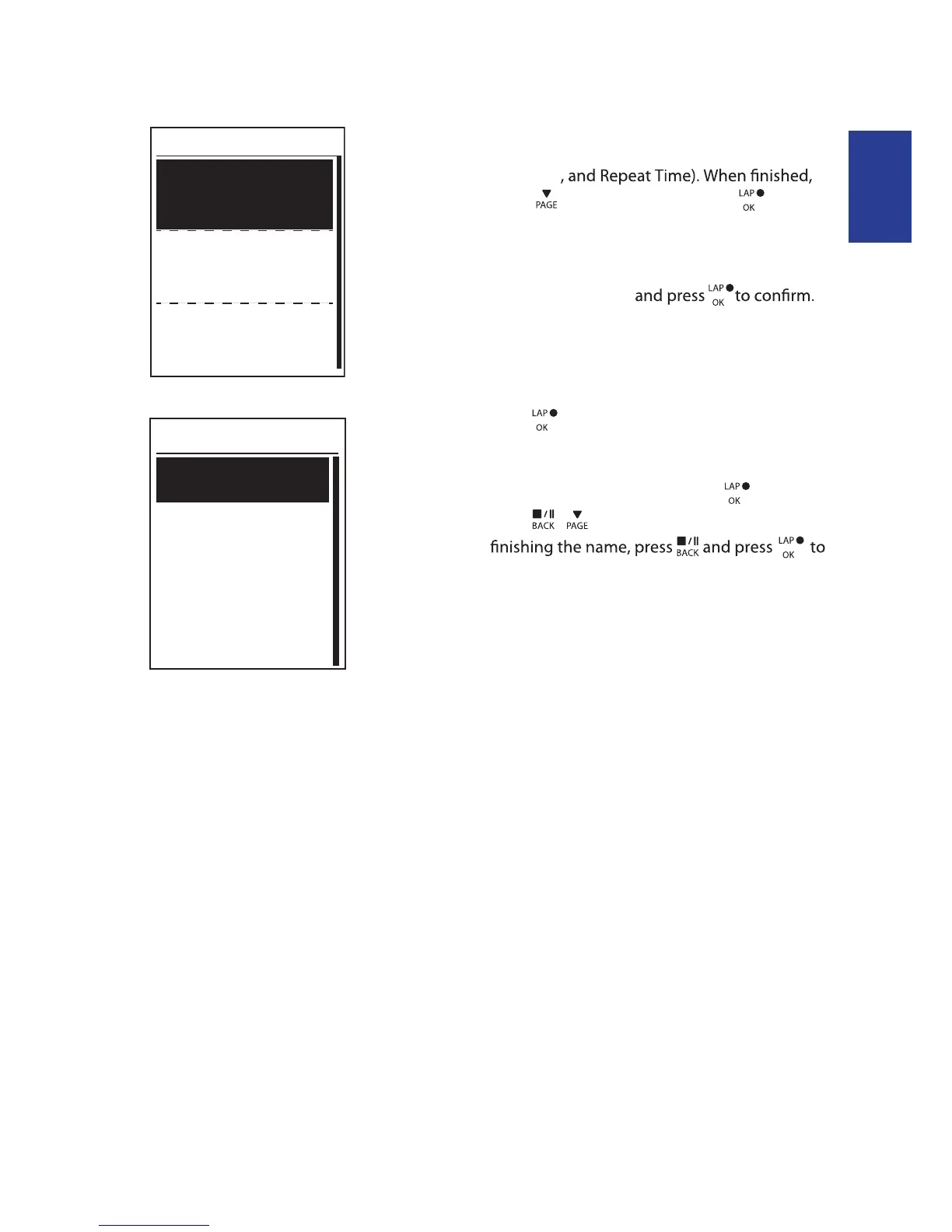
3. Set the interval workout settings (Work,
Recovery
press to select Next and press .
4. A “Create a new main set?” message appears
on the screen. To creat another set of interval
workout, select Yes
5. A “Set cool down?” message appears on the
screen. Select Yes to set the “Cool down”.
After the settings are complete, select OK and
press to continue.
6. A “Save to My Workout” message appears on
the screen. Select Yes and press to continue.
Press / to enter the workout name. When
save the workout.
Work 1
Work
Recovery
Repeat Time
6’00”
158~170bmp
137~149bpm
2
2’00”
Duration
Target
OK
Cooldown


 To Next Page