Sensors
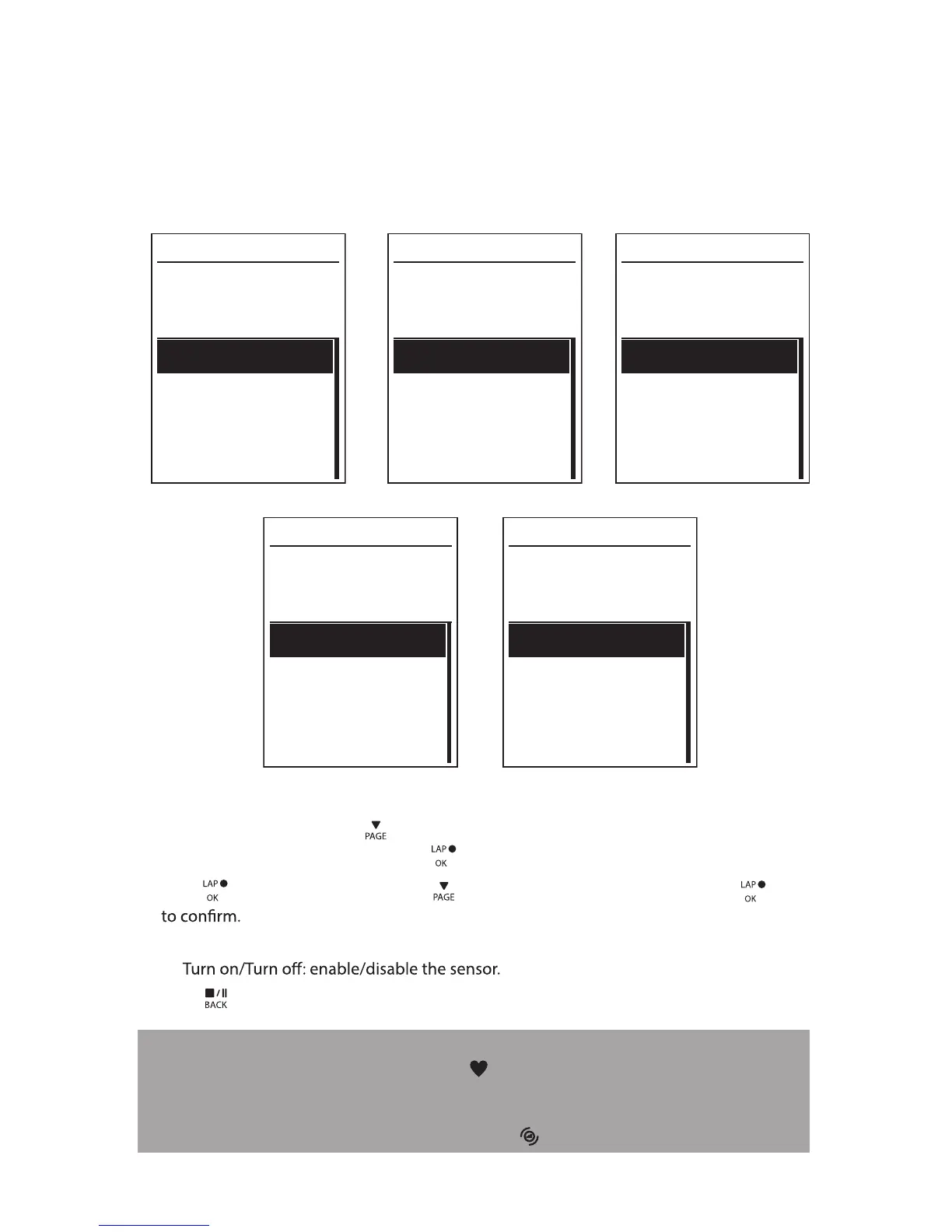
You can customize the respective sensor settings such as enable/disable the function or
rescan the sensor for the device.
Heart Rate
Turn Off
Status: active
ID XXXXXXXXX
Rescan
Heart Rate
Speed
Turn Off
Status: active
ID XXXXXXXXX
Rescan
Cadence
Turn Off
Status: active
ID XXXXXXXXX
Rescan
Speed Cadence
Power meter
Turn Off
Status: active
ID XXXXXXXXX
Rescan
Power meter
Speed/CAD
Turn Off
Status: active
ID XXXXXXXXX
Rescan
Speed/Cadence
1. In the Settings menu, press
to select Sensors > Heart Rate, Speed, Cadence, or
Speed/CAD Power Meter and press .
2. Press to have more options. Press
to select the desired setting and press
Rescan: rescan to detect the sensor. •
•
3. Press to exit this menu.
NOTE:
When the heart rate monitor is paired, the •
heart rate icon appears on the main screen.
While pairing your speed/cadence sensor/the heart rate belt and power meter, please
make sure there is no other cadence/speed sensor
/power meter within 5 m.
When the
cadence sensor is paired, the
cadence sensor icon appears on the main screen.
Settings30


 To Next Page