ENGLISH
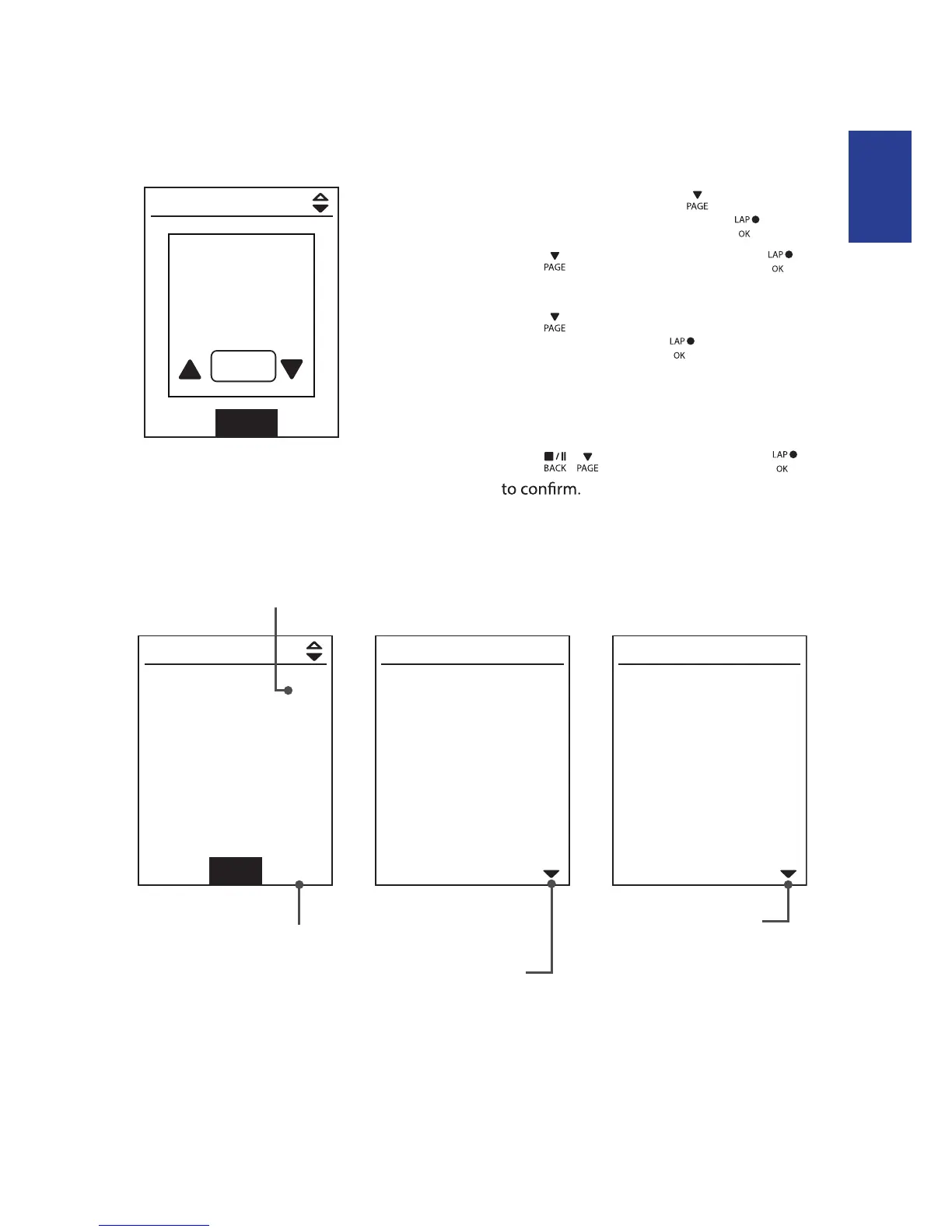
To delete your history:
1. In the main screen, press
to select
View History > View and press
.
2. Press
to select Delete and press
to enter the history list.
3. Press
to select a training history
from the list and press to delete the
selected history.
4. A “Backup data to web rst. Delete?” message
appears on the screen. To delete the data,
press
/ to select Yes and press
History Flow
09/19 21:44
00:03:08 trip
3.69 km
39 kcal
04 laps
1/20
More
00:02:25 ride
AVG MAX
75.6 kmh
39 bpm
19 rpm
75.6
39
19
Lap 01 00:49
0.25 km
81.4 kmh
13 kcal
0 bpm
0 rpm
trip = Trip Time
The arrow appears only
when there is lap in this
record.
Record#/Total records
The arrow appears only
when there are more than
1 lap.
09/19 21:44
00:03:08 trip
3.69 km
39 kcal
04 laps
1/20
Delete
00:02:25 ride
Backup data
to web first.
Delete?
Yes
Delete History
Training14


 To Next Page