Getting Started8
Share Your Records
Download Bryton Update Tool
Share Your Records
Download Bryton Update Tool
NOTE: Bryton account is the email address used to register as a member of
brytonsport.com
NOTE: Bryton Update Tool can notify you if a new software version or GPS data is available.
The newer GPS data can speed up the GPS acquisition. We highly recommend you to
check for updates every 1-2 weeks.
1. Go to http://www.brytonsport.com/help/start and download Bryton Update Tool .
2. Follow the on-screen instructions to install Bryton Update Tool.
Share Your Tracks to Brytonsport.com
1. Sign up/log in on Brytonsport.com
a. Go to http://www.brytonsport.com/help/start.
b. Register a new account or use your current Bryton account to log in.
2. Connect to PC
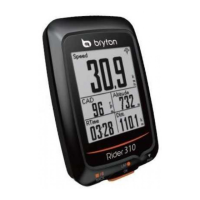
Turn on your Rider 310 and connect it to your computer by using USB cable.
3. Share Your Records
a. Go to http://www.brytonsport.com/help/landing. Click “Upload Files” button. Then,
click “Select from Files”.


 To Next Page