/
1 1
/
1 1
r
p
m
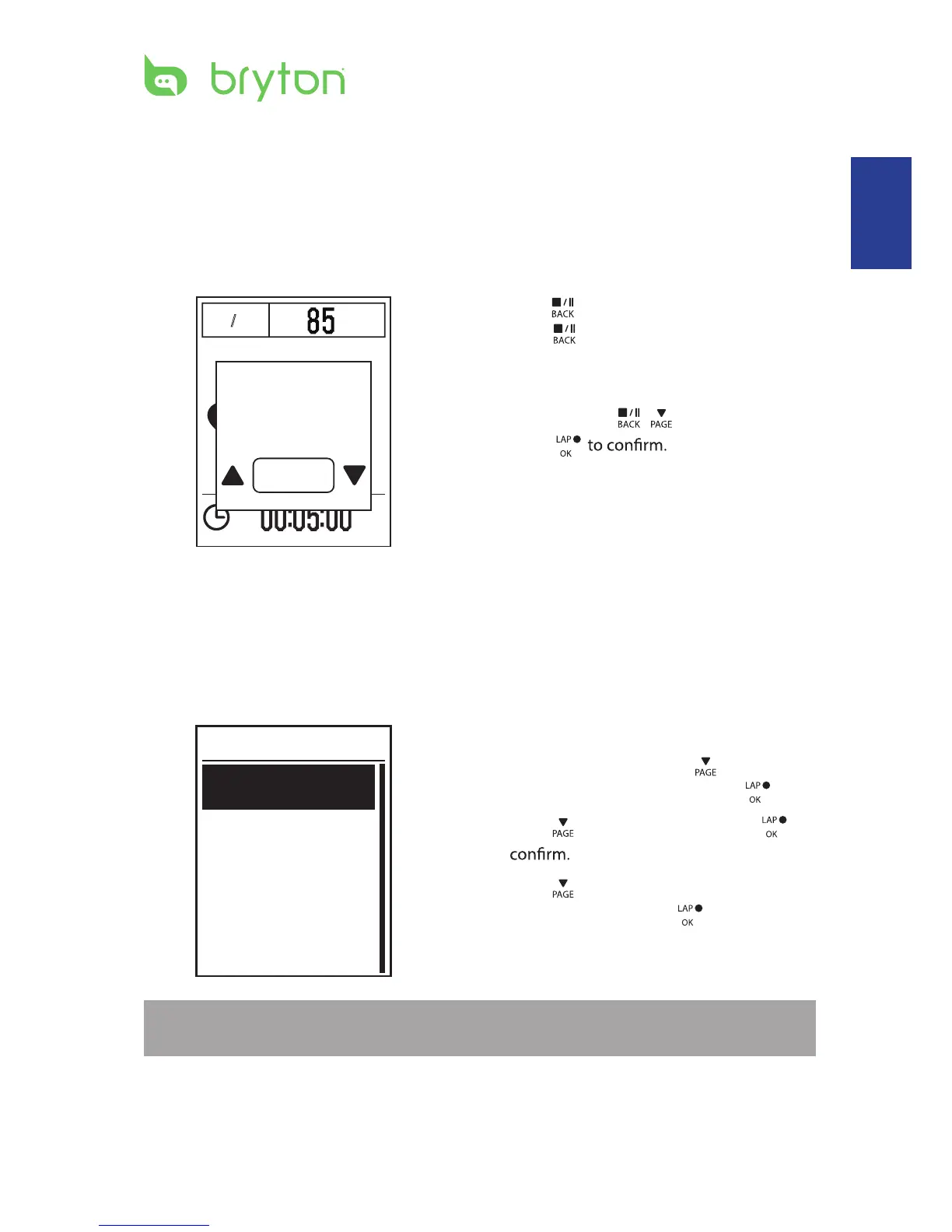
1. Press to pause the recording and
press again to stop the recording.
2. A “Do you want to stop?” message
appears on the screen. To stop the current
training, press
/ to select Yes and
press
View Exercise/Training Record
Use View History to view or delete your exercise/training history.
To view your history:
1. In the main screen, press
to select
View History > View and press .
2. Press
to select View and press to
3. Press
to select a training history
from the list and press to view your
history.
NOTE: You can also upload your history to brytonsport.com to keep track of all your ride
data.
View
Delete All
Delete
History
Do you want
to stop?
Yes
Training
13
Stop Training
You can stop the current training after you have reached your goal or when you decide to
end the current training.
ENGLISH


 To Next Page