3. Press
the selection.
4. Press
/ to select the desired setting and press
5. Press to exit this menu.
NOTE:
selection.
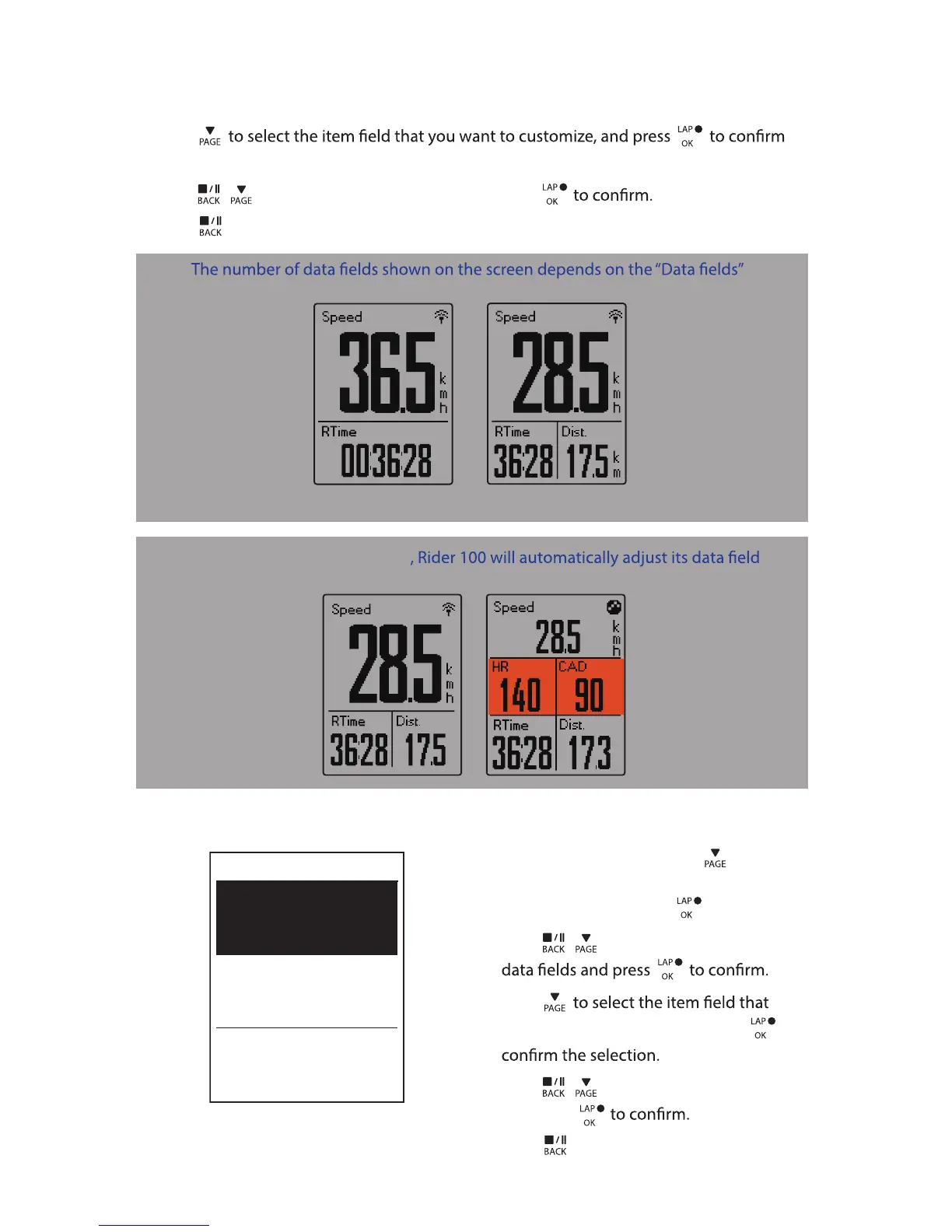
2-grid display 3-grid display
Lap Display
1. In the Settings menu, press to select
Exercises > Data Page > Data Page 1 or
Data Page 2 and
press .
2. Press
/ to select the number of
3. Press
you want to customize, and press to
4. Press
/ to select the desired setting
and press
5. Press to exit this menu.
Cycle Lap
Data Page 1
On
On
Data Page 2
Settings18
NOTE: If Data Page is setted as Auto
display when detecting the paired sensors.


 To Next Page