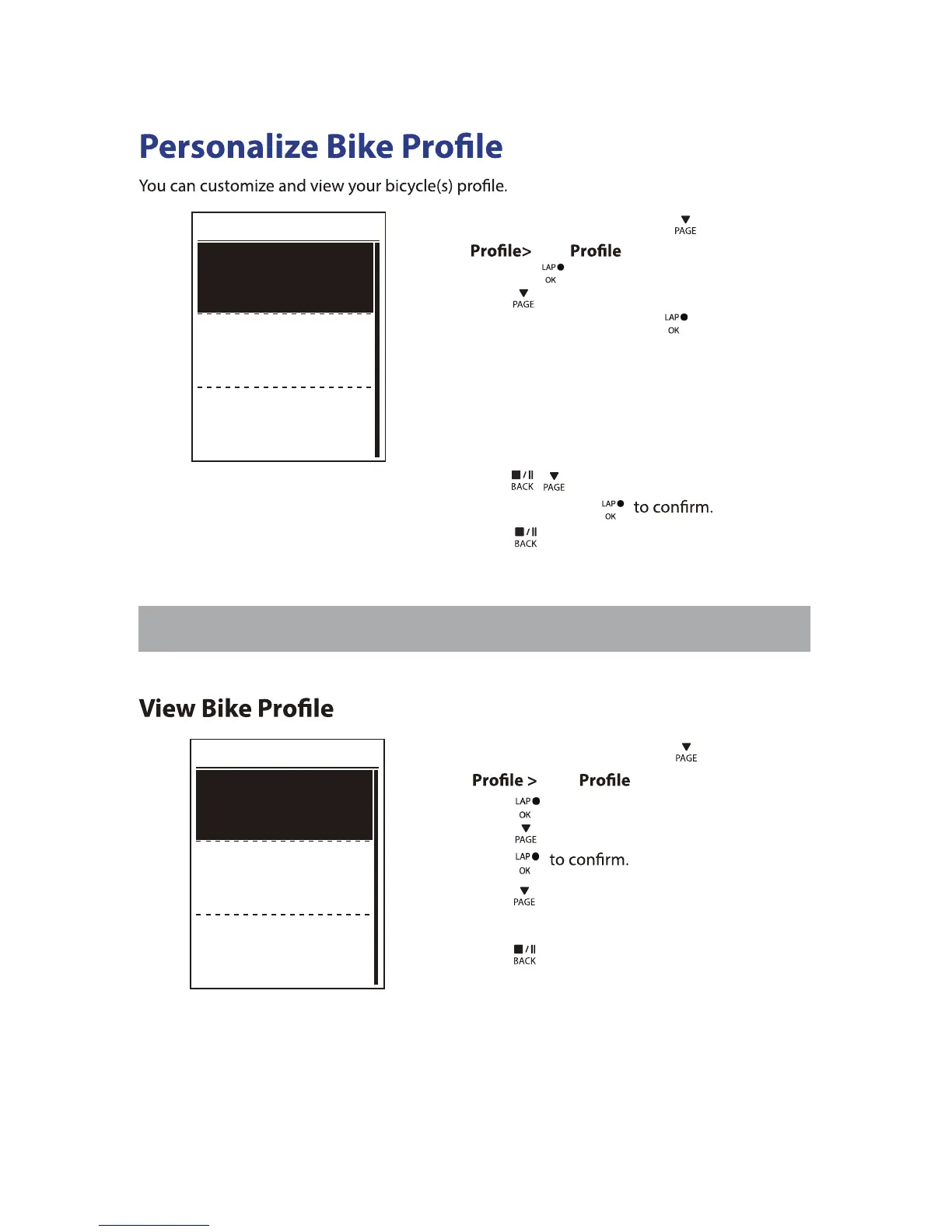
Bike 1
Spd Source
Weight
Wheel
NOTE: For details on wheel size, see “Wheel Size and Circumference” on page 36.
Bike 1
Trip 1
Trip 2
Ride Time
89:23:28
1. In the Settings menu, press
to select
Bike > Overview and
press .
2. Press
to select the desired bike and
press
3. Press
to view more data of the
selected bike.
4. Press
to exit this menu.
Settings22
13kg
1700mm
1033km
0km
1. In the Settings menu, press to select
Bike > Bike 1 or Bike 2
2. Press
to select the setting that you
want to change and press
to enter its
submenu.
Weight: set the bike weight.•
Spd Source: set the priority of the speed sources•
Wheel: set the bike wheel size.•
Activate: select to activate the bike.•
3. Press
/
to adjust the desired
setting and press
4. Press
to exit this menu.
and press .


 To Next Page