20
Input headroom and output level adjustment is essential for the correct
operation of the unit to maximise dynamic range and trim individual output
gains. The section for TCS-803 should be read if more detail is required, but
remember that for the TCS-804 all adjustment is performed digitally, rather
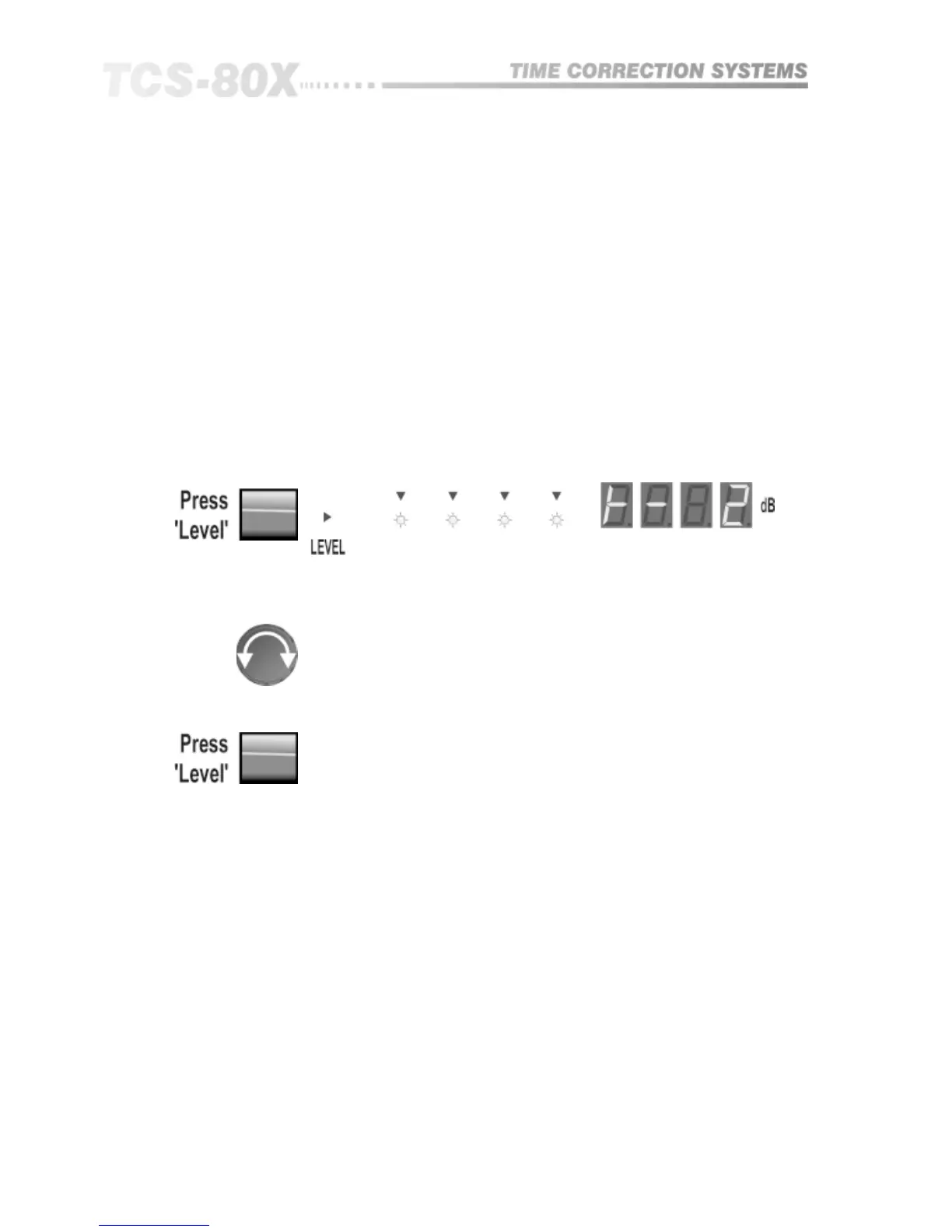
than with analogue control knobs. To enter the level adjustment mode:
11.4 Adjust Input
and Output Level
TCS-804
The '|-' symbol in the display denotes tandem adjustment
L denotes left channel adjustment
r denotes right channel adjustment
The display is showing the level in dBu for input clip (0dB on the headroom
meter). The symbol to the left is indicating which of the two input channels is
selected for adjustment. The ‘|-’ symbol is showing that both channels are
being adjusted together.
To Adjust Input Levels
Turn knob to set headroom value in dBu.
Press again to select next channel or step through to exit.
For speed and convenience of use, the sequence that is used to cycle through
is different depending on whether MONO, DUAL or STEREO mode has been
selected:
MONO:
TWO CHN:
STEREO LINK:
Headroom;
L; r; |-;
|-; L; r;
out.
out.
out.
Parameter Selection


 To Next Page