24
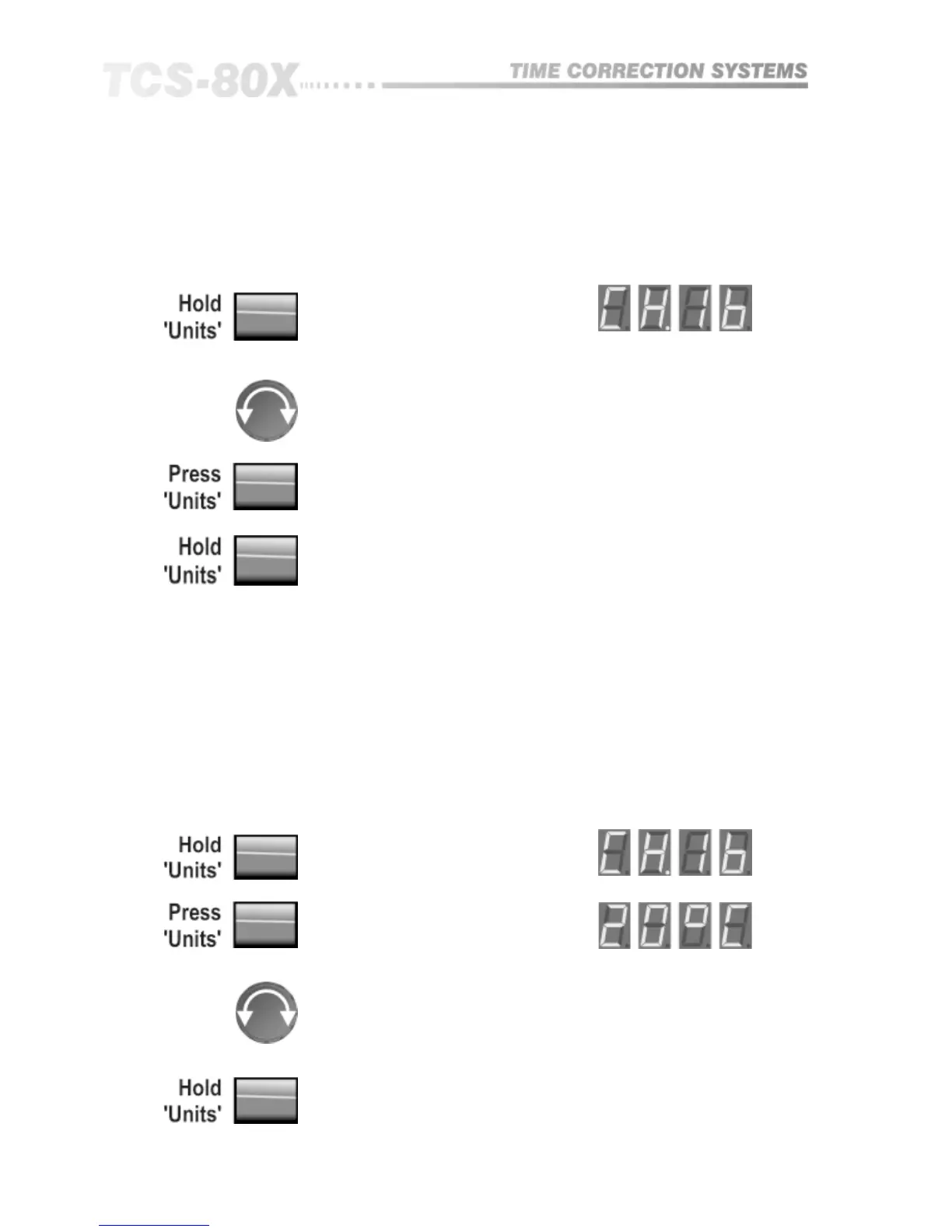
The utility menu is selected by pressing the UNITS button and holding for
approximately 2 seconds. Access will then be given toMIDI channel number
selection, ambient temperature setting and master/slave transmit mode.
11.8 Utility
Temperature
MIDI Channel Select
The display changes to show the current MIDI channel number.
Turn the knob to select channel or address number;
Press again to display temperature and again to display master/slave transmit
mode.
Press and hold to exit UTILITY.
Both the TCS-803 and TCS-804 allow compensation for the change in delay
times needed to maintain a fixed distance as the ambient temperature varies.
In addition, the TCS-804 has as an optional external temperature probe which
then makes this correction automatic.
When the probe is not used, the current temperature can be manually entered.
If this then changes substantially, a new value entered will cause the delay
times to be slowly adjusted to maintain the correct distance.
When using program recall, the delay times which are stored as distance
information, will also be correctly adjusted for the current temperature, when
recalled.
Turn the knob to set current temperature. If the BSS probe is fitted, it will
override the manual setting.
Press and hold to exit to normal display.
Parameter Selection


 To Next Page