INSTALLATION MANUAL DD700
2.2.2 Stainless steel version
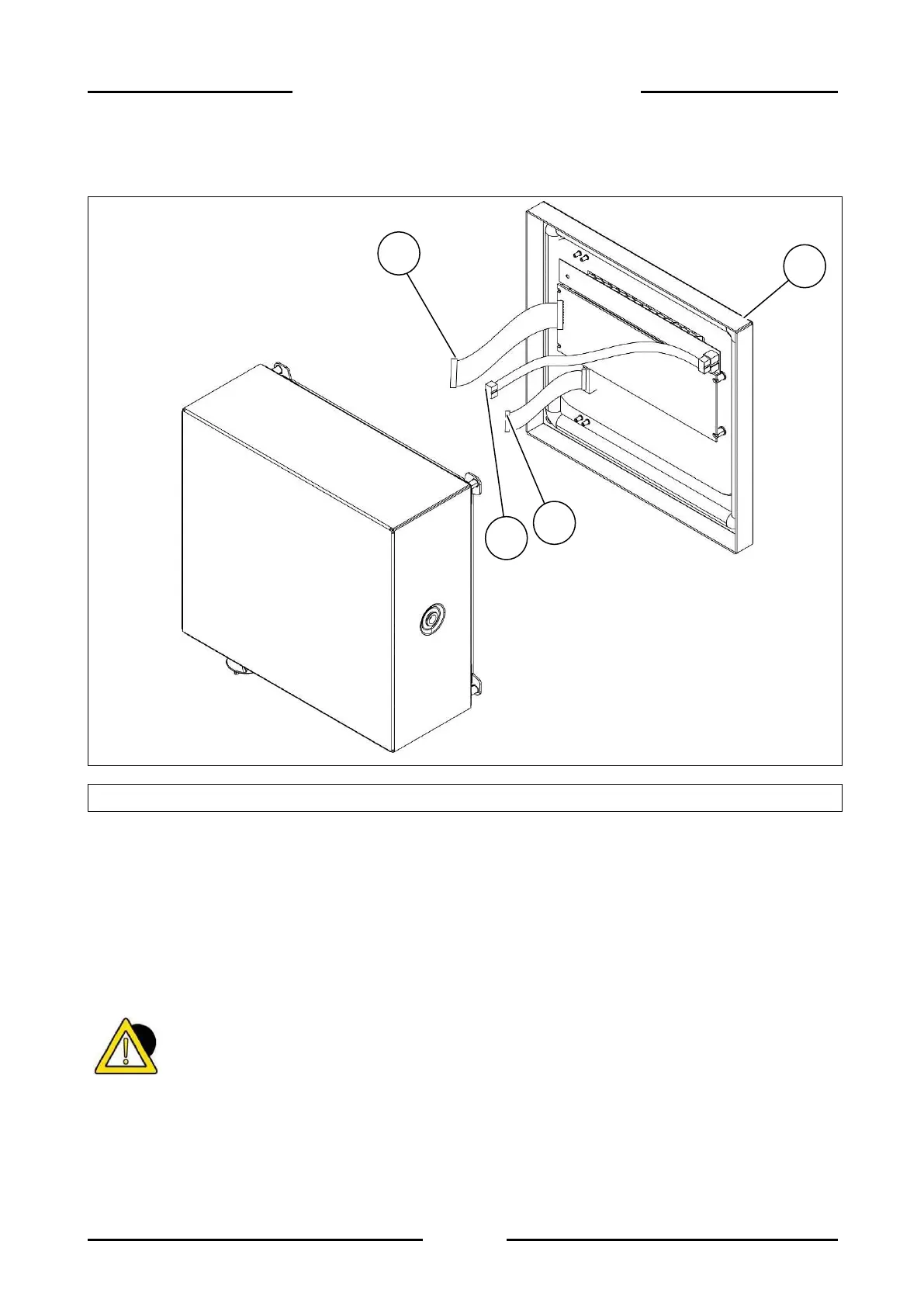
Figure 2.2-2 - Opening the terminal
Referring to the previous figure, proceed as follows:
Remove the four screws (ref. 1) and rotate the side cover, holding it up with one hand to
avoid damaging the connections.
Disconnect the display connector. (ref. 2).
Remove the mass eyelet.
Disconnect the connector from the keyboard (ref. 3).
Disconnect the LED bar connector (optional - ref. 4)
Place the complete display cover and keyboard on a work table.
DANGER
When performing installation or maintenance on components inside the terminal, always make
sure that it is disconnected from the electrical mains.


 To Next Page