INSTALLATION MANUAL DD700
2.5 Disassembling lithium battery
2.5.1 ABS Version
WARNING
If the time and date are missing when the terminal is switched on, the lithium battery must be
replaced.
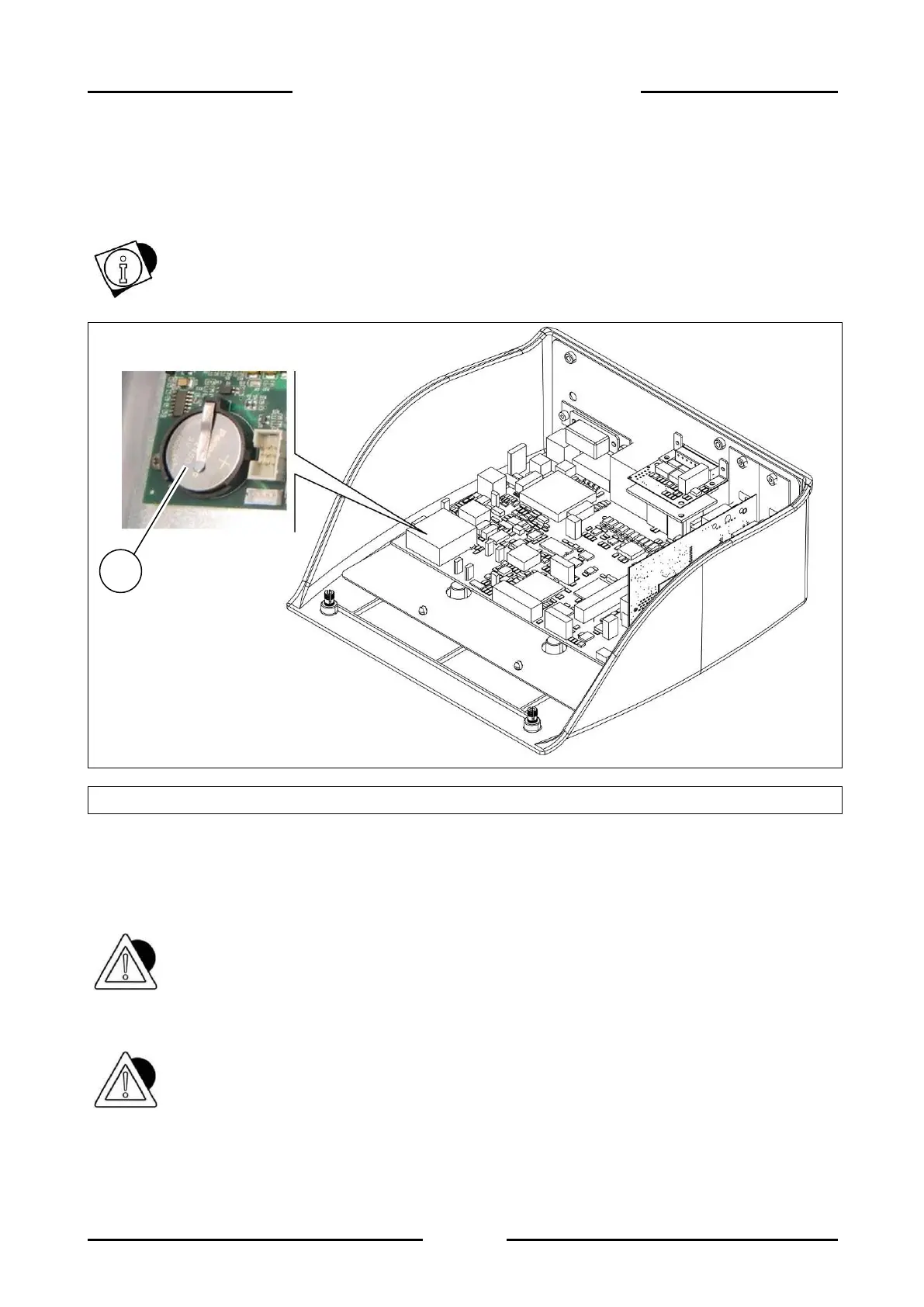
Figure 2.5-1 - Disassembling lithium battery
Referring to the previous figure, proceed as follows:
Switch the terminal off and disconnect it from the electrical mains.
Open the terminal.
Remove the lithium battery (ref. 1) being careful not to cause short circuits.
ATTENTION
Do not drop the battery on the motherboard.
Replace with an equivalent battery (model CR1632).
ATTENTION
Dispose of the battery via separate waste collection either handing it over to the distributor or to
separate waste collection centres.


 To Next Page