INSTALLATION MANUAL DD700
2.4 Disassembling terminal power supply (only for stainless steel
version with cable gland)
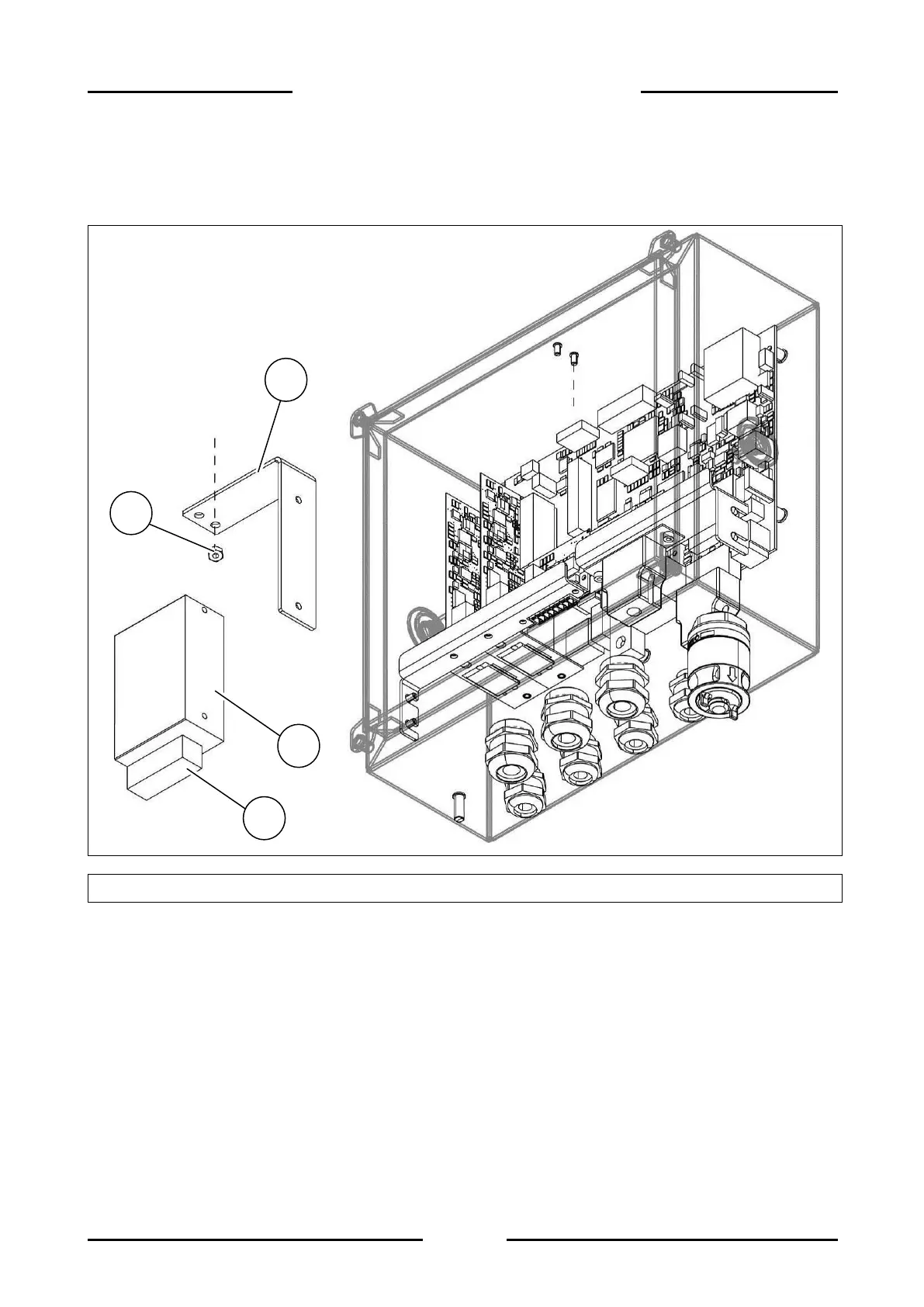
Figure 2.4-1 - Disassembling terminal power supply
Referring to the previous figure, proceed as follows:
Open the terminal.
Disconnect the power wires (+ red and – black) to the CPU board and the mains power cord
from the connector (ref. 1).
Unscrew the two nuts (ref. 2) and remove the power supply with bracket.
Separate the power supply (ref. 3) from the bracket (ref. 4)


 To Next Page