INSTALLATION MANUAL DD700
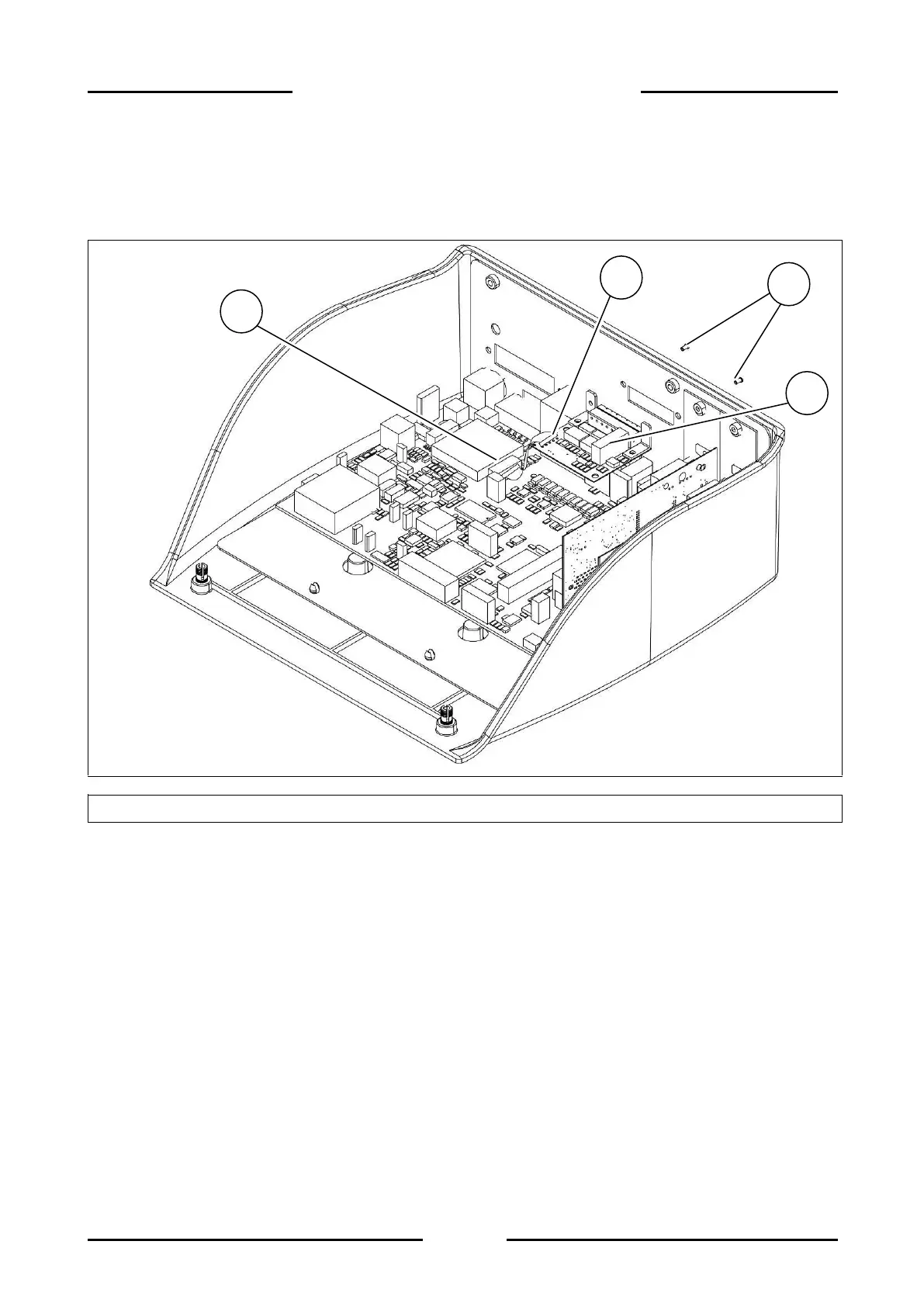
2.9 Disassembling I/O board
2.9.1 ABS Version
Figure 2.9-1 – Disassembling I/O board
Referring to the previous figure, proceed as follows:
Disconnect the I/O board from the terminal.
Open the terminal.
Disconnect the connector (ref. 1) from its equivalent on the motherboard.
Unscrew the screws (ref. 2) and remove the I/O board (ref. 3).
Disconnect the connector (ref. 4) from the I/O board.


 To Next Page