33
BTU VENTILATION CORPORATION ● OFFICE 888-884-8070 ● FAX 218-346-7485 ●
www.btucorp.com
XT-70 Control Panel 33
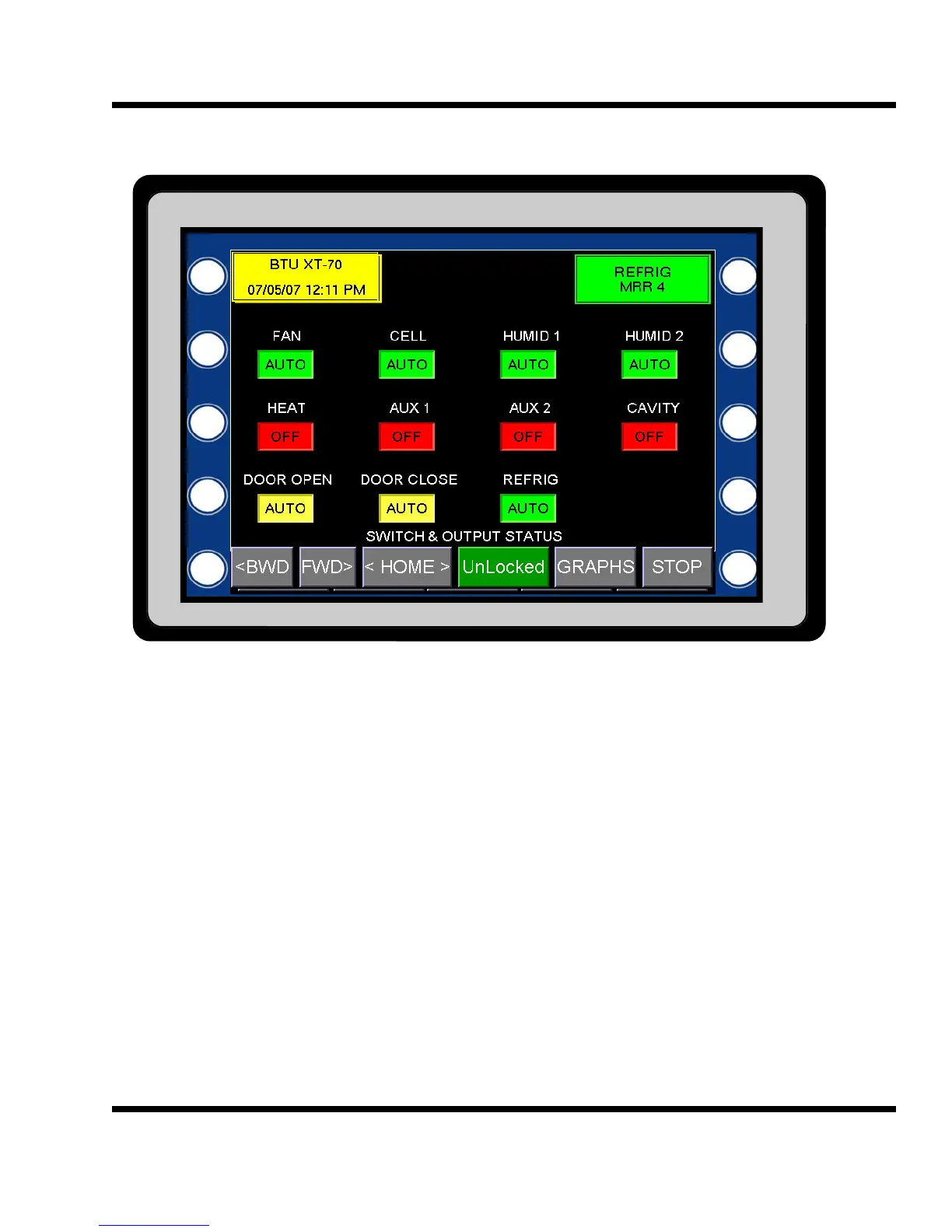
HMI SWITCH & OUTPUT STATUS:
The SWITCH & OUTPUT STATUS screen shows the status of both the MOA switch and the status of the XT
solid state outputs. Each of the outputs has an associated box that will be either green or red. A green box indi-
cates that the output is On and a red box indicates that the output is Off. The wording in the box will indicate the
status of the associated MOA switch. The switch can have three positions, determined by the actual switch and
a soft remote off position. The actual switch has three positions , Manual-Off-Auto. If the switch is in the Auto
position and the button showing Auto was pressed, the status would change to R-OFF (remote off). Pressing the
switch again will cause the switch status to change back to the Auto position.
The remote off position is used to turn devices off from a remote location, either from the HMI or the web
interface.
5.13



 To Next Page