7
BTU VENTILATION CORPORATION ● OFFICE 888-884-8070 ● FAX 218-346-7485 ●
www.btucorp.com
XT-70 Control Panel 7
XT Panel Main Components
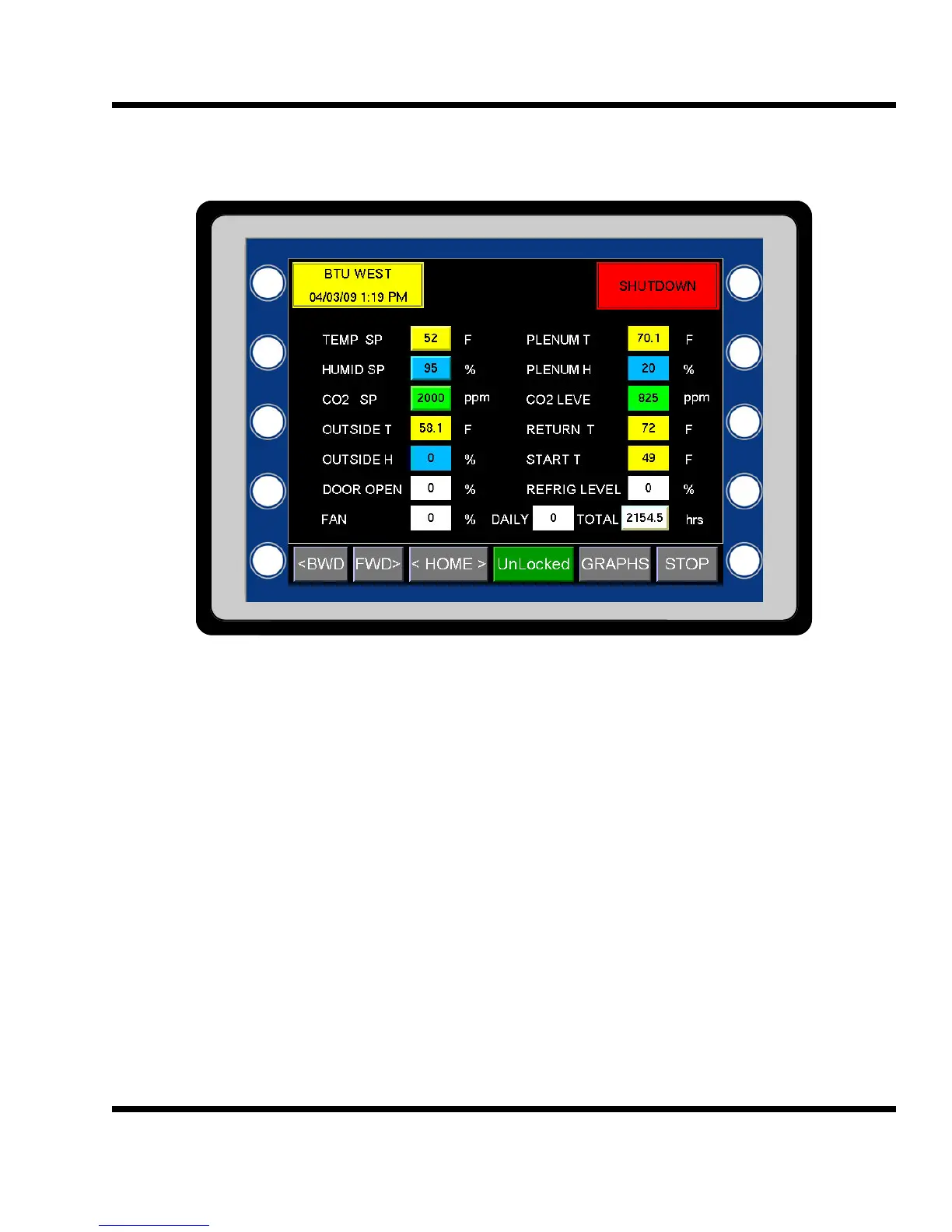
G70 HMI (Human Machine Interface) color touch screen: The XT panel has many options for user inter-
faces. The standard interface is a G70 and is a 320 x 240 color touch screen. An optional G75, 640 x 480 lar-
ger color touch screen, is also available. Active touch buttons are either labeled or shown as raised buttons.
Pressing one of these buttons will produce a keypad for entering a new value.
The sole purpose of the HMI is to provide a friendly user interface to the XT control card. One HMI can commu-
nicate with multiple XT panels and more than one HMI can communicate with the same XT panel. The HMI is
not necessary for the XT panel to run. A PC with the appropriate software can also act as an HMI. Ethernet is
used for the communications connection between the HMI and XT panel. With the high speed of the internet, it
is now possible to locate the HMI screen almost anywhere.
HMI Hot Keys: The HMI has a number of hot keys used to go directly to a screen verses using the FWD> and
<BWD keys. For example, pressing the label TEMP SP on the home screen will directly bring up the Tempera-
ture Setpoint Ramp screen. Pressing the <HOME> key on any screen will go directly back to the first general
screen (the home screen).
2.1



 To Next Page