BTU VENTILATION CORPORATION ● OFFICE 888-884-8070 ● FAX 218-346-7485 ●
www.btucorp.com
XT-70 Control Panel 74
Records Request:
There are a number of ways to retrieve the records from the XT. The first and easiest way it to use the
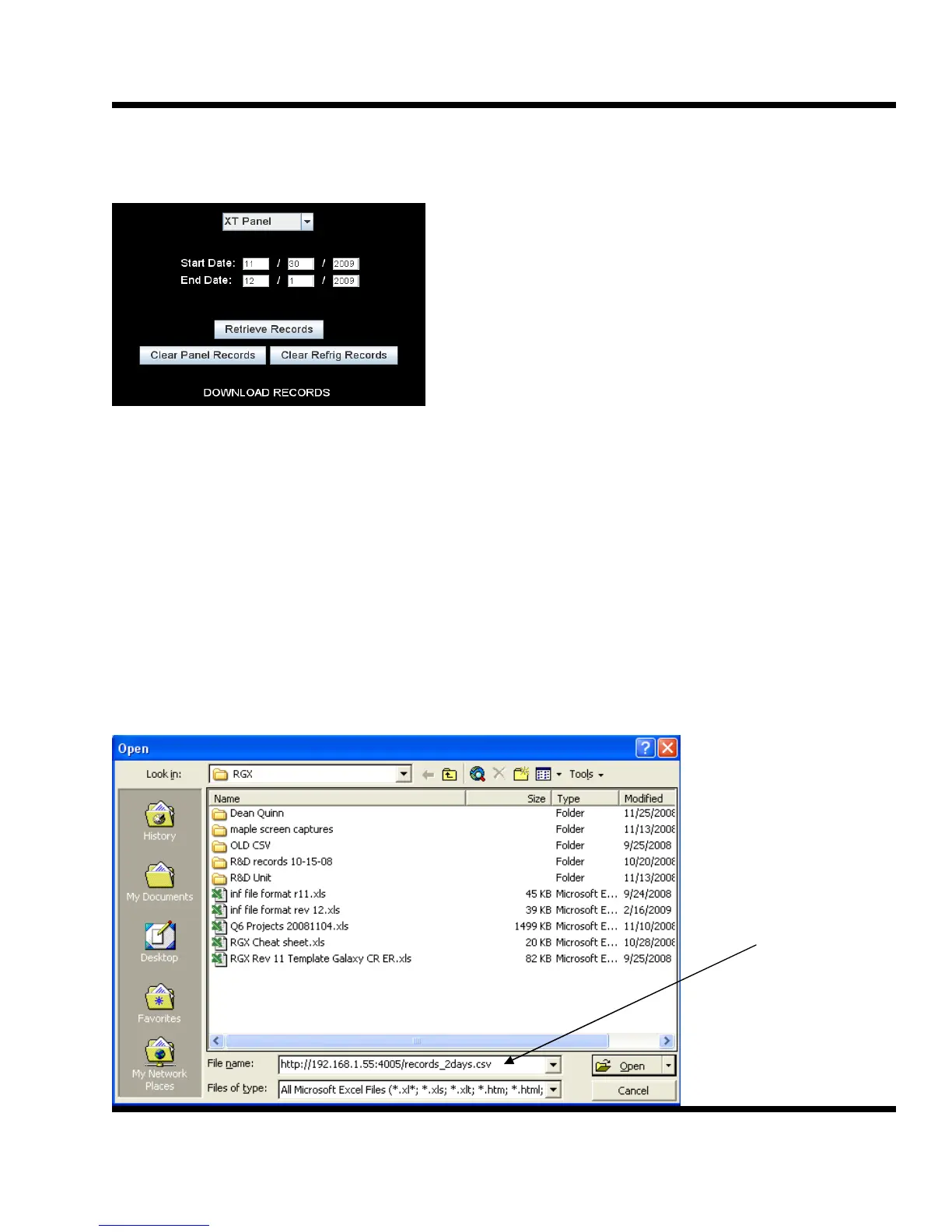
web interface and select the desired date.
Any start date and ending date that has valid records can
be entered. The start date begins at midnight. Thus, if
today is the 4/2/09 and only today's records are wanted,
use a start date of 4/2/09 and an end date of 4/3/09.
When Retrieve records is clicked on, a choice is given to
save the records or to open them in a spreadsheet.
The next way to get records involves using a host of other applications to download the records. This
could be a database, a spreadsheet or a custom program. Any records request involves the IP address
of the panel.
There is a variable format that would allow one to automatically pull records from any date and there is
also a two day and a seven day fixed dump of records. The two day and seven day format are
addressed here first.
The format for the last two days records is http://<ip address>/records_2days.csv
The format for the last seven days records is http://<ip address>/records_7days.csv
For example, to retrieve the last two days of records for an XT-70 panel at 192.168.1.55 at HTTP port
4005, the request would be: http://192.168.1.55:4005/records_2days.csv
To load these records in an Excel spreadsheet, do a file open and use that address for the “File name:”
field.
The XT panel acts
much like a hard-
drive. The differ-
ence is that the
address or path is
via the internet to
gain access the XT.



 To Next Page