19
CHANNEL BANKS
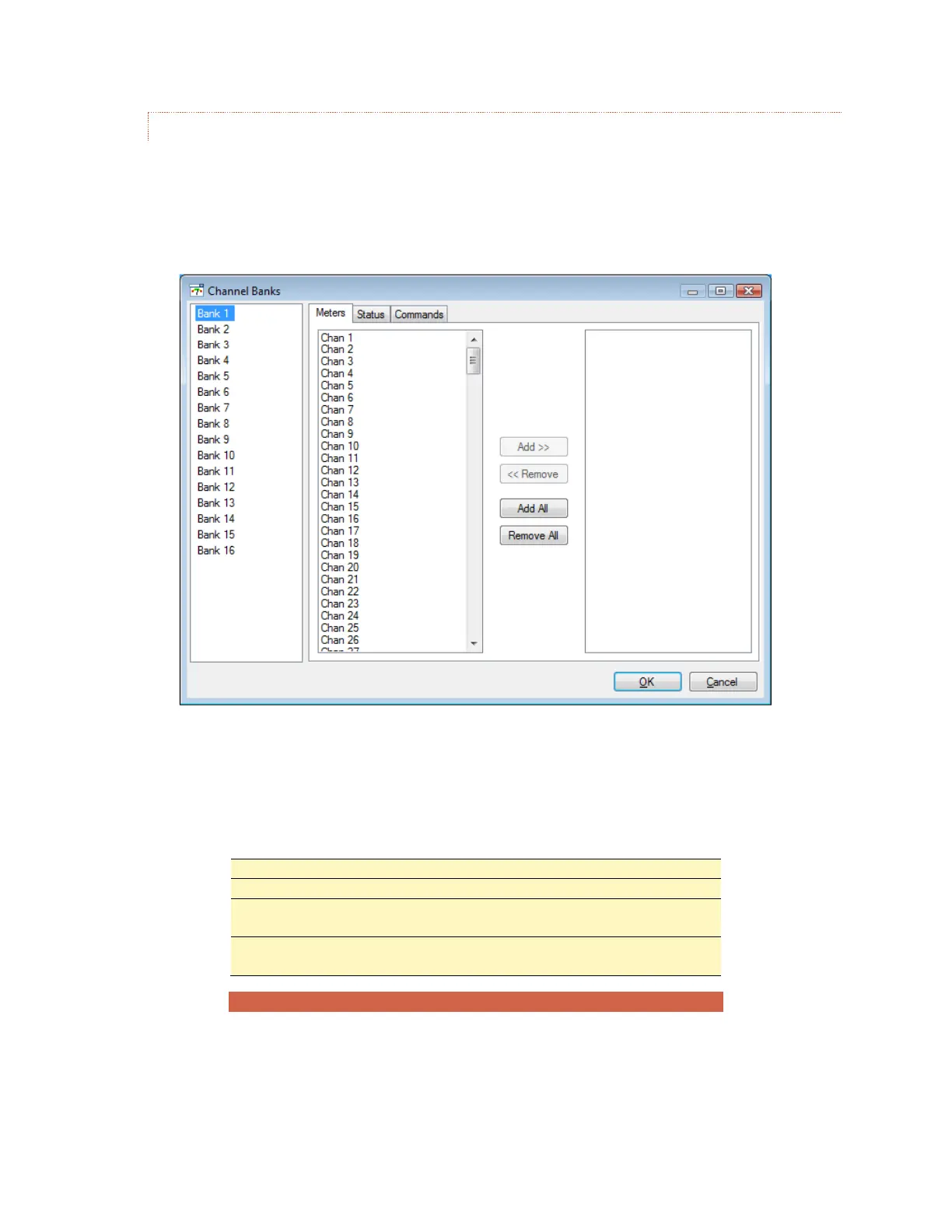
The groupings of channels displayed in the web and smart phone interfaces can be edited to display any
combination of ARC Plus channels. Each customizable grouping is known as a Channel Bank, and you may
configure up to 16 separate channel banks for display on each ARC Plus web or smart phone interface.
To create or edit a channel bank, use the Edit > Settings > Channel Banks… menu.
The Channel Bank Editor always shows all 16 banks. To name a bank, first select it, and then click on its label
in the list and type in a new name.
Each channel bank can contain any number of meter, status and command channels.
To add channels to a bank:
Select the channel(s) you want to add from the left hand list, and
click the Add >> button. (You can add all channels by clicking Add All)
To remove channels, select the desired channels in the right hand list
and use <<Remove or Remove All



 To Next Page