E PA Temperature / power supply voltages / reverse power.
This section displays the power amplifier temperature, the voltages of
the power amplifier power supply and the reverse power.
If FSK is enabled, this section will read FSK ACTIVE while the transmitter
is keying. This will only display for around 15 seconds every hour.
5.2.2 Menu Box
This is the main section of the user interface. Navigate by rotating the control knob and
select a menu option by pushing.
Button 1 is the ‘back’ button in this menu, and will move the menu selection up one
level.
Button 2 is ‘help’ in this menu, and will show a brief description of the function of each
item.
The arrow > in the menu indicates that there is a submenu available. A map of the entire
menu structure is shown later in this manual.
5.2.3 Meters
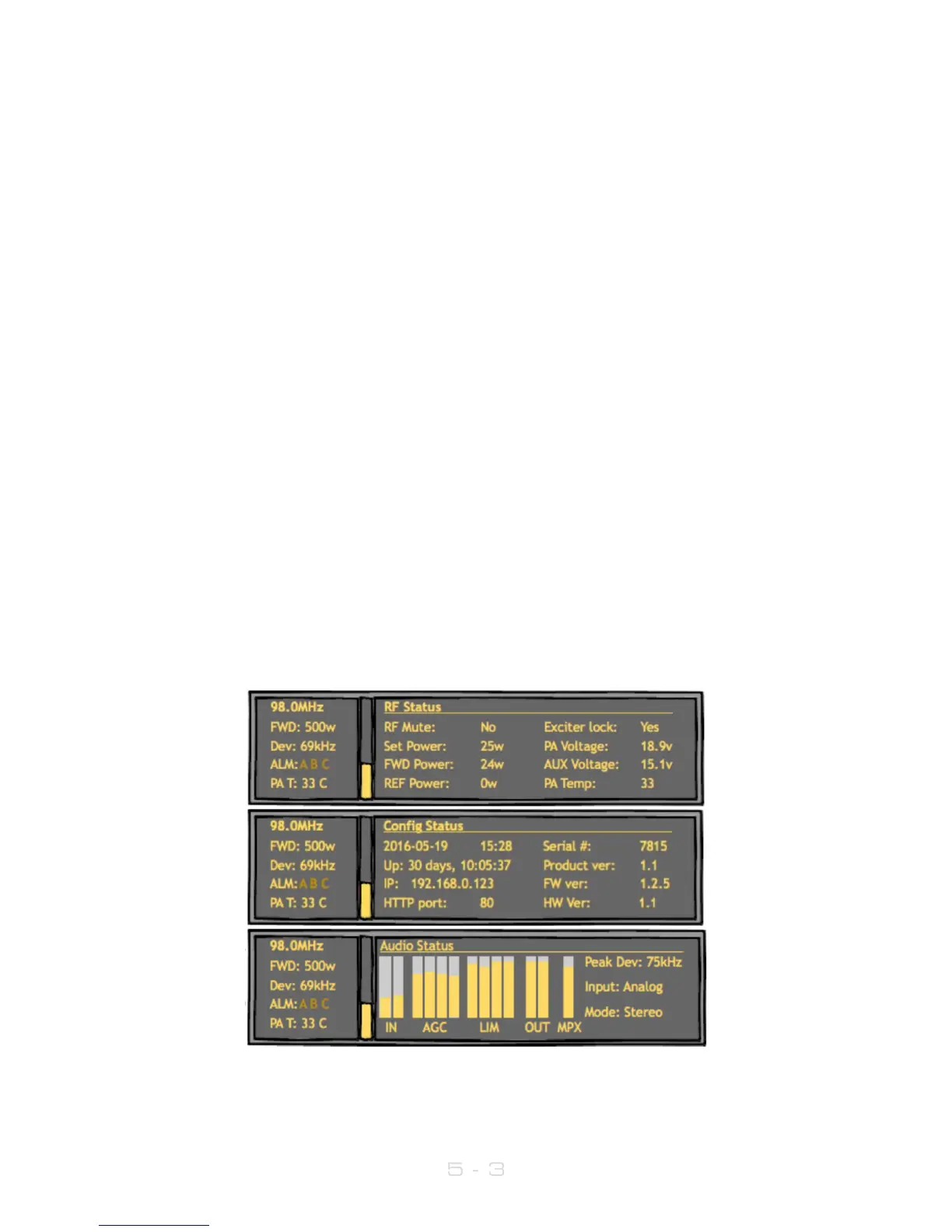
The V3 transmitter offers extensive metering with just a few clicks of button 3. Press this to
cycle through each of the three meter screens: RF Status, Audio Status and Config.
Press button 1 ‘exit’ to leave the meters screen.
Meter screens:



 To Next Page