7.6 Triggers
BW Broadcast V3 transmitters have a comprehensive monitoring and control system
consisting of 3 alarms and 4 triggers.
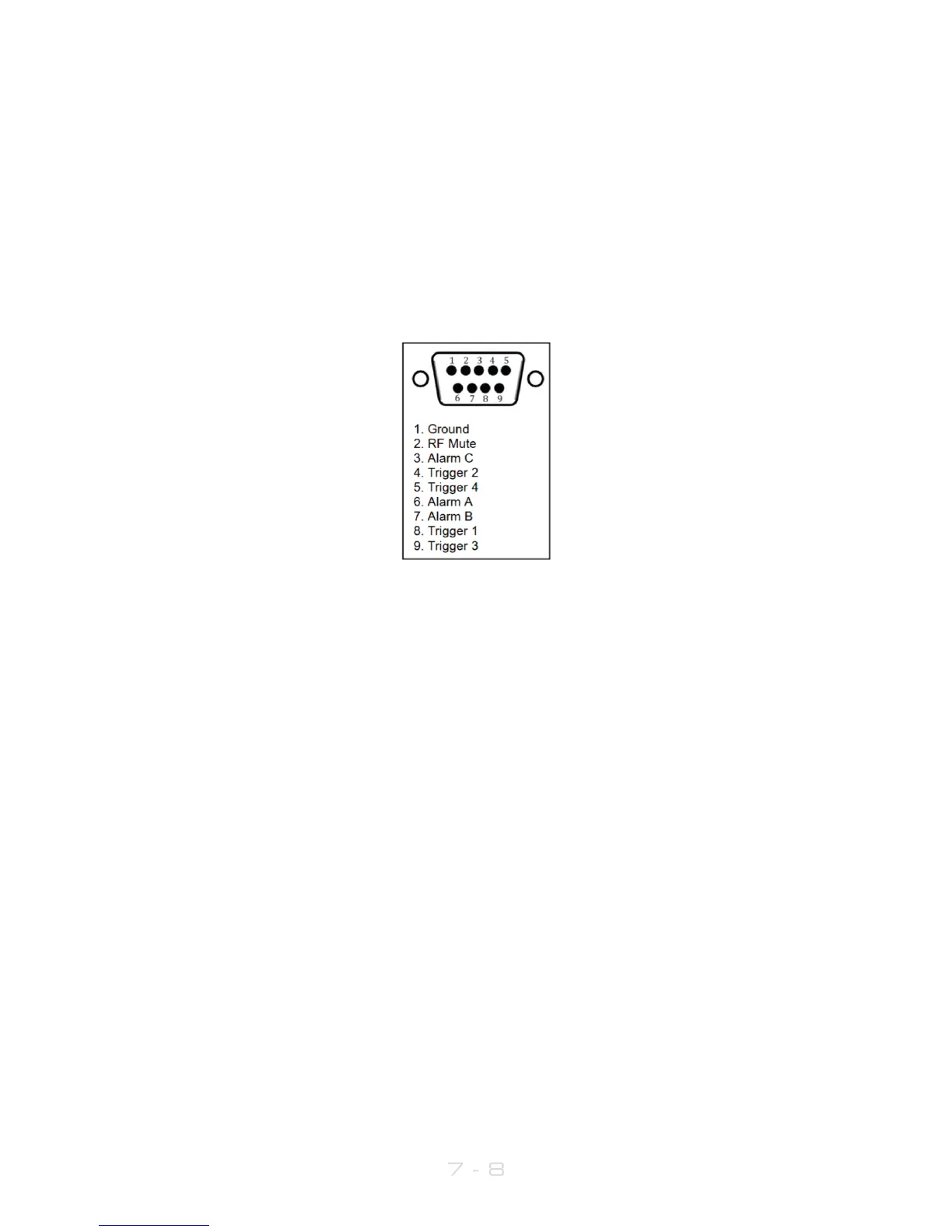
Pin 2 of the connector is hardwired to RF mute. Connecting this pin to ground will mute
the transmitter. The alarms and triggers port can also be used to control the unit through
a telemetry interface system.
Trigger pins are designed to work with relay contacts to ground or 5 V drivers able to sink
15 mA (per trigger pin).
GPIO / Parallel remote control port pinouts
Triggers are used to control certain parameters in the V3 transmitter using pins on the
GPIO / Parallel Remote Control connector (see page 10).
To fire a trigger, the pin must be pulled low.
There is an option in the Triggers menu, RF Mute Mode. This allows an external trigger to
mute the RF to be either toggle (i.e. a momentary signal) or level – a continuous signal
which while held, will keep the transmitted RF muted.
7.6.1 To set up a trigger:
1. Connect the required trigger pin to the required source. Make sure that the
voltage and current levels are compatible.
2. Navigate to the Triggers menu item and enter the required trigger
(Trigger1,...,Trigger 4).
3. Set Enable to on.
4. Select the Action that the trigger will perform. Options are: Frequency Up,
Frequency Down, Power Up, Power Down, RF Mute and Reboot. Frequency Up,
Frequency Down, Power Up, Power Down and reboot will perform the action on
falling edges of the signal on the trigger pin.



 To Next Page