CONSTRUCTION & REENOVATION 30 2022/12 - Indice de révision : D - Code : 32570
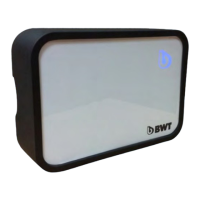
9.9. Use of the button on the housing
Short press: forced on (if filtration is stopped) or forced off (if filtration is active). An orange indicator light
will flash. Revert to the initial condition by another short press or by choosing an action in the app.
2 second press: activates Bluetooth for pairing. A green indicator light will flash.
10 second press: locks out filtration. Filtration may only be unlocked by another 10 second press of the
button on the housing. A red indicator light is lit. A message is displayed in the mobile app.
9.10. Meanings of the LED signals
Green flashes: Bluetooth activated for pairing.
Blue flashes: Device not connected to Wifi.
Violet flashes: Device not connected to the communication server.
Steady red: Filtration locked out by the button on the box .
Red flashes: panel fault (example: malfunction, filtration stopped for 24 hours, etc.).
Orange: intervention required (example: backwash required, etc.).
Yellow flashes: forced on or forced off using the button on the housing.
Steady blue: connected, operating normally.
Blue and red flashes: Device not connected to Wifi and panel fault (example: malfunction, filtration
stopped for 24 hours, etc.).
Blue and orange flashes: Device not connected to Wifi and intervention required (example: backwash
required, etc.).
Blue and yellow flashes: Device not connected to Wifi and forced on or forced off using the button on
the housing).
Violet and red flashes: Device not connected to the communication server and panel fault (example:
malfunction, filtration stopped for 24 hours, etc.).
Violet and orange flashes: Device not connected to the communication server and intervention required
(example: backwash required, etc.).
Violet and yellow flashes: Device not connected to the communication server and forced on or forced
off using the button on the housing.
10. Upkeep and maintenance
We recommend that you entrust upkeep and maintenance to a qualified electrician. Before any intervention
requiring opening of the faceplate, cut the power supply upstream from the panel using a switch at the head of
line (see paragraph 1 “Important recommendations”).
AT LEAST ONCE A YEAR:
Check that electrical contacts are tight ;
Check the fit of the cable glands ;
In the event of a panel malfunction, replace any faulty components with components that have identical
characteristics.
Should the underwater light fuse need to be replaced, replace it with a 10 A auto fuse.
The power cable should be replaced if damaged.



 To Next Page