(*) - For BWT softeners with the integrated turbine, it is essential to set the program step «P060» with the
value 0-031 corresponding to 31 pulses per liter.
CAUTION : From this time onward, to avoid any mishandling, the preset values remain displayed for 20
seconds; beyond this time and if no key is pressed, the display unit will automatically return to the initial
display.
MODIFICATION MODE OF OPERATION
To change the five-digit code, press the «Mode» and «Validation» buttons simultaneously for 5 seconds, then
release. Modify the displayed code, then validate after input with the «Validation» key.
Then repeat control unit programming procedure.
RETURNING TO FACTORY PARAMETERS
To reset the programmed operating mode, simultaneously press both «Initialization» and «Mode» keys for
five seconds, then release them. Then, briefly press the «Initialization» key, the display unit indicates «ini 0».
Select «1» with the «Forward» key, then press again the «Initialization» key to validate the resetting operation.
Then repeat control unit programming procedure.
«TEST» PROGRAMME
To launch the «TEST» program, simultaneously press both «Regeneration» and «Auto / Semi-auto » keys for
about five seconds.
The softener triggers regeneration and «R1» is displayed. The barograph remains in high position throughout
the test. To shift to the next regeneration phase (brine suction and slow rinsing), briefly press the «Mode»
key. The display then shifts to «R2».
CAUTION : It is recommended to allow this last phase to entirely run out if the brine suction phase has been
tested during a few minutes, this being aimed at correctly the resin contained in the water softener bottle.
Press the «Mode» key again to terminate the «TEST» program and return to the initial display.
CAUTION : This test is reserved to technicians and makes it possible to test water softener operating
condition and the regeneration phases.
HISTORIC SOFTENER
When programming is off, pressing this key for about three seconds makes it possible to display consumption-
log, i.e., the water volume treated since commissioning.
Briefly pressing the «Forward» key displays the number of regenerations performed since commissioning
(regeneration manually triggered by pressing the «R» key for five seconds or in automatic mode). .
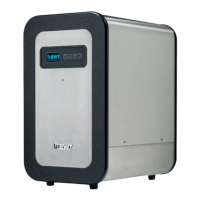
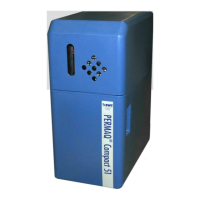
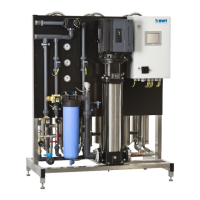
REGENERATION TIME (TABLE 1)



 To Next Page