iNetVu™ Service Manual Page 61 of 109
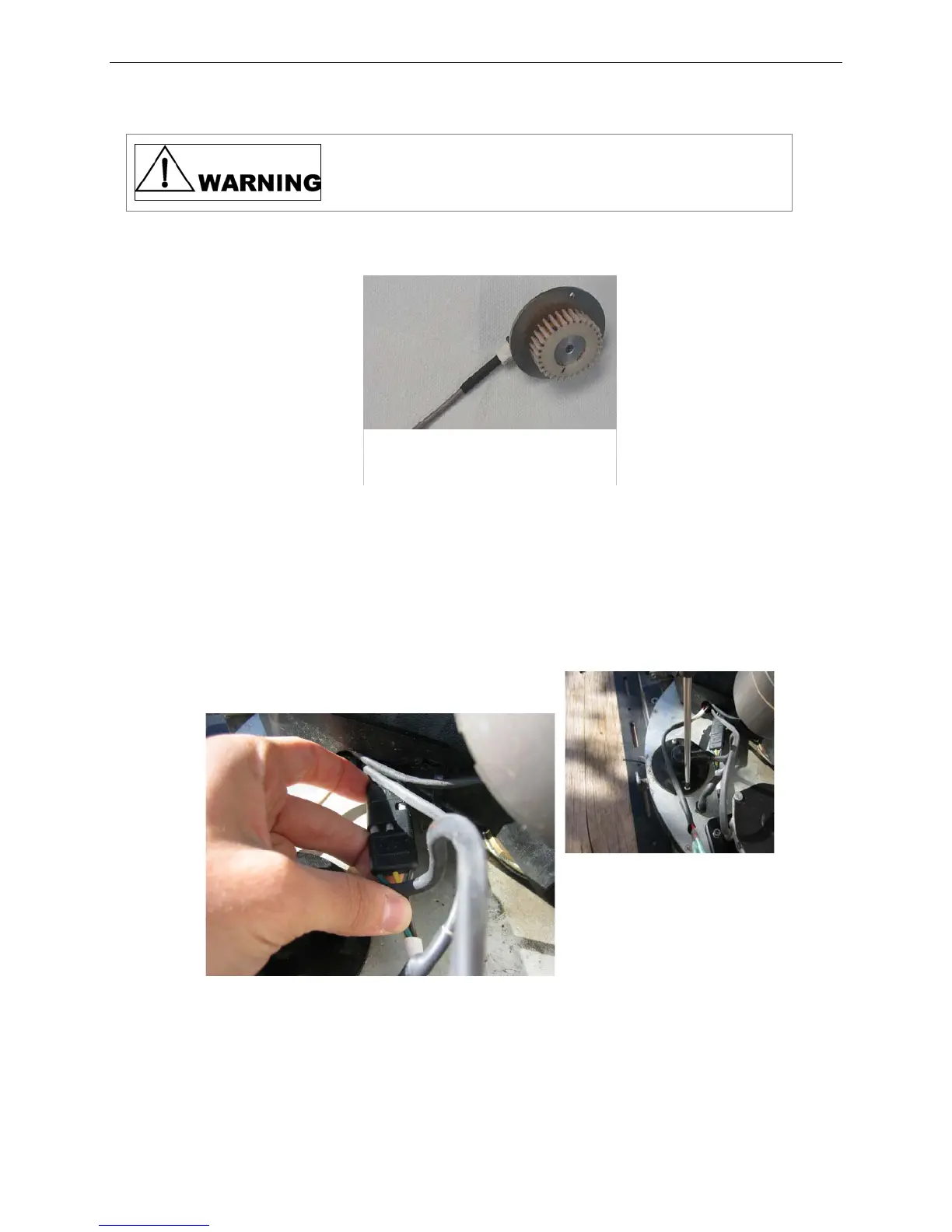
The new potentiometer must be centered prior installation.
Failure to center the potentiometer can cause it to produce
faulty readings and/or irreversible damage.
5) To center the new potentiometer:
Fig. 16: Gear underside of potentiometer
a. Rotate the potentiometer gear CCW until it stops.
b. Rotate the potentiometer gear CW five (5) full rotations. This is will
approximately center the potentiometer.
6) Connect potentiometer connectors, apply grease to the gearing, and insert new
potentiometer into the opening and secure, but do not tighten.
Fig. 17: Wire connectors (left) and securing Azimuth Potentiometer (right)
7)
To verify functionality:
a. Power on the system and start iNetVu™ Mobile Software
b. Go to Advanced Controls.



 To Next Page