iNetVu™ Service Manual Page 62 of 109
c. Ensure that there are no red indicators flashing.
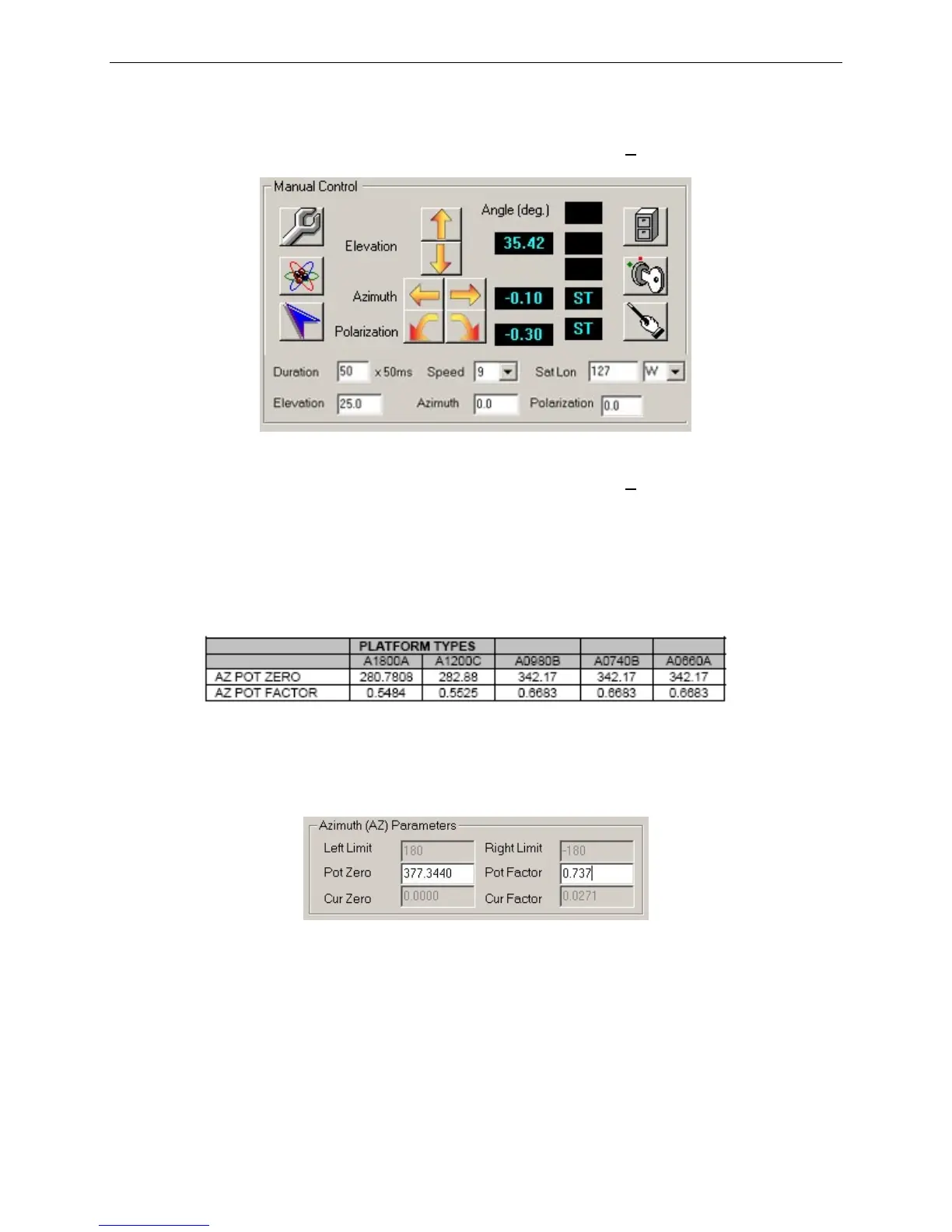
d. Verify that the Azimuth Angle is approximately 0 + 10.
Fig. 18: Manual Controls
I. If the Azimuth Angle is not approximately 0 + 10, switch to CONFIG
mode.
II. Go to Maintenance.
III. Verify that the Pot Zero and Pot Factor in the Azimuth Parameters
match the following table. These are the default values that your
system should be operating with.
Fig. 19: Azimuth Potentiometer Parameters
IV. Restore to default values if required and click Send AZ/Send All.
Click Yes when asked to save to the EPROM.
Fig. 20: Azimuth Parameters in the Maintenance Menu
V. Verify Azimuth Angle again.
e. Set Elevation to 25.0
f. Set both Azimuth and Polarization to 0.0.
g. Click Deploy Dish to raise the dish.
h. Set Duration to 50 x 50ms
i. Set Speed to 9



 To Next Page